3.5 Floppy Disk Blue Labelled Klipps
Computer & Technology
· minn Sabathius
CC0 (Public Domain)
CC0 Domenju Pubbliku - b'xejn għall-użu personali u kummerċjali, l-ebda attribuzzjoni meħtieġa.
Att ta’ liċenzja →
3.5 Floppy Disk Blue Labelled - Sabathius (CC0 (Public Domain)), via Clipart.Free
Il-kreditu huwa fakultattiv - CC0 ma jeħtieġ xejn.
Dwar din l-immaġni
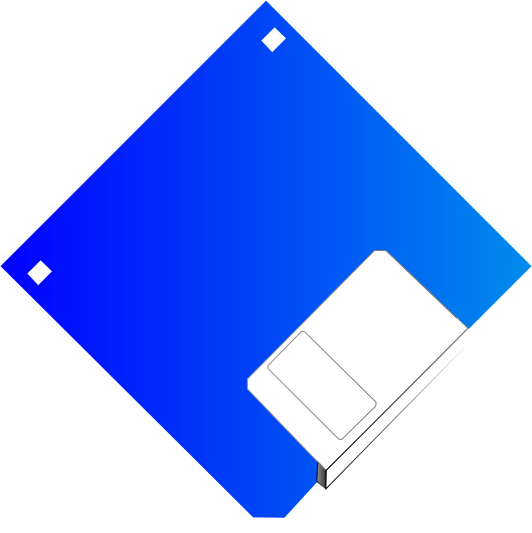
Blue 3.5" Floppy Disk with label.
| Dimensjonijiet | 532 × 533 px (SVG - scales to any size) |
|---|---|
| Daqs tal-fajl | 10.6 KB SVG · PNG 400/800/2000 px |
| Liċenzja | CC0 (Public Domain) · Spjegazzjoni tal-liċenzji Clipart |
| Artist | Sabathius |
| Sors | Openclipart · Paġna oriġinali → |
It-tikketti
Neħtieġu li jikkonvertu jew jeditjaw dan?
Dawwar l-SVG f'PDF, ICO jew WebP - jew ibdel id-daqs tal-PNG - b'konvertituri onlajn b'xejn.
Konvertituri tal-fajl ħielsa →Tibni app?
Niżżel din l-immaġni (u l-librerija kollha) bħala JSON b'API key b'xejn - 500 talba/jum.
Dokumenti tal-API Clipart →
Imħabba Clipart.Free? Aqsamha ma' ħaddieħor
Mistoqsijiet li jsiru ta' spiss
Iva. "3.5 Floppy Disk Blue Labelled" huwa dedikat għad-dominju pubbliku taħt CC0 1.0 - l-artist irrinunzja d-drittijiet tal-awtur kollha. Tista' tniżżlu, timmodifika, tipprintja u terġa' tippubblikah għal kwalunkwe skop, personali jew kummerċjali, mingħajr ma tistaqsi lil ħadd.
Iva. CC0 (Public Domain) xogħol tal-arti ma jeħtieġ l-ebda attribuzzjoni u l-ebda tariffa, anke f'xogħol kummerċjali - prodotti, proġetti tal-klijenti, apps, ippakkjar u stampar. Kreditu huwa apprezzat iżda qatt ma huwa meħtieġ.
Il-fajl prinċipali huwa 532x533 px SVG vector (10.6 KB) li jista' jiżdied għal kull daqs mingħajr telf ta' kwalità.PNGs trasparenti lesti huma disponibbli b'wisa' ta' 400, 800 u 2000 pixel - mingħajr reġistrazzjoni, mingħajr watermark.
"3.5 Floppy Disk Blue Labelled" ġiet imfassla minn Sabathius u kondiviża fuq Openclipart taħt dedizzjoni tad-dominju pubbliku.Il-paġna tas-sors hija marbuta fid-dettalji ta' hawn fuq - il-kreditu tal-artist huwa fakultattiv iżda ġest sabiħ.
"3.5 Floppy Disk Blue Labelled" turi dokumentazzjoni, tutorji, gverti tal-bidu u skrins tal-app onboarding - u CC0 tfisser li tista' tinġarr ġewwa l-prodott innifsu.
Niżżel l-SVG u tiftaħha f'editur b'xejn bħal Inkscape (desktop) jew għodda tal-browser - jew waħħalha direttament fil-Figma bil-buttuna Ikkopja SVG.Kull forma u kulur huwa editjabbli, u l-verżjoni modifikata tiegħek hija tiegħek biex iżżomm jew tbiegħ.