4 point beveled star ക്ലിപ്പര്
Travel & Places
· അയയ്ക്കുക Raker Tooth
⬇ എസ്വിജി ഡൌണ്ലോഡ് ചെയ്യുക
✓ സ്വതന്ത്ര ഡൌണ്ലോഡ് - ഒപ്പു്, വാട്ടര്മാർക്കു വേണ്ട
CC0 (Public Domain)
CC0 പബ്ലിക് മണ്ഡലം - സ്വകാര്യവും വാണിജ്യവുമായ ഉപയോഗത്തിനു സ്വതന്ത്രമാണ്, ഇനി ഒരു കോഡിങ്ങ് ആവശ്യവുമില്ല.
അനുമതിപത്രം →
4 point beveled star - Raker Tooth (CC0 (Public Domain)), via Clipart.Free
കടം വേണമെങ്കില് - CC0 ആവശ്യമില്ല.
ഈ ചിത്രത്തെ കുറിച്ച്
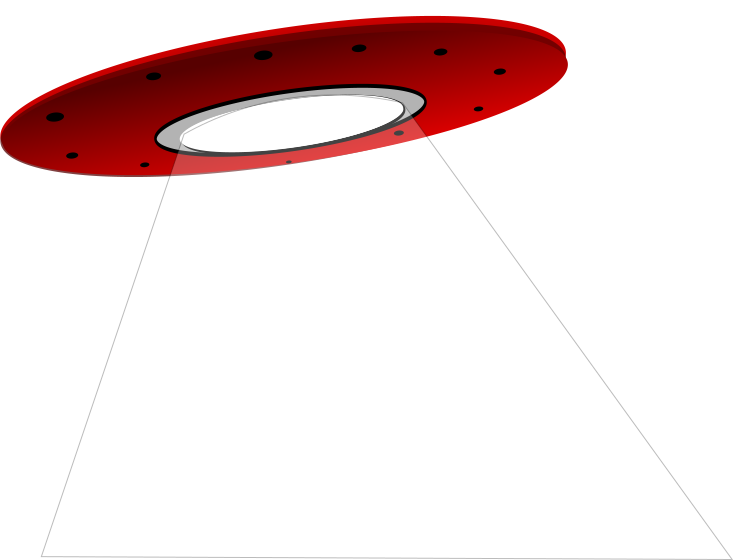
We made this to decorate a toy shield my sons have. Cut-out pieces included for greater working ease. How it was used:<br /> <a href='https://chestnutspring.ru/?page_id=27' rel="nofollow">https://chestnutspring.ru/?page_id=27</a>
| അളവുകള് | 2374 × 2374 px (SVG - scales to any size) |
|---|---|
| ഫയലിന്റെ വലിപ്പം | 1.7 KB SVG · PNG 400/800/2000 px |
| അനുമതി | CC0 (Public Domain) · ക്ലിപ്പര് ലൈസന്സ് വിശദീകരിക്കുന്നു |
| ആര്ട്ടിസ്റ്റ് | Raker Tooth |
| ഉറവിടം | Openclipart · യഥാര്ത്ഥ താള് → |
മുദ്രകള്
മാറ്റണോ അല്ലെങ്കില് മാറ്റം വരുത്തണമോ?
PSV യില് XSV- ല് മാറ്റം വരുത്തുക, ICO അല്ലെങ്കില് വെബ്പി - അല്ലെങ്കില് PNG - സ്വതന്ത്ര ഇന്റർനെറ്റ് മാറ്റുന്നവര് (SVG) എന്നൊക്കെ മാറ്റി വയ്ക്കുക.
സ്വതന്ത്ര ഫയല് മാറ്റുന്നവര് →ഒരു ആപ്പ് ഉണ്ടാക്കാനോ?
ഈ ചിത്രം (മറ്റു ലൈബ്രറി മുഴുവനായും) ഒരു സ്വതന്ത്ര API കീ - 500 ആവശ്യങ്ങള്/ഡേയില് ലഭ്യമാക്കുക.
ക്ലിപ്പര് API ഡോക്സ് →
സ്നേഹം Clipart.Free? പങ്കുവെയ്ക്കുക
പലപ്പോഴും ചോദ്യങ്ങൾ ചോദിച്ചു
അതെ. "4 point beveled star" സി00- ന്റെ കീഴിലെ പൊതു ഡൊമൈനിലേക്ക് സമര്പ്പിക്കുന്നു - കലാകാരന് എല്ലാ പകര്പ്പവകാശങ്ങളും ഉപയോഗപ്പെടുത്തി. നിങ്ങള്ക്ക് ഏതു ലക്ഷ്യത്തിനും, സ്വകാര്യമോ, വ്യാപാരമോ ചോദിക്കാതെ, ഏതെങ്കിലും ലക്ഷ്യത്തിനും അച്ചടിയ്ക്കാം, അച്ചടിച്ചെടുക്കാം, വീണ്ടും അച്ചടിക്കാം.
CC0 (Public Domain) ചിത്രങ്ങളിൽ ഒരു പ്രതിഭാസവും ആവശ്യമില്ല, ഒരു വിലയും ഇല്ല, വാണിജ്യ ഉത്പന്നങ്ങൾ, ക്ലയന്റ് പ്രോജക്ടുകൾ, ആപ്സ്, അച്ചടി എന്നിവയിലും പോലും.
The master file is a 2374x2374 px SVG vector (1.7 KB) that scales to any size without quality loss. Ready-made transparent PNGs are available at 400, 800 and 2000 pixels wide - no signup, no watermark.
"4 point beveled star" എന്നൊരു ഭാഗം വരച്ചത് Raker Tooth 01 നാണ്. പിന്നെ ഓപ്ലിലിറ്റില് പങ്കിട്ടു. ആമുഖം, കലാകാരനെ അഭിനന്ദിക്കുന്ന വിശദാംശങ്ങളില് ബന്ധിച്ചിരിക്കുന്നു. എന്നാല്, ഈ ചിത്രം ഒരു നല്ല ആംഗ്യമാണ്.
"4 point beveled star" പ്രൗഢിയുള്ള ഉപഗ്രഹങ്ങള്, യാത്രാ പ്ലോഗുകള്, ഏജൻസി പ്രൊജക്ടറികളും - എവിടെയോ അലഞ്ഞുതിരിയുന്ന ഒരു ദൃശ്യം വേണം.
എസ്വിജി ഡൌണ്ലോഡ് ചെയ്ത് ഇന്സ്കേപ്പ് (ഡബ്ലിയുഎം) പോലുള്ള ഒരു സ്വതന്ത്ര എഡിറ്ററില് തുറക്കുക അല്ലെങ്കില് ബ്രൌസര് ഉപകരണം - പകര്ത്തല് ബട്ടണ് ഉപയോഗിച്ച് അത് മശ്മയിലേയ്ക്കു് തൊഴിക്കുക. എല്ലാ ആകൃതവും നിറവും തിരുത്താവുന്നതാണ്, നിങ്ങള് വരുത്തിയ പതിപ്പു് സൂക്ഷിക്കാനോ വില്ക്കാനോ നിങ്ങള്ക്കുള്ളതാണ്.