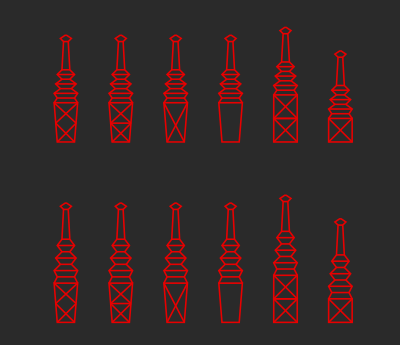
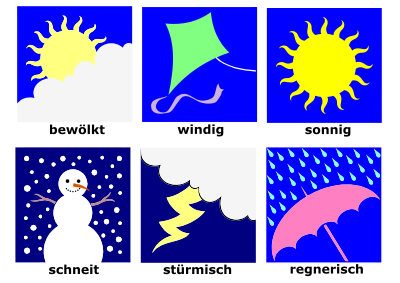
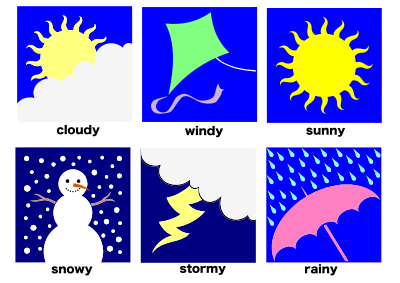
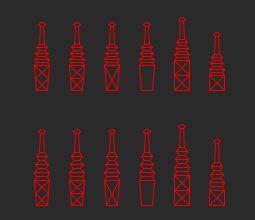
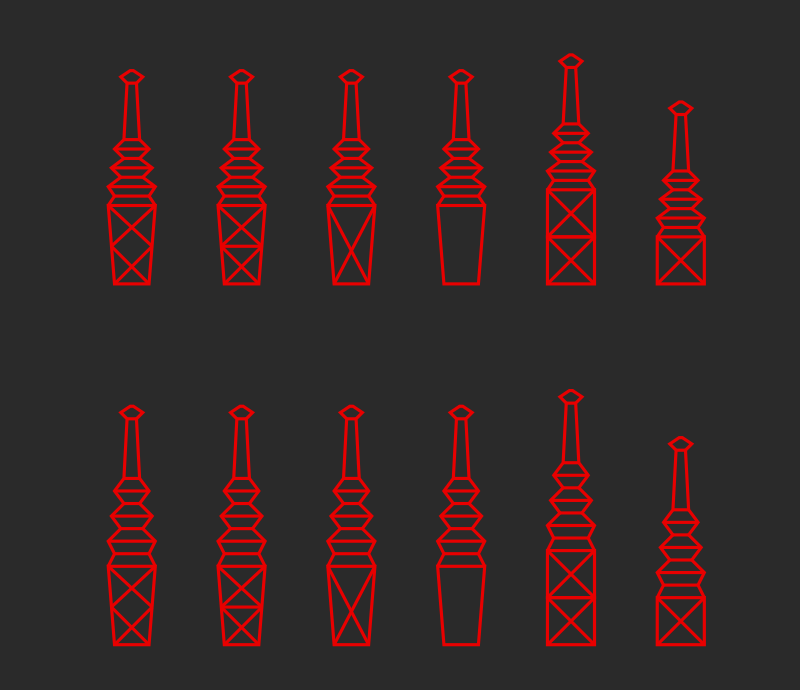
Card backs: simple red Clipart
⬇ Download SVG
⧉ Copy SVG (paste into Figma)
✓ Free download - no signup, no watermark
CC0 (Public Domain)
CC0 Public Domain - free for personal and commercial use, no attribution required.
License deed →
Card backs: simple red - nicubunu (CC0 (Public Domain)), via Clipart.Free
{'account_label': 'Konto', 'total_credits': 'Kredite', 'next_billing_date': 'Nächstes Abrechnungsdatum', 'cancel_subscription': 'Abonnement abbrechen', 'plan_not_active': 'Nicht aktiv', 'api_token': 'API-Token', 'get_credits': 'Credits abrufen', 'hello': 'Guten Tag.', 'change_password': 'Passwort ändern', 'delete_account': 'Konto löschen', 'billing_history': 'Rechnungsverlauf', 'status': 'Status', 'processor': 'Prozessor', 'amount': 'Betrag', 'date': 'Zeitpunkt', 'no_payments': 'Noch keine Zahlungen', 'are_you_sure': 'Sind Sie sicher, dass Sie Ihr Abonnement kündigen möchten?', 'close': 'Schließen', 'success': 'Erfolg!', 'success_message': 'Ihre Aktion wurde erfolgreich abgeschlossen.', 'back_to_home': 'Zurück zum Anfang', 'start_transcribing': 'Transkription beginnen', 'verify_email': 'E-Mail überprüfen', 'verify_email_subtitle': 'Geben Sie den Code ein, den wir an Ihre E-Mail gesendet haben', 'verification_code': 'Prüfcode', 'no_email': 'Haben Sie die E-Mail nicht erhalten?', 'resend_email': 'Zurücksenden', 'contact': 'Kontaktieren Sie uns', 'need_help': 'Brauchst du Hilfe?', 'request_refund': 'Erstattungsbetrag', 'message_sent': 'Ihre Nachricht wurde gesendet, wir melden uns bald.', 'email_address': 'E-Mail-Adresse', 'message': 'Nachricht', 'send': 'Senden', 'or_contact': 'Oder mailen Sie uns direkt', 'lost_password': 'Passwort vergessen', 'lost_password_subtitle': 'Geben Sie Ihre E-Mail ein und wir senden Ihnen einen Reset-Link', 'remember_password': 'Erinnerst du dich an dein Passwort?', 'login': 'Anmelden', 'sign_up': 'Registrieren', 'password': 'Passwort', 'password_hint': 'Mindestens 4 Zeichen', 'already_have_account': 'Haben Sie schon ein Konto?', 'forgot_password': 'Passwort vergessen?', 'dont_have_account': 'Haben Sie kein Konto?', 'privacy_policy': 'Datenschutz', 'refund_policy': 'Rückerstattungspolitik', 'transaction_id': 'Transaktionskennung', 'payment_email': 'E-Mail für die Zahlung verwendet', 'pricing_h1': 'Einfache Preisgestaltung, ernsthafte freie Ebene', 'pricing_sub': 'Die freie Ebene ist die großzügigste auf dem Markt. Zahlen Sie nur, wenn Ihre Dateien es überwachsen.', 'plan_free': 'Frei', 'plan_free_sub': 'Kein Konto erforderlich', 'most_popular': 'Am beliebtesten', 'plan_pro_annual': 'Pro Jahr', 'billed_annually': '$60 jährlich in Rechnung gestellt', 'go_pro_annual': 'Pro — 60 $/Jahr', 'payments_soon_short': 'Zahlungen werden demnächst eingeleitet', 'plan_pro_monthly': 'Pro Monatlich', 'cancel_anytime': 'Jederzeit kündbar', 'go_pro_monthly': 'Pro gehen — 10 $/Mo', 'packs_heading': 'Kreditpakete — einmalige, nie auslaufende', 'packs_sub': '1 Gutschrift = 1 Minute Audio, aufgerundet pro Datei. Für einmalige Interviews und Backkataloge - kein Abonnement.', 'pack_s': 'Packung S', 'pack_m': 'Packung', 'pack_l': 'Packung L', 'minutes_label': 'Minuten', 'pack_features': '10-Stunden-Dateien, Lautsprecheretiketten, Prioritäts-Warteschlange', 'buy_label': 'Kaufen', 'soon_label': 'Bald', 'compare_tiers': 'Vergleichsstufen', 'tier_anon': 'Keine Anmeldung', 'tier_free': 'Kostenloses Konto', 'tier_packs': 'Kreditpakete', 'row_files': 'Dateien', 'row_length': 'Länge der Datei pro Datei', 'row_size': 'Je Dateigröße', 'row_queue': 'Warteschlange', 'row_speakers': 'Lautsprecheretiketten', 'row_exports': 'Ausfuhr', 'row_history': 'Geschichte', 'api_note': 'Brauchen Sie eine Entwickler-API für Sprach-zu-Text?', 'faq_heading': 'Häufig gestellte Fragen', 'reset_password': 'Passwort zurücksetzen', 'repeat_password': 'Passwort bestätigen', 'payments_soon_title': 'Die Zahlungen laufen bald', 'payments_soon_body': 'Wir beenden die Zahlungs-Setup für transcribe.free. Die freie Ebene ist in der Zwischenzeit vollständig geöffnet — 3 Dateien pro Tag ohne Konto, 5 pro Tag mit einem freien.', 'checkout_loading_payment': 'Sicheres Zahlungsformular laden...', 'mo': 'Mo', 'checkout_or': 'oder', 'checkout_wallet_loading': 'Apple Pay / Google Pay prüfen...', 'payment_secured': 'Sichere Zahlung über', 'crypto': 'Mit Crypto bezahlen', 'crypto_not_available': 'Für diesen Plan nicht verfügbare Kryptowährungszahlung', 'tools': 'Werkzeuge', 'audio_to_text': 'Audio zu Text', 'video_to_text': 'Video zu Text', 'mp3_to_text': 'MP3 zu Text', 'mp4_to_text': 'MP4 zu Text', 'srt_generator': 'SRT-Generator', 'languages_label': 'Sprachen', 'lang_spanish': 'Spanisch', 'lang_french': 'Französisch', 'lang_german': 'Deutsch', 'lang_portuguese': 'Portugiesisch', 'lang_japanese': 'Japanisch', 'lang_chinese': 'Chinesisch', 'lang_arabic': 'Arabisch', 'lang_hindi': 'Hindi', 'lang_korean': 'Koreanisch', 'lang_italian': 'Italienisch', 'pricing': 'Preise', 'logout': 'Abmelden', 'company': 'Unternehmen', 'about_us': 'Über', 'terms_of_service': 'Bedingungen der Dienstleistung', 'refund': 'Rückerstattungspolitik', 'home_h1_prefix': 'Kostenlose Audio- & Video-Text,', 'trust_no_signup': 'Keine Anmeldung', 'trust_no_watermark': 'Kein Wasserzeichen', 'trust_autodelete': 'Dateien löschen sich automatisch nach 24h', 'dz_title': 'Ziehen Sie Ihre Datei hierher', 'dz_or': 'oder', 'dz_browse': 'Ihre Dateien durchsuchen', 'dz_free_limits': 'Kostenlos: {0} Dateien pro Tag · bis zu {1} Min. & {2} MB pro Datei', 'lang_locked_note': 'Sprache voreingestellt für diese Seite', 'spoken_language': 'Gesprochene Sprache', 'autodetect': 'Automatisch erkennen', 'upload_note_pre': 'Größere Dateien oder mehr Uploads?', 'upload_note_signup': 'Kostenloses Konto: 5 Dateien/Tag, 1-Stunden-Dateien', 'upload_note_pro': 'Pro: 10-Stunden-Dateien + Sprecher-Labels', 'uploading': 'Hochladen...', 'uploading_hint': 'Halten Sie diesen Tab offen – Sie werden zu Ihrem Transkript weitergeleitet.', 'checkout_stripe_blocked': 'Zahlungssystem konnte nicht geladen werden. Bitte deaktivieren Sie Ihren Ad-Blocker oder Content-Blocker für diese Seite, dann aktualisieren.', 'transcribing_title': 'Transkription Ihrer Datei', 'step_uploaded': 'Hochgeladen', 'step_queued': 'In der Warteschlange', 'step_transcribing': 'Wird transkribiert', 'step_ready': 'Fertig', 'duration_label': 'Dauer', 'failed_title': 'Transkription fehlgeschlagen', 'failed_no_charge': 'Für diese Datei wurden keine Credits abgebucht.', 'try_again': 'Erneut versuchen', 'anon_banner': '24 Stunden gespeichert — registrieren Sie sich kostenlos, um es zu behalten.', 'anon_banner_cta': 'Erstellen Sie ein kostenloses Konto', 'language_label': 'Sprache', 'segments_label': 'Segmente', 'delete_label': 'Löschen', 'timestamps_label': 'Zeitstempel', 'copy_all': 'Alle kopieren', 'export_label': 'Exportieren', 'feature_no_ads': 'Keine Werbung', 'feature_unlimited': 'Unbegrenzte Nutzung', 'feature_priority': 'Vorrangige Unterstützung', 'feature_early_access': 'Frühzeitiger Zugriff auf neue Funktionen', 'footer_tagline': 'Kostenlose KI-Transkription ohne Anmeldung, ohne Wasserzeichen und ohne E-Mail-Pflicht. Dateien werden nach 24 Stunden automatisch gelöscht.', 'tp_german_faq1_q': 'Und Österreicherdeutsch?', 'tp_interview_transcription_faq3_q': 'Funktionieren Telefonanrufaufnahmen?', 'tp_german_faq0_q': 'Arbeitet Schweizerdeutsch?', 'export_nudge': 'Exportiert! Diese Abschrift verschwindet in 24 Stunden —', 'export_nudge_cta': 'kostenlos anmelden, um eine gespeicherte Bibliothek zu halten', 'failed_help': 'Läuft es weiter?', 'file_label': 'Datei', 'interview_transcription': 'Transkription des Interviews', 'meeting_transcription': 'Transkription treffen', 'new_transcription': 'Neue Transkription', 'no_transcripts_yet': 'Noch keine Abschriften.', 'not_found_message': 'Diese Seite existiert nicht — aber der Transkriber tut es.', 'share_link': 'Link teilen', 'status_completed': 'Fertig', 'status_failed': 'Fehler', 'tp_arabic_desc': 'Arabische Sprache zu Text, kostenlos und ohne Anmeldung. Hocharabisch sehr stark; ehrliche Hinweise zu Dialekten. Ausgabe von rechts nach links. Export als TXT, SRT, VTT.', 'tp_arabic_faq0_a': 'Moderne Standard Arabisch, klar — Nachrichtensendungen, Reden und formale Register transkribieren auf dem hohen Niveau des Modells. Unter Dialekten: Ägyptisch und Levantine am besten (Medien-Exposition), Golf als nächstes, Maghrebi darija schwächst. Gemischte MSA / Dialekt Rede, in Interviews üblich, kommt meist richtig mit Dialekt Wörter manchmal normalisiert.', 'tp_arabic_faq0_q': 'Welches Arabisch ist das am besten?', 'tp_arabic_faq1_a': 'Die Erwartungen niedrig stellen: Daijas französische und Amazigh-Mischung sowie die Phonologie weit von MSA entfernt machen es zur härtesten arabischen Mainstream-Variante. Sie erhalten ein brauchbares Skelett für klare Sprache, sollten aber auf Bearbeitung planen. Für formale Maghrebi-Sprach (Nachrichten, Bildung) ist Genauigkeit viel besser.', 'tp_arabic_faq1_q': 'Wird Marokko/Algerien darija arbeiten?', 'tp_arabic_faq2_a': 'Nein – wie praktisch alle arabischen Texte ist die Ausgabe unvokalisiert: Konsonanten und lange Vokale, mit Hamza und Taa Marbuta richtig geschrieben. Das ist der Standard für lesbaren arabischen Text; vollgesange Ausgabe ist nicht etwas, das Sprachmodelle zuverlässig produzieren.', 'tp_arabic_faq2_q': 'Enthält die Abschrift Harakat (kurze Vokale)?', 'tp_arabic_faq3_a': 'Ja. Der Editor rendert RTL natürlich, TXT-Exporte sind einfache UTF-8 Arabisch Text, und SRT/VTT Untertitel-Dateien arbeiten in Spielern mit RTL-Unterstützung (YouTube, VLC, moderne Web-Player). Gemischte Richtung Linien - Arabisch mit einem englischen Markennamen - folgen Standard-Bidi Rendering.', 'tp_arabic_faq3_q': 'Wird bei Exporten von rechts nach links ordnungsgemäß umgegangen?', 'tp_arabic_faq4_a': 'Diese Seite transkribiert Arabisch in Arabisch — der genaue Schritt. Für Englisch, Export der TXT und maschinell-übersetzen es; ar→en Übersetzung auf sauberen Text ist weit vor einer einzigen Schuss Sprachübersetzung, vor allem für MSA. Transkription in der App ist auf der Roadmap.', 'tp_arabic_faq4_q': 'Arabische Audio-Texte zu englischen Texten?', 'tp_arabic_faq5_a': "Tajwid Rezitation ist gesungen / melodisch und hoch stilisiert - das Modell erkennt oft den Text (viel davon ist in Trainingsdaten) aber dies ist kein zuverlässiges Koran Transkription Werkzeug, und die Ausgabe wird nicht korrekt Vokalisierung. Für Khutbas, Vorträge und du'a in gesprochenen Register, es führt wie normale MSA / Dialekt Sprache.", 'tp_arabic_faq5_q': 'Koranrezitation oder religiöse Audio?', 'tp_arabic_h1': 'Arabisches Audio in Text transkribieren', 'tp_arabic_sec0_h': 'MSA ist der starke Fall; Dialekte variieren', 'tp_arabic_sec0_p1': 'Die Dialekte sind, wo Ehrlichkeit zählt: Ägyptisch und Levantine (die Medien-schweren Dialekte) transkribieren einigermaßen gut, oft leicht normalisiert in Richtung MSA Rechtschreibungen. Golf Dialekte sind dienstbar. Maghrebi (Marokkanisch/Algerische Darija) ist der harte Fall — schwere Französisch/Berber Mischen und Phonologie weit von MSA bedeuten deutlich rauere Ausgabe. Für Daija Aufnahmen, Budget echte Editorzeit.', 'tp_arabic_sec1_h': 'Rechts-nach-links-Text, Hamza und Taa Marbuta', 'tp_arabic_sec1_p0': 'Die Ausgabe ist die richtige rechts-nach-links arabische Schrift mit Standard-Orthographie - Hamza Sitze, taa marbuta und Alif Varianten, die konventionell geschrieben. Kurze Vokale (Harakat) sind nicht geschrieben, wie im normalen arabischen Text. Der Editor und alle Exporte behandeln RTL korrekt, und SRT/VTT-Dateien tragen den arabischen Text bereit für Spieler, die RTL Untertitel unterstützen (die meisten modernen tun).', 'tp_arabic_sub': 'العربية zu Text — Modernes Hocharabisch mit hoher Genauigkeit, große Dialekte mit ehrlichen Hinweisen. Kostenlos, kein Konto nötig.', 'tp_audio_to_text_desc': 'Wandeln Sie Audio kostenlos mit KI in Text um. MP3, WAV, M4A, FLAC und mehr — kein Konto, 3 Dateien pro Tag, je bis zu 30 Minuten. Bearbeiten, dann als TXT, SRT oder VTT exportieren.', 'tp_audio_to_text_faq0_q': 'Welche Audioformate werden unterstützt?', 'tp_german_faq1_a': 'Der österreichische Standarddeutsch – Medien, Meetings, Vorträge – ist top-tier, darunter der österreichische Wortschatz (Jänner, Erdapfel) wie gesprochen geschrieben. Tief ländliche Dialekt wird rauer, das gleiche Muster wie Bayern: Je weiter vom Standard, desto mehr normalisiert oder verpasst das Modell.', 'tp_audio_to_text_faq1_a': 'Normalerweise mit Vorbehalten. Das Modell ist auf eine Menge unvollkommener Real-Welt-Audio trainiert, so dass Zischen, Raum Echo und Kompression Artefakte selten brechen. Was wirklich verletzt Genauigkeit ist Sprache, die ruhig im Verhältnis zum Rauschen ist — ein Rekorder weit vom Lautsprecher, oder Musik lauter als die Stimme. Wenn Sie können, nehmen Sie näher an der Quelle; der Editor macht die Festsetzung der verbleibenden Fehler schnell.', 'tp_audio_to_text_faq1_q': 'Wird laute oder minderwertige Aufnahmen funktionieren?', 'tp_audio_to_text_faq2_a': 'Ja – die Worte aller werden transkribiert, unabhängig davon, wie viele Menschen sprechen. Auf der freien Ebene sagt das Transkript nicht, wer was gesagt hat; Lautsprecheretiketten (Diarisierung) sind eine Pro-Funktion, die jedes Segment SPEAKER 1, SPEAKER 2 usw. markiert und Sie sie im Editor umbenennen lassen.', 'tp_audio_to_text_faq2_q': 'Kann es mehrere Lautsprecher auf einer Spur handhaben?', 'tp_audio_to_text_faq3_a': 'Ja. Jedes Segment führt Start- und Endzeiten. Im Editor können Sie die Zeitstempelanzeige ein- oder ausschalten, und die SRT/VTT-Exporte betten sie in das Standard-Untertitel-Timingformat ein. Der TXT-Export ist saubere Prosa ohne Zeitstempel.', 'tp_audio_to_text_faq3_q': 'Bekomme ich Zeitstempel?', 'tp_audio_to_text_faq4_a': 'Ja, das ist der Standard-Workflow. Das Transkript öffnet sich in einem Editor, in dem jedes Segment mit Autospeicher auf den Button zubearbeiten ist. Beheben Sie Namen, Jargon oder falsch verstandene Wörter, dann exportieren Sie; Ihre Bearbeitungen sind in jedem Format enthalten.', 'tp_audio_to_text_faq4_q': 'Kann ich das Transkript vor dem Export bearbeiten?', 'tp_audio_to_text_faq5_a': 'Anonym: 30 Minuten / 100 MB pro Datei, 3 Dateien pro Tag. Kostenloses Konto: 1 Stunde / 500 MB, 5 Dateien pro Tag. Pro oder ein Kreditpaket: bis zu 10 Stunden und 5 GB pro Datei. Dauer ist, was zählt – ein langer, kleiner MP3 trifft die Kappe, bevor ein kurzer, riesiger WAV tut.', 'tp_audio_to_text_faq5_q': 'Wie lange kann meine Audiodatei dauern?', 'tp_audio_to_text_sec0_h': 'Jedes gängige Audioformat, ein Transkriber', 'tp_audio_to_text_sec0_p1': 'Sprache wird automatisch in 90+ Sprachen erkannt, oder Sie können sie in die Optionen stecken, wenn Ihre Aufnahme Sprachen mischt und Erkennungsraten falsch sind.', 'tp_audio_to_text_sec1_h': 'Von der Aufnahme zum nutzbaren Text', 'tp_audio_to_text_sec1_p0': 'Nach der Bearbeitung öffnet sich das Transkript in einem Editor mit Per-Sentenz-Zeitstempeln. Klicken Sie auf eine Zeile, um es zu korrigieren, suchen Sie nach einem Satz, dann exportieren: TXT für Dokumente und Notizen, SRT oder VTT, wenn das Audio gehört zu einem Video. Signed-in Benutzer erhalten auch DOCX und PDF für die Freigabe polierter Dokumente.', 'tp_chinese_desc': 'Mandarin zu Text, kostenlos und ohne Anmeldung. Vereinfachte Schriftzeichen, korrekte Satzzeichen. Kantonesisch ist separat (Yue). Export als TXT, SRT, VTT.', 'tp_chinese_faq0_a': 'Nein – und es ist wichtig zu wissen, warum: Cantonese (yue) ist eine andere Sprache als Mandarin (zh), kein Akzent. Diese Seite pins Mandarin. Cantonese Audio hier wird schlecht kommen. Das zugrunde liegende Modell hat einige kantonesische Fähigkeit unter seinem separaten Yue-Code, aber wir halten es nicht gut genug, um eine Seite für noch zu versenden.', 'tp_chinese_faq0_q': 'Arbeitet das für Kantonesen?', 'tp_chinese_faq1_a': 'Vereinfacht, in der Regel - das ist die dominierende Konvention in der Mandarin-Trainings-Daten des Modells, auch für taiwanesische Lautsprecher. Wenn Sie traditionelle Zeichen benötigen, führen Sie die exportierten TXT durch jeden vereinfachten→traditionellen Konverter; die Konvertierung ist im Wesentlichen verlustfrei in diese Richtung.', 'tp_chinese_faq1_q': 'Vereinfachte oder traditionelle Zeichen in der Ausgabe?', 'tp_chinese_faq2_a': 'Hohe Stufe — klare Mandarin (Broadcast, Meetings, Vorträge) transkribiert sehr zuverlässig, einschließlich Ton-abhängige Disambiguation, weil das Sprachmodell wählt Zeichen aus Kontext. Starke regionale Akzente (Sichuan-geschmackten Mandarin, Taiwanese-geschmackten Mandarin) funktionieren noch; tatsächliche Regionalsprachen (Shanghainese, Hokkien) nicht.', 'tp_chinese_faq2_q': 'Wie genau ist die Mandarin-Transkription?', 'tp_chinese_faq3_a': 'Chinesisch wird ohne Leerzeichen geschrieben, und das Transkript folgt dem Anzug, wobei die volle Breitenpunktion (,,,?? ), an natürlichen Grenzen eingefügt wird. Segment/SRT-Queue spaltet Land auf Phrasengrenzen, so dass Untertitel natürlich lesen, anstatt das Mittelwort zu brechen.', 'tp_chinese_faq3_q': 'Wie funktioniert die Interpunktion und der Abstand im Transkript?', 'tp_chinese_faq4_a': 'Diese Seite transkribiert Mandarin in chinesischen Text; das ist der hohe Genauigkeitsschritt. Exportieren Sie für Englisch TXT und maschinell-übersetzen Sie — zh→en Übersetzung auf sauberen Text ist stark, und das zweistufige Ergebnis schlägt eine Ein-Schuss-Sprache Übersetzung. Built-in Transkript Übersetzung ist geplant.', 'tp_chinese_faq4_q': 'Mandarin Audio zu Englischen Texten — möglich?', 'tp_chinese_faq5_a': 'Sehr häufig in Technik und Business Mandarin, und gut behandelt: Englische Begriffe, Akronyme und Markennamen werden inline transkribiert in lateinischen Skript (z.B. -. -. Kubernetes.-). Lange englische Passagen nur transkribieren besser über die Auto-Detection Uploader auf der Homepage.', 'tp_chinese_faq5_q': 'Was ist mit englischen Wörtern, die in Mandarin-Sprache gemischt werden?', 'tp_chinese_h1': 'Chinesisches Audio in Text transkribieren', 'tp_chinese_sec0_h': 'Mandarin und die Kantonesen wollen das nicht.', 'tp_chinese_sec0_p0': 'Diese Seite ist an Mandarin (zh) — .. wie in China, Taiwan, Singapur und Malaysia gesprochen. Standard Mandarin transkribiert auf einem hohen Niveau, einschließlich akzentuiert Mandarin von südlichen Sprechern.', 'tp_chinese_sec0_p1': 'Kantonesisch ist KEIN Mandarin-Dialekt für Spracherkennungszwecke – es ist eine separate Sprache mit eigenem Code (Yue), eigenem Vokabular und eigener Schriftform. Eine durch diese Seite geschobene kantonesische Aufnahme erzeugt einen müll-mittelmäßigen Mandarin-Text. Wir indexieren absichtlich keine kantonesische Seite, noch weil die Ausgabequalität nicht auf unsere Bar trifft; für kantonesische Audio, erwarten, sich auf dedizierte kantonesische Werkzeuge zu schauen.', 'tp_chinese_sec1_h': 'Vereinfachte Ausgabe, Satzsetzung und gemischte Sprache', 'tp_chinese_sec1_p0': 'Texttexte werden standardmäßig in vereinfachten Zeichen (die dominierende Trainingskonvention) mit vollständiger chinesischer Interpunktion (,??) erzeugt – Chinesisch wird ohne Leerzeichen geschrieben und die Ausgabe folgt dem. Taiwanesische Mandarin-Lautsprecher sollten beachten, dass das Transkript in der Regel vereinfacht wird, nicht traditionell; Konvertierungsskript ist ein verlustfreier One-Click-Schritt in vielen Tools. Englische Wörter und Markennamen in Mandarin Sprache werden in lateinischer Schrift inline transkribiert.', 'tp_chinese_sub': '中文 (Mandarin) zu geschriebenem Chinesisch — vereinfachte Schriftzeichen, saubere Satzzeichen. Kostenlos, kein Konto nötig.', 'tp_chinese_title': 'Chinesisches Audio in Text transkribieren — Kostenlose KI | transcribe.free', 'tp_french_faq0_a': 'Ja für die meisten Inhalte: Nachrichtensendungen, Sitzungen, Vorträge und Podcasts in der kanadischen Französisch Transkription in der Nähe der Metropolitan-Ebene. Informelles Joual ist der Schwachpunkt – stark kontrahierte Rede neigt dazu, auf Standard Französisch Rechtschreibung normalisiert werden, und dichter Slang nimmt mehr Fehler.', 'tp_french_faq0_q': 'Arbeitet das kanadische Französisch (Québécois)?', 'tp_french_faq1_a': 'Gut abgedeckt in formellen Registern — Ivorian, Senegalesisch, Kamerunisch und kongolesisch Französisch Rede transkribiert zuverlässig für Interviews und Sendungen. Wo Genauigkeit sinkt ist schnelle Code-Umschaltung in Wolof, Bambara, Lingala oder Nouchi innerhalb des gleichen Satzes; diese Fragmente können herausgedrückt kommen.', 'tp_french_faq1_q': 'Was ist mit afrikanischen französischen Akzenten?', 'tp_french_faq2_a': "Französisch ist in der oberen Ebene des Modells – auf sauberem Audio ist es innerhalb ungefähr eines Punktes der englischen Wortgenauigkeit. Homophone-reiche Französisch (est/et/ait, ses/ces/c'est) wird durch Kontext überraschend gut disambiguiert, obwohl das ist, wo verbleibende Fehler Cluster; ein schneller Editor Pass fängt sie.", 'tp_french_faq2_q': 'Wie genau ist Französisch im Vergleich zu Englisch?', 'tp_french_faq3_a': "Ja — die Transkripte sind die Standard-Französische Orthographie mit allen Diakriten (é è ê ë à ç ô û ï) und richtige Elision (d'accord, qu'il, l'équipe). Zahlen werden in der Regel als Ziffern geschrieben; Belgisch/Schweizer Septante und Nonante werden wie gesprochen transkribiert.", 'tp_french_faq3_q': 'Sind Akzente und Elisionen korrekt geschrieben?', 'tp_french_faq4_a': 'Diese Seite transkribiert französische Sprache in französischen Text – den höchstgenauen Pfad. Exportieren Sie für eine englische Version den französischen TXT und führen Sie ihn durch den Übersetzer Ihrer Wahl; das Übersetzen präziser Texte schlägt direkte Sprachübersetzung auf Qualität. Eingebaute Transkriptübersetzung ist geplant.', 'tp_french_faq4_q': 'Kann ich ein englisches Transkript von Französisch Audio bekommen?', 'tp_french_faq5_a': 'Ja – Laden Sie die Videodatei hier hoch (MP4/MOV/MKV alle arbeiten), und exportieren Sie SRT, wenn es fertig ist. Die Queues sind geteilte Untertitellänge mit intakter französischer Interpunktion, bereit für YouTube Studio\'s "Upload file → With timing" flow oder für Premiere/Resolve.', 'tp_french_faq5_q': 'Wird es mein französisches Video für YouTube betiteln?', 'tp_french_h1': 'Französisches Audio in Text transkribieren', 'tp_french_sec0_h': 'Welche Franzosen? Alle, mit einer Vorbehalte', 'tp_french_sec0_p1': "West- und Zentralafrikanisches Französisch (Senegal, Côte d'Ivoire, Kamerun, DRK) transkribiert zuverlässig in Nachrichten/formalen Registern; schwere Code-Schaltungen mit Wolof, Lingala oder Nouchi Slang werden mehr Misses zeigen.", 'tp_french_sec1_h': 'Orthografie so wie Französisch aussehen sollte', 'tp_french_sec1_p0': 'Die Ausgabe verwendet die französische Orthographie: Akzente (é, è, ê, à, ç), Apostrophes und Elisionen (l\'homme, j\'ai) und französische Satzsetzungskonventionen. Verbindung und stille Buchstaben werden vom Sprachmodell behandelt – man bekommt "les enfants", nie eine phonetische Wiedergabe.', 'tp_french_sub': 'Français zu sauberem Text mit korrekten Akzenten — Frankreich, Québec oder afrikanisches Französisch. Kostenlos, kein Konto nötig.', 'tp_german_desc': 'Deutsche Sprache zu Text, kostenlos und ohne Anmeldung. Hochdeutsch sehr stark; Hinweise zu Schweizer und österreichischen Dialekten inklusive. Export als TXT, SRT, VTT.', 'tp_german_faq0_a': 'Ehrlich: nicht gut. Der Schweizer Dialekt (Schwiiizerdütsch) unterscheidet sich mehr als der Holländer vom Standarddeutsch, und das Modell behandelt ihn als laut Deutsch – die Ausgabe ist eher eine grobe Hochdeutsche Normalisierung mit echten Fehlern. Schweizer Sprecher sprechen Standarddeutsch transkribiert hervorragend. Für Dialektaufnahmen, Budget-Editorzeit.', 'tp_german_faq2_a': 'Ja — die Transkripte sind die richtige deutsche Orthographie: ä/ö/ü, ß vs ss nach den reformierten Regeln, und Substantive werden kapitalisiert. Sie erhalten keine "Straße" für "Straße" oder Kleinbuchstaben, die danach wieder in Ordnung gebracht werden.', 'tp_german_faq2_q': 'Werden Umlaute, ß und Großbuchstaben behandelt?', 'tp_german_faq3_a': 'Nun – Verbindungen sind dort, wo deutsche Sprachmodelle auseinanderfallen, und das große Modell behandelt sie: Donaudampfschifffahrt-Stil Münzen werden korrekt montiert, wenn klar gesprochen. Neue Ad-hoc-Verbindungen in schneller Sprache sind die Restfehlerquelle; sie sind schnelle Bearbeitungen.', 'tp_german_faq3_q': 'Wie geht es mit langen zusammengesetzten Wörtern?', 'tp_german_faq4_a': 'Diese Seite produziert ein deutsches Transkript — der genaue Pfad. Exportieren Sie TXT und übertragen Sie es für eine englische Version; zwei gute Schritte schlagen einen verlustigen ein. In-App Transkript Übersetzung ist auf der Roadmap.', 'tp_german_faq4_q': 'Kann ich deutsche Audio in englischen Text verwandeln?', 'tp_german_faq5_a': 'Allgemein in Tech- und Business-Audio, und gut behandelt: Englische Begriffe ("das Meeting", "gebrieft", Produktnamen) werden als englische Wörter innerhalb des deutschen Satzes transkribiert. Vollständig Englisch Passagen mehrere Sätze lange transkribieren besser über den Auto-Detection Uploader auf der Homepage.', 'tp_german_faq5_q': 'Dengisch — Deutsch mit Englisch gemischt?', 'tp_german_h1': 'Deutsches Audio in Text transkribieren', 'tp_german_sec0_h': 'Hochdeutsch zuerst, Dialekte mit offenen Augen', 'tp_german_sec0_p0': 'Standarddeutsch (Hochdeutsch) ist eine Top-Sprache für das Modell. Zusammengesetzte Wörter kommen aus korrekt zusammengebauten (Geschweigenbeherrschung, nicht drei Fragmente), und die Substantive Kapitalisierung folgt automatisch deutschen Regeln.', 'tp_german_sec1_h': 'Deutsche Orthographie, ordnungsgemäß durchgeführt', 'tp_german_sec1_p0': 'Die Ausgabe folgt der modernen deutschen Schreibweise: Großgeschriebene Substantive, Umlaute (ä, ö, ü), ß, wo die reformierten Regeln es formulierten, und Satzzeichen, die der langen Klauselstruktur des Deutschen entsprechen. Wenn ein Sprecher englisches Tech-Wortschatzmittel verwendet — allgegenwärtig an deutschen Arbeitsplätzen — werden diese Wörter als englische Inline transkribiert.', 'tp_german_sub': 'Deutsch zu präzisem Text mit großgeschriebenen Substantiven, Umlauten und ß. Kostenlos, kein Konto nötig.', 'tp_hindi_desc': 'Hindi zu Text, kostenlos und ohne Anmeldung. Devanagari-Ausgabe, Hinglish-Code-Switching wird unterstützt. Bis zu 30 Min. kostenlos. Export als TXT, SRT, VTT.', 'tp_hindi_faq0_a': 'Devanagari für die Hindi, Latein für eingebettetes Englisch — die Art, wie geschrieben Hinglish tatsächlich aussieht. Sie werden nicht eine all-romanisierte Transkript. Wenn Sie benötigen romanized Hindi, transliterieren Sie die exportierte TXT mit jedem Devanagari→Latin-Tool nach.', 'tp_hindi_faq0_q': 'Ist die Ausgabe in Devanagari oder lateinischen Buchstaben?', 'tp_hindi_faq1_a': 'Nun, es ist das entscheidende Merkmal des modernen Hindi-Audios und die Trainingsdaten spiegeln das wider. Mid-Sentence Englisch ("basisch", "Präsentation", vollständige Klauseln) wird in lateinische Schrift transkribiert. Wo es blitzschnell feuert, wenn alle paar Wörter umgeschaltet werden; erwarten, dass die gelegentliche Falsch-Skript-Rendering im Editor korrigiert wird.', 'tp_hindi_faq1_q': 'Wie gut funktioniert Hinglish Code-Schalten?', 'tp_hindi_faq2_a': 'Solid einsetzbar: Auf Klartext (Podcasts, Vorträge, Broadcast) erhalten Sie ein Transkript, das eine leichte Bearbeitung benötigt, eine Stufe unterhalb von Englisch/Spanisch. Regionale Akzente von nicht-nativen Hindi-Lautsprechern und eine hohe Hintergrundgeräusch-Ruckgenauigkeit sind schneller als für Englisch.', 'tp_hindi_faq2_q': 'Wie genau ist Hindi Transkription insgesamt?', 'tp_hindi_faq3_a': 'Gesprochen Hindustani wird weitgehend geteilt, und das Modell wird Urdu-Registersprache hier transkribieren – aber in Devanagari, da diese Seite Hindi pins. Für Urdu Ausgabe in Nastaliq/Arabische Skript, Hochladen über die Homepage und Pin Urdu (ur) in den Optionen statt.', 'tp_hindi_faq3_q': 'Was ist mit Urdu — dieselbe gesprochene Sprache, eine andere Schrift?', 'tp_hindi_faq4_a': 'Diese Seite produziert das Hindi-Transkript — der genaue Schritt. Exportieren TXT und maschinelle Übersetzung für Englisch; Hi→en Übersetzung auf sauberen Text ist stark. One-shot Sprachübersetzung verliert mehr, vor allem auf code-vertauschte Inhalte. In-App-Übersetzung ist geplant.', 'tp_hindi_faq4_q': 'Hindi Audio zu Englisch Text?', 'tp_hindi_faq5_a': 'Die Sprache ist das Ziel des Designs; Gesang ist Best-effort. Klare Solo-Gesangs kommen oft meistens richtig heraus, aber Filmlieder mit voller Orchestrierung werden patchy sein. Dialogszenen, Interviews und Vlogs transkribieren wie normale Sprache.', 'tp_hindi_faq5_q': 'Verfasst Bollywood Lieder oder Bhajans?', 'tp_hindi_h1': 'Hindi-Audio in Text transkribieren', 'tp_hindi_sec0_h': 'Devanagari raus, Hinglish in', 'tp_hindi_sec0_p0': 'Die Texte sind in Devanagari-Schrift geschrieben () mit Hindi-Skriptuktion und Satzstruktur. Echte indische Sprache ist jedoch selten rein Hindi — Hingi-Code-Schalten ist die Norm, und das Modell behandelt es so, wie Hindi-Medien es tun: Englische Wörter und Phrasen in Hindi Sätzen werden in der Regel in lateinischen Skript inline transkribiert (Besprechen Sie...', 'tp_hindi_sec0_p1': 'Vorwiegend englische Rede mit Hindi Phrasen gemischt in funktioniert besser durch die automatische Erkennung Uploader auf der Homepage, die es als Englisch behandeln wird.', 'tp_hindi_sec1_h': 'Genauigkeitsstufe und die Urdu-Frage', 'tp_hindi_sec1_p0': 'Hindi sitzt in der soliden mittleren Ebene des Modells: Klare Sprache — YouTube Inhalte, Vorträge, Interviews — produziert sehr brauchbare Transkripte, ein Schritt unter den europäischen Top-Sprachen, vor allem aufgrund der code-switching Dichte und Lautsprechervielfalt. Spoken Hindi und Urdu überschneiden sich stark; auf dieser Seite ist die Ausgabe Devanagari, so Urdu-Register Rede in Devanagari geschrieben werden, nicht Nastaliq. Für Urdu-Script-Ausgabe, das ist ein separater Sprachcode (ur) über die Homepage.', 'tp_hindi_sub': 'हिन्दी zu Devanagari-Text — Hinglish-Code-Switching inklusive. Kostenlos, kein Konto nötig.', 'tp_hindi_title': 'Hindi-Audio in Text transkribieren — Kostenlose KI | transcribe.free', 'tp_home_faq0_a': 'Die Gratisstufe ist genau das, was sie verspricht: 3 Dateien pro Tag und Besucher, bis zu 30 Minuten und 100 MB pro Datei — ohne Konto, ohne Wasserzeichen, ohne E-Mail-Schranke. Der einzige Haken ist die Längengrenze pro Datei: Längere Dateien (Vorlesungen, Podcasts, ganze Meetings) brauchen ein kostenloses Konto (Dateien bis 1 Stunde) oder Pro bzw. ein Guthabenpaket (Dateien bis 10 Stunden). Das ist das ganze Geschäftsmodell.', 'tp_home_faq0_q': 'Ist das wirklich kostenlos? Wo ist der Haken?', 'tp_home_faq1_a': 'Nein. Datei ablegen — und Sie erhalten das Transkript samt allen drei Kernexporten (TXT, SRT, VTT) ohne Registrierung. Ein Konto ist optional: Es erhöht die Tages- und Dateilimits und bewahrt Ihre Transkripte in einer Bibliothek auf, statt sie automatisch zu löschen.', 'tp_home_faq1_q': 'Brauche ich ein Konto?', 'tp_home_faq2_a': 'Anonyme Uploads und ihre Transkripte werden 24 Stunden nach dem Upload automatisch gelöscht – behandeln Sie den Transkriptlink als temporär und exportieren Sie, was Sie brauchen. Wir verwenden Ihr Audio nie, um Modelle zu trainieren, und Dateien werden nicht mit Dritten geteilt; die Verarbeitung erfolgt auf unseren eigenen GPU-Servern.', 'tp_home_faq2_q': 'Was passiert mit meiner Datei, nachdem ich sie hochgeladen habe?', 'tp_home_faq3_a': 'Bei klarer Sprache und einem ordentlichen Mikrofon ist ein großes Modell der Whisper-Klasse nahezu auf menschlichem Niveau — typischerweise eine niedrige einstellige Wortfehlerrate in Englisch und anderen gut unterstützten Sprachen. Bei starken Hintergrundgeräuschen, durcheinanderredenden Stimmen, starken Akzenten oder sehr leisen Aufnahmen sinkt die Genauigkeit — deshalb öffnet sich jedes Transkript in einem Editor für schnelle Korrekturen.', 'tp_home_faq3_q': 'Wie genau ist die Transkription?', 'tp_home_faq4_a': 'In der Regel ein Bruchteil der Audiolänge: Eine 10-minütige Aufnahme ist typischerweise in etwa einer Minute transkribiert, sobald die Verarbeitung startet. Zu Stoßzeiten kann Ihre Datei kurz in der Warteschlange stehen — die Fortschrittsseite zeigt den Live-Status, und Pro-Aufträge rücken in die Prioritätswarteschlange vor.', 'tp_home_faq4_q': 'Wie lange dauert es?', 'tp_home_faq5_a': 'Audio: MP3, WAV, M4A, FLAC, OGG, AAC, WMA, Opus, AIFF, AMR. Video: MP4, MOV, MKV, WebM, AVI, WMV, MPEG, 3GP. Bei Videos lesen wir nur die Audiospur, daher zählen Auflösung und Dateigröße weit weniger als die Länge.', 'tp_home_faq5_q': 'Welche Dateitypen kann ich hochladen?', 'tp_home_h1': 'Kostenlose Audio- und Video-Transkription', 'tp_home_sec0_h': 'Warum dieser Transkriptionsdienst wirklich kostenlos ist', 'tp_home_sec0_p1': 'Ein kostenloses Konto hebt die Limits auf 5 Dateien pro Tag mit je bis zu 1 Stunde an und speichert Ihre Transkripte in einer Bibliothek. Pro bietet zusätzlich bevorzugte Verarbeitung, Sprechermarkierungen und DOCX-/PDF-Export.', 'tp_home_sec1_h': 'Für echte Aufnahmen gebaut', 'tp_home_sec1_p0': 'Die Engine ist ein großes Sprachmodell der Whisper-Klasse — dieselbe Modellfamilie, die auch professionelle Transkriptionsdienste einsetzen. Sie verarbeitet Meetings, Vorlesungen, Podcasts, Interviews, Sprachmemos und Telefonmitschnitte in 90+ Sprachen mit automatischer Spracherkennung und setzt Satzzeichen sowie Groß- und Kleinschreibung korrekt, sodass sich das Transkript wie ein Text liest — nicht wie zusammengeklebte Untertitel.', 'tp_home_sec1_p1': 'Nach der Verarbeitung landen Sie im Transkript-Editor: Klicken Sie auf eine Zeile, um sie zu korrigieren, durchsuchen Sie den Text, blenden Sie Zeitstempel ein oder aus und exportieren Sie mit einem Klick.', 'tp_home_sub': 'Datei ablegen oder auf Aufnahme drücken — in Minuten erhalten Sie ein bearbeitbares Transkript, das Sie als TXT, SRT oder VTT exportieren.', 'tp_interview_transcription_desc': 'Transkribieren Sie Interviews kostenlos mit KI. Wortgetreu, bearbeitbar, exakte Zitate mit Zeitstempeln — ohne Anmeldung, ohne Wasserzeichen. Telefon- und Vor-Ort-Aufnahmen. Export als TXT, DOCX.', 'tp_interview_transcription_faq0_a': 'Standardmäßig fast verbal: die Wörter wie gesprochen, mit Satz und Gehäuse hinzugefügt, und die meisten Stotter Wiederholungen fallen. Füller Wörter wie "um" werden manchmal gehalten, manchmal fallen gelassen — wenn strenge wörtliche Fragen für Ihre Methodik, einen Durchhörpass mit dem Segment Player und Wiederherstellung sie, wo sie Bedeutung tragen.', 'tp_interview_transcription_faq0_q': 'Ist die Transkript verbatim oder aufgeräumt?', 'tp_interview_transcription_faq1_a': 'Durchsuchen Sie das Transkript für den Satz, klicken Sie auf den Zeitstempel des Segments, und der Audioplayer springt zu diesem Moment. Sie hören die genaue Lieferung — einschließlich des Sarkasmus oder zögernd kann ein Transkript nicht tragen — und können jedes falsch verstandene Wort inline beheben, bevor Sie exportieren. Schneller und sicherer als das Scrubbing durch eine Aufnahme von Hand.', 'tp_interview_transcription_faq1_q': 'Wie verifizieren Sie ein Angebot vor der Veröffentlichung?', 'tp_interview_transcription_faq2_a': 'Mit Lautsprecher-Etiketten (Pro oder ein Kreditpaket), ja – Zwei-Stimmen-Separierung ist der beste Fall der Diarisierung, und Sie können die Etiketten in "Q" und "A" in einem Klick jeweils umbenennen. Auf den freien Ebenen läuft das Transkript zusammen, aber Fragezeichen und Ihr eigenes Gedächtnis des Gesprächs machen manuelles Splitting schnell für ein einstündiges Interview.', 'tp_interview_transcription_faq4_a': 'Die Regeln variieren von Ort zu Ort: Einige Gerichtsbarkeiten erfordern nur die Zustimmung einer Partei (ihre), andere erfordern jedermanns. Journalismus und Forschungsethik-Codes erwarten in der Regel Offenlegung unabhängig von der rechtlichen Etage. Dies ist nicht rechtliche Beratung - überprüfen Sie Ihre Gerichtsbarkeit - aber die sichere universelle Praxis ist einfach: fragen Sie auf Band, und halten Sie die Frage in der Aufzeichnung.', 'tp_interview_transcription_faq4_q': 'Brauche ich eine Einwilligung, um ein Interview aufzunehmen?', 'tp_interview_transcription_faq5_a': 'Mit einem Kreditpaket von $5 (600 Minuten) kostet ein 90-minütiges Interview 90 Credits – 75 Cent, kein Abonnement, und der Rest des Pakets läuft nie ab. Ein menschlicher Transkriptionsservice berechnet $90–135 für dasselbe Audio. Interviews bis zu 30 Minuten sind kostenlos ohne Konto; bis zu einer Stunde mit einem kostenlosen Konto.', 'tp_interview_transcription_faq5_q': 'Wie viel kostet ein 90-minütiges Interview für die Transkription?', 'tp_interview_transcription_sec0_h': 'Verbatim vs. clean-read — Sie wählen, im Editor', 'tp_interview_transcription_sec0_p1': 'Jedes Segment trägt einen Zeitstempel, der der quote-verification-Workflow ist: Suchen Sie das Transkript nach dem Satz, den Sie zitieren möchten, klicken Sie auf den Zeitstempel, und der eingebaute Player springt das Audio in genau diesen Moment, so dass Sie die Wörter bestätigen können, bevor sie zum Drucken gehen.', 'tp_interview_transcription_sec1_h': 'Aufnahmequalität ist das ganze Spiel', 'tp_interview_transcription_sec1_p0': 'Ein Interview ist in der Regel zwei Stimmen, was der einfache Fall ist – viel einfacher als ein Sechs-Personen-Meeting. Was tatsächlich die Genauigkeit entscheidet, ist die Aufnahme-Setup. Persönlich: Legen Sie das Telefon zwischen Sie, nicht in die Tasche. Telefonanrufe: Verwenden Sie Ihr Telefon Anrufaufnahme-Funktion oder die Aufzeichnung des Anruf-Lautsprecher-out mit einem zweiten Gerät, und erwarten, dass die Seite des Anrufenden für das Modell etwas härter als die Ihrer. Videoanrufe: lokal aufnehmen, anstatt auf die Plattform komprimiert Cloud-Audio, wenn Sie können.', 'tp_interview_transcription_sec1_p1': 'Eine Sache, die diese Seite nicht tun wird, ist Rechtsberatung, aber kennen Sie die Grundlagen: Zustimmungsanforderungen für die Aufzeichnung von Gesprächen variieren je nach Zuständigkeit (One-Party-Vs-All-Party-Einwilligung), und professionelle Codes erwarten in der Regel, dass Sie Ihrem Thema sagen, dass sie aufgezeichnet werden.', 'tp_italian_desc': 'Italienische Sprache zu Text, kostenlos und ohne Anmeldung. Standarditalienisch und regionale Akzente, bis zu 30 Min. pro Datei kostenlos. Export als TXT, SRT, VTT.', 'tp_italian_faq0_a': 'Kaum, für Akzente auf Standard-Italienisch - ein sizilianischer oder mailänderisch Akzent spricht Italienisch transkribiert auf der gleichen Ebene wie ein RAI Ansager. Was die Ausgabe verschlechtert ist die Umstellung in echte dialetto (Neapolitan, Venetian, Sizilian als Sprachen), die das Modell nur annähernd als Italienisch.', 'tp_italian_faq0_q': 'Beeinflussen regionale Akzente die Genauigkeit?', 'tp_italian_faq1_a': 'Top-Tier – vergleichbar mit Spanisch und Französisch, dicht hinter Englisch auf sauberem Audio. Italienisch transparente Orthographie hilft: Was man hört Karten vorausschauend zu Rechtschreibung. Restfehler konzentrieren sich auf Namen, Zahlen gesprochen schnell, und jeder-sprechen-once-Dinner-Tisch-Audio.', 'tp_italian_faq1_q': 'Wie genau ist die italienische Transkription?', 'tp_italian_faq2_a': "Ja — è vs é, perché, più, città und Elisionen wie l'ho detto oder un'idea werden vom Modell korrekt produziert. Sie erhalten richtig geschriebenes Italienisch, bereit, in ein Dokument ohne Akzent-Fixing-Pass einzufügen.", 'tp_italian_faq2_q': 'Sind Akzente und Apostrophes richtig geschrieben?', 'tp_italian_faq3_a': 'Ja — Ticinese Italienisch ist Standard-Italienisch mit regionalem Geschmack und Transkriptionen normalerweise, einschließlich Schweizer Vokabular (natel for cellulare) geschrieben wie gesprochen. Deutsch oder Französisch Darlehen in schweizerisch-italienischen Arbeitsplatz Rede werden inline transkribiert.', 'tp_italian_faq3_q': 'Kann es Schweizer Italienisch verarbeiten?', 'tp_italian_faq4_a': 'Diese Seite transkribiert Italienisch auf Italienisch — der genaue Schritt. Exportieren Sie die TXT und maschinell-Übersetzung für Englisch; es→en auf sauberen Text ist ausgezeichnet, und der zweistufige Weg schlägt direkte Sprachübersetzung. Eingebaute Transkript Übersetzung ist geplant.', 'tp_italian_faq4_q': 'Italienische Audio-Englische Text?', 'tp_italian_faq5_a': 'Es geht schnell gut mit Italien um – Tempo allein ist kein Problem. Overlap ist: wenn zwei Leute wirklich miteinander reden, welche Stimme dominiert wird transkribiert und die anderen fällt. Für Interviews und Podcasts ist dies selten ein Problem; für beheizte Rundtischgespräche erwarten Lücken bei den Stapel-ups.', 'tp_italian_faq5_q': 'Wird es schnell transkribieren, sich überlappende italienische Konversation?', 'tp_italian_h1': 'Italienisches Audio in Text transkribieren', 'tp_italian_sec0_h': 'Standard Italienisch und seine regionalen Farben', 'tp_italian_sec0_p0': 'Standard-Italienisch – das Register der RAI, Podcasts, Vorträge und Treffen – transkribiert auf der obersten Ebene des Modells. Regionale Akzente (milan, römisch, neapolitanisch, sizilianische Redner sprechen Italienisch) sind kein Hindernis: Akzentfärbung, Geminationsunterschiede und regionale Intonation werden absorbiert, ohne die Genauigkeit zu verletzen. Schweizer Italienisch (Ticino) Muster die gleichen.', 'tp_italian_sec0_p1': 'Die Unterscheidung, die zählt, ist Akzent vs Sprache: tatsächliche dialetti — neapolitanisch, sizilianische, venezianische als Sprachen — sind nicht italienisch, und das Drücken einer echten Dialektaufnahme durch diese Seite wird eine grobe Italienisierung produzieren. Italienische Sprache mit Dialektwörtern gespickt kommt gut heraus, mit den Dialektbegriffen, die normalerweise wie gesprochen geschrieben werden.', 'tp_italian_sec1_h': 'Orthografie und der Editor-Pass', 'tp_italian_sec1_p0': "Die Ausgabe ist Standard-Italienische Orthographie: Grab-Akzente, wo sie hingehören (è, perché, città), apostrophisierte Elisionen (l'anno, un'ora, po') und italienische Interpunktion. Typische Restfehler clustern auf Eigennamen und schnelle Unterbrechung-schwere Konversation (ein nationaler Sport); beide sind schnelle Korrekturen im Editor vor dem Export.", 'tp_italian_sub': 'Italiano zu sauberem Text mit korrekten Akzenten und Apostrophen. Kostenlos, kein Konto nötig.', 'tp_italian_title': 'Italienisches Audio in Text transkribieren — Kostenlose KI | transcribe.free', 'tp_japanese_faq0_a': 'Beides, natürlich durch Kontext gemischt – Standard geschrieben Japanisch, kein Romaji oder All-Kana-Rendering. Gewöhnliche Wörter erscheinen in Kanji, grammatische Elemente in Hiragana, Fremdnamen und Fremdnamen in Katakana. Seltene oder mehrdeutige Lesarten bekommen manchmal die falschen Kanji; das sind schnelle Bearbeitungen.', 'tp_japanese_faq0_q': 'Benutzt die Abschrift Kanji oder Kana?', 'tp_japanese_faq1_a': 'Japanischer Text wird ohne Leerzeichen geschrieben und das Transkript folgt dieser Konvention. Segmente werden auf natürliche Phrasengrenzen mit , und , Satzsetzung eingefügt durch das Modell, so dass der Text liest wie geschriebenes Japanisch, und SRT-Queues brechen an Phrasenkanten anstatt Mitte-Wort.', 'tp_japanese_faq1_q': 'Wie wird Segmentierung ohne Leerzeichen behandelt?', 'tp_japanese_faq2_a': 'Hoch, aber eine Kerbe unter den europäischen Top-Sprachen — Japanische Tonhöhe Akzent und massive Homophon Inventar machen Kanji Auswahl der Hauptfehlerquelle statt Fehlhören. Klares Studio oder Meeting-Audio produziert sehr verwendbare Transkripte; der Editor Pass ist meist homophone/kanji Kontrollen.', 'tp_japanese_faq2_q': 'Wie genau ist Japanisch im Vergleich zu Englisch?', 'tp_japanese_faq3_a': 'Kansai-ben ist in den Medien so verbreitet, dass das Modell es gut behandelt, meist schreiben Dialektformen wie gesprochen (-, --, -- Negative). Schwerere regionale Dialekte – ländliche Tōhoku, Okinawan-beeinflusste Sprache – abbauen die Genauigkeit spürbar. Standard-Register-Lautsprecher mit regionalen Akzenten sind kein Problem.', 'tp_japanese_faq3_q': 'Kansai-ben und andere Dialekte?', 'tp_japanese_faq4_a': 'Diese Seite produziert ein japanisches Transkript, das der genaue Weg ist. Für Englisch, Export der TXT und maschinell-übersetzen es — Japanisch→ Englische Übersetzung Qualität ist viel höher auf sauberen Text als auf direkte Sprache Übersetzung. In-App-Übersetzung ist auf dem Fahrplan.', 'tp_japanese_faq4_q': 'Kann ich Englisch aus dem japanischen Audio bekommen?', 'tp_japanese_faq5_a': 'Ja – höfliche und ehrenvolle Register sind in Trainingsdaten (Nachrichten, Präsentationen, Service-Interaktionen) und präzise transkribieren, einschließlich bescheidener/ehrlicher Verbformen. Lässige Rede mit Kontraktionen (,,, ) kommt auch wie gesprochen.', 'tp_japanese_faq5_q': 'Wird es mit Keigo und Business Japaner umgehen?', 'tp_japanese_h1': 'Japanisches Audio in Text transkribieren', 'tp_japanese_sec0_h': 'Wie Japanisch herauskommt: Skript und Segmentierung', 'tp_japanese_sec0_p1': 'Eine Konsequenz für Untertitel: Cue Lengths basieren auf der Phrasensegmentierung des Modells und nicht auf Wortzählungen. Die SRT/VTT-Exporte produzieren kurze, lesbare Queues, aber japanische Untertitelkonventionen (13–16 Zeichen pro Zeile) können bedeuten, dass Sie im Editor einige Queues für die Beschriftung im Broadcast-Stil teilen.', 'tp_japanese_sec1_h': 'Register und Dialekte', 'tp_japanese_sub': '日本語 zu korrekt geschriebenem Text — Kanji, Kana und Satzzeichen inklusive. Kostenlos, kein Konto nötig.', 'tp_korean_desc': 'Koreanische Sprache zu Text, kostenlos und ohne Anmeldung. Hangul-Ausgabe mit korrekten Wortabständen und Partikeln. Bis zu 30 Min. kostenlos. Export als TXT, SRT, VTT.', 'tp_korean_faq0_q': 'Befolgt die Abschrift koreanischen Abstandsregeln?', 'tp_korean_faq1_a': 'Partikel sind ein starker Punkt — , und Objektmarkierung kommt aus dem Kontext. Verbendungen werden wie gesprochen transkribiert, das Register erhalten:,.. Kontraktierte Gelegenheitsformen (, für,', 'tp_korean_faq1_q': 'Sind Partikel und Verbendungen genau?', 'tp_korean_faq2_a': 'Hohe Ebene auf klare Sprache – Koreanisch ist eine der besser abgedeckten asiatischen Sprachen des Modells dank reichlich Mediendaten. Die Lücke zu Englisch zeigt sich auf schnell überlappende Konversation und Slang-Dense-Sprach; Einzelsprach-Inhalte (Vorträge, Vlogs) ist ausgezeichnet.', 'tp_korean_faq2_q': 'Wie genau ist Koreanisch insgesamt?', 'tp_korean_faq3_a': 'Gyeongsang, Jeolla und Chungcheong Akzente sprechen fast standardmäßig Koreanisch Transkription gut - Intonation Unterschiede nicht viel schaden. Schwere Dialekt Vokabular wird normalisiert oder verpasst, und Jeju Dialekt (effektiv eine separate Sprache) ist aus dem Anwendungsbereich.', 'tp_korean_faq3_q': 'Was ist mit Satoori (regionale Dialekte)?', 'tp_korean_faq4_a': 'Diese Seite produziert die koreanische Transkript; für Englisch, Export TXT und maschinell-übersetzen. ko→en Übersetzung auf sauberen Text ist stark, und die zweistufige Route bewahrt mehr Nuance (vor allem Register) als ein-Schuss-Sprache Übersetzung. In-App-Übersetzung ist auf dem Fahrplan.', 'tp_korean_faq4_q': 'Koreanische Audio-Texte zu englischen Texten?', 'tp_korean_faq5_a': 'Drama und Interviews: ja, das ist normale Rede. Variety zeigt: Mehr Fehler erwarten – Überlappendes Schreien, Soundeffekte und Textkultur auf dem Bildschirm machen sie selbst für Menschen schwer. K-Pop-Songs: Singen ist am besten; klare Balladen-Gesangs machen es besser als dichte Rap-Sektionen.', 'tp_korean_faq5_q': 'Wird es K-content behandeln — Varieté-Shows, K-Pop, Dramen?', 'tp_korean_h1': 'Koreanisches Audio in Text transkribieren', 'tp_korean_sec0_h': 'Hangul-Ausgang, Abstand und Partikel', 'tp_korean_sec0_p0': 'Koreanisch schreibt mit Leerzeichen, aber die Regeln () sind notorisch fiddly — Partikel an ihr Substantiv, zusammengesetzte Verben Split oder verbinden sich durch Konvention. Die Transkript wendet Standardabstand automatisch, befestigt Partikel ( ) /... /...', 'tp_korean_sec0_p1': 'Ehrenregister () und lässige Rede () werden als gesprochen transkribiert — Verbendungen kommen heraus, wie der Redner sie sagte, was für Interviews und Varietäts-Show-Inhalte wichtig ist.', 'tp_korean_sec1_h': 'Was gut transkribiert und was zu sehen ist', 'tp_korean_sec1_p0': 'Seoul-Standard Koreanisch — Podcasts, Vorträge, Treffen, YouTube — sitzt in der hohen Ebene des Modells. Schnelle Varietät-Show-Baller mit überlappenden Lautsprechern und Sound-Effekte ist der klassische harte Fall (wie es für menschliche Transkribier ist). Satoori (regionale Dialekte): Gyeongsang und Jeolla Akzente auf Standard Vokabular Transkribieren fein; tief Jeju Dialekt ist effektiv aus dem Anwendungsbereich. Konglish Darlehen Wörter () sind in Hangul geschrieben, wie Koreaner schreiben.', 'tp_korean_sub': '한국어 zu Hangul-Text mit korrekten Wortabständen und Partikeln. Kostenlos, kein Konto nötig.', 'tp_korean_title': 'Koreanisches Audio in Text transkribieren — Kostenlose KI | transcribe.free', 'tp_meeting_transcription_desc': 'Verwandeln Sie Meeting-Aufzeichnungen in durchsuchbare Protokolle. Zoom, Teams, Meet — kostenlos, ohne Anmeldung, Dateien löschen sich nach 24 h automatisch. Sprechermarkierungen mit Pro. Export als TXT, DOCX, SRT.', 'tp_meeting_transcription_faq0_a': 'Zoom: lokale Aufnahmen landen in Dokumenten/Zoom (siehe.mp4, nicht die.m4a neben ihm — entweder funktioniert); Cloud-Aufnahmen herunterladen von zoom.us → Aufnahmen. Teams: der Meeting-Chat verknüpft die Aufnahme, gespeichert in der Organisation OneDrive/SharePoint — öffnen und herunterladen. Meet: überprüfen Sie den Organisator Google Drive → Meet Recordings Ordner. Laden Sie die heruntergeladene Datei hier als-ist.', 'tp_meeting_transcription_faq0_q': 'Wo finde ich meine Zoom / Teams / Meet Aufnahmedatei?', 'tp_meeting_transcription_faq1_a': 'Ja, mit Lautsprecheretiketten – eine Pro / Credit-Pack Funktion. Die Engine trennt Stimmen und Tags jedes Segment; Sie benennen die Tags einmal im Editor und die gesamte Transkript-Updates. Ohne Pro erhalten Sie immer noch den vollständigen Text aller Wörter, nur nicht pro Person zugeschrieben.', 'tp_meeting_transcription_faq1_q': 'Kann es mir sagen, wer was gesagt hat?', 'tp_meeting_transcription_faq2_a': 'Klare Drehung auf einem anständigen Mikrofon Transkriptionen fast perfekt. Genauigkeit Tropfen in den Momenten Treffen sind am schlimmsten: mehrere Menschen sprechen auf einmal, jemand weit vom Mikrofon, Laptop-Lautsprecher Echo. Diese Strecken sind, warum die Transkript öffnet sich in einem Editor – finden Sie sie mit der Suche und beheben sie in Sekunden gegen den Audio-Player.', 'tp_meeting_transcription_faq2_q': 'Wie genau ist es bei einem echten Multi-Person-Treffen?', 'tp_meeting_transcription_faq3_a': 'Anonyme Uploads und deren Transkripte löschen sich automatisch innerhalb von 24 Stunden; Kontouploads bestehen nur, bis Sie sie löschen. Dateien werden auf unseren eigenen GPU-Servern verarbeitet, nie für Modelltraining verwendet und nie freigegeben. Für Board-Level-Material, exportieren Sie, was Sie benötigen und löschen Sie das Transkript sofort – Löschen entfernt die Audiodatei und jedes Segment.', 'tp_meeting_transcription_faq3_q': 'Sind meine Treffen vertraulich?', 'tp_meeting_transcription_faq4_a': '30 Minuten pro Datei ohne Konto (3 Dateien pro Tag), 1 Stunde mit einem kostenlosen Konto (5 pro Tag). Ein wöchentliches, stündliches Stand-up passt genau auf das kostenlose Konto; alles, was länger ist – Halbtagesworkshops, aufgezeichnete Trainings – braucht Pro ($10/Mo) oder ein Credit Pack ($5 deckt 10 Stunden, einmal).', 'tp_meeting_transcription_faq4_q': 'Wie lange kann ich ein Meeting kostenlos transkribieren?', 'tp_meeting_transcription_faq5_a': 'Ja – DOCX-Export ist bei jedem Konto enthalten (und PDF neben ihm). Mit Lautsprecher-Labels auf, kommt der DOCX als "[Name] sagte..." Absätze, die 90% des Weges, Minuten zu verteilen: trimmen Sie die kleine Rede, fett die Entscheidungen, senden.', 'tp_meeting_transcription_faq5_q': 'Kann ich Minuten als Word-Dokument bekommen?', 'tp_meeting_transcription_h1': 'Meeting-Transkription', 'tp_meeting_transcription_sec0_h': 'Die Aufzeichnung aus der Meeting-App holen', 'tp_meeting_transcription_sec0_p1': 'Wenn Ihr Meeting überhaupt nicht von der App aufgenommen wurde – ein Konferenzraum, ein Telefon auf dem Tisch –, das auch funktioniert: Jedes Audio- oder Videoformat ist in Ordnung, obwohl ein Mikrofon in der Nähe der Mitte des Tisches am Ende eines schlägt.', 'tp_meeting_transcription_sec1_h': 'Von der Aufnahme bis zu Minuten und Aktionspunkten', 'tp_meeting_transcription_sec1_p0': 'Ein Meeting-Transkript ist nur nützlich, wenn Sie sagen können, wer was verpflichtet ist. Auf Pro, Lautsprecher-Etiketten (Diarisierung) Tag jedes Segment SPEAKER 1, SPEAKER 2, und so weiter — klicken Sie auf ein Label im Editor, benennen Sie es einmal in "Priya" oder "Rechtlich", und jedes Segment aus dieser Stimme Updates. Durchsuchen Sie das Transkript für "Aktion", "Deadline", oder einen Kollegen Namen, beheben alles falsch gehört, dann Export: TXT für das Einfügen in Notizen, DOCX für das Umlaufen formale Minuten.', 'tp_meeting_transcription_sec1_p1': 'Zwei Ehrlichkeitsnotizen: schweres Crosstalk – drei Leute, die miteinander reden – ist das Schwierigste in der Spracherkennung, und solche Momente brauchen manuelle Reinigung. Und die Vertraulichkeit wird auf langweilige, überprüfbare Weise behandelt: anonyme Uploads automatisch löschen innerhalb von 24 Stunden, Konto Uploads bleiben nur, bis Sie sie löschen, und nichts wird verwendet, um Modelle zu trainieren oder mit Dritten geteilt.', 'tp_meeting_transcription_sub': 'Zoom-, Teams- oder Meet-Aufzeichnung ablegen und ein durchsuchbares, bearbeitbares Protokoll erhalten. Kostenlos, ohne Anmeldung — Sprechermarkierungen mit Pro.', 'tp_mp3_to_text_faq0_a': 'Kaum, für Rede. Alles von 64 kbps mono nach oben transkribiert im Wesentlichen sowie verlustfreie Audio - Telefon Sprach Memos und Podcast-Downloads sind weit darüber. Unter ~32 kbps können Sie mehr Fehler auf Namen und schnelle Sprache sehen, aber auch alte Diktaphon-Qualität MP3s kommen in der Regel aus lesbar.', 'tp_mp3_to_text_faq0_q': 'Verletzt eine niedrige MP3-Bitrate die Genauigkeit?', 'tp_mp3_to_text_faq1_a': 'Ja. Eine 30-minütige Episode passt auf die No-Signup-Ebene. Typische 45–90-Minuten-Episoden passen auf die Free-Account-Ebene (bis zu 1 Stunde) oder Pro (bis zu 10 Stunden). Die Transkription Ihres Backkatalogs in großen Mengen ist das, wofür die Credit Packs sind – $5 deckt 10 Stunden Audio, einmalig, kein Abonnement ab.', 'tp_mp3_to_text_faq1_q': 'Kann ich eine ganze Podcast-Episode transkribieren?', 'tp_mp3_to_text_faq2_a': 'Ja. iPhone Voice Memos exportiert M4A und die meisten Android-Recorder exportieren MP3 oder M4A — beide laden hier direkt, keine Konvertierung erforderlich. Memos in einer Tasche oder über einen Raum aufgezeichnet werden mehr Fehler als diejenigen in der Nähe des Lautsprechers aufgezeichnet; der Editor macht schnell Aufräumarbeiten.', 'tp_mp3_to_text_faq2_q': 'Funktionieren iPhone und Android Sprach-Memos?', 'tp_mp3_to_text_faq3_q': 'Kann es Liedtexte von einem MP3 transkribieren?', 'tp_mp3_to_text_faq4_a': 'Die freien Ebenen sind pro Tag (3 anonym / 5 mit einem kostenlosen Konto), so Massenjobs brauchen Pro (fair-use unbegrenzt bei $10 / Monat) oder ein Kreditpaket ($5 für 10 Stunden, $15 für 40 Stunden, $39 für 150 Stunden – Packs nie ablaufen). Jede Datei ist ein Upload; Batch Upload ist auf der Roadmap.', 'tp_mp3_to_text_faq4_q': 'Ich habe Dutzende MP3s - kann ich sie alle tun?', 'tp_mp3_to_text_faq5_a': 'Nein. Die MP3 wird nach 24 Stunden gelesen, transkribiert und (für anonyme Uploads) gelöscht. Wir ändern, tagnieren oder kodieren die Datei nie, und der Download, den Sie erhalten, ist das Transkript – Ihr Original bleibt genau so wie hochgeladen.', 'tp_mp3_to_text_faq5_q': 'Werden meine ID3-Tags oder die Datei selbst geändert?', 'tp_mp3_to_text_h1': 'MP3 in Text konvertieren', 'tp_mp3_to_text_sec0_h': 'Warum MP3 der leichte Fall ist', 'tp_mp3_to_text_sec0_p1': 'Laden Sie die Datei als-ist. Es besteht keine Notwendigkeit, konvertieren, neu-encode, oder "verbessern" ein MP3 vor dem Transkribieren; Re-encoding kann nur Informationen verlieren.', 'tp_mp3_to_text_sec1_h': 'Von MP3 zu Notizen, Zitaten und Untertiteln', 'tp_mp3_to_text_sec1_p0': 'Eine 30-minütige Podcast-Episode passt zur anonymen freien Ebene; eine Full-Länge-Episode oder ein 2-Stunden-Interview benötigt ein kostenloses Konto (1 Stunde) oder Pro (10 Stunden). Nach der Verarbeitung verwenden Sie den Editor, um Namen und Jargon zu beheben, dann exportieren TXT für Notizen und Zitate oder SRT/VTT, wenn das Audio mit Video veröffentlicht wird.', 'tp_mp3_to_text_sub': 'Das häufigste Audioformat, kostenlos transkribiert. Podcasts, Sprachmemos, Interviews — MP3 ablegen, Text bearbeiten, exportieren.', 'tp_mp4_to_text_desc': 'Transkribieren Sie MP4-Videos kostenlos zu Text. Zoom-Aufzeichnungen, Bildschirmaufnahmen, Handyvideos — kein Konto nötig, bis zu 30 Min. kostenlos. Export als TXT, SRT, VTT.', 'tp_mp4_to_text_faq0_a': 'Ja – Meeting-App MP4s sind die häufigsten Uploads auf dieser Seite. Lokale und Cloud Zoom-Aufnahmen, Teams Downloads und OBS/QuickTime-Bildschirm erfasst tragen alle Standard AAC-Audio, die gut transkribiert. Für Multi-Lautsprecher Anrufe, Pro Lautsprecher Etiketten Tag, wer was gesagt.', 'tp_mp4_to_text_faq0_q': 'Arbeiten Zoom, Teams und Bildschirmaufnahmen?', 'tp_mp4_to_text_faq1_a': 'Der erste Audiotrack im Container. Einige Bildschirmrekorder (insbesondere OBS) können Mikrofon und System-Audio als separate Spuren speichern – wenn Sie beide Seiten transkribiert benötigen, mit Tracks zusammengeführt exportieren/re-recorden oder den Mixed Track extrahieren und hochladen.', 'tp_mp4_to_text_faq1_q': 'Mein MP4 hat mehrere Audiospuren — welche werden verwendet?', 'tp_mp4_to_text_faq2_a': 'Ja. iPhone-Aufnahmen – ob H.264 oder HEVC-Video, in.mp4 oder.mov – tragen AAC-Audio, und das ist alles, was wir lesen. Keine Notwendigkeit, den Video-Codec zu konvertieren; die Audiospur ist in jeder Weise identisch.', 'tp_mp4_to_text_faq2_q': 'Werden iPhone HEVC-Videos (.mp4/.mov) unterstützt?', 'tp_mp4_to_text_faq4_a': 'Denn nur das Audio wird verarbeitet. Ein 3 GB 4K Video mit 10 Minuten Redezeit ist ein 10-minütiger Job; ein 40 MB Sprach-nur MP4, der 2 Stunden läuft, ist ein 2-Stunden-Job. Die pro-Datei-Caps (30 min anonym, 1 h frei Konto, 10 h bezahlt) sind alles über Dauer, mit großzügigen Größendecken neben.', 'tp_mp4_to_text_faq4_q': 'Warum ist die Dauer mehr als die Dateigröße?', 'tp_mp4_to_text_faq5_a': 'Ja — 4K ist fein und ändert nichts an Genauigkeit oder Geschwindigkeit. Größendecken: 100 MB anonym, 500 MB kostenloses Konto, 5 GB Pro/Packs. Wenn Ihre 4K-Datei die Decke für Ihre Ebene überschreitet, extrahieren Sie die Audio (klein durch Vergleich) und laden Sie diese stattdessen.', 'tp_mp4_to_text_faq5_q': 'Kann ich 4K-Dateien hochladen? Gibt es eine Größenbegrenzung?', 'tp_mp4_to_text_h1': 'MP4 in Text konvertieren', 'tp_mp4_to_text_sec0_h': 'Das Arbeitspferd zur Aufzeichnung des Meetings', 'tp_mp4_to_text_sec0_p0': 'MP4 ist, was Zoom, Teams, Meet, OBS und jede Telefonkamera Ihnen zur Hand. Nur die Audiospur im MP4 wird gelesen – der Videostream wird komplett ignoriert, so dass eine 4K-Stunden-lange Aufnahme genau so schnell wie ein 480p eine der gleichen Länge transkribiert. Auflösung ist irrelevant; Dauer ist, was gegen Ihre Grenze zählt.', 'tp_mp4_to_text_sec0_p1': 'Das bedeutet auch, dass der schnellste Workflow für sehr große MP4s zuerst den Audio extrahiert: Das Transkript ist identisch und der Upload ist ein Bruchteil der Größe.', 'tp_mp4_to_text_sec1_h': 'Untertitel oder Minuten aus derselben Datei', 'tp_mp4_to_text_sec1_p0': 'Für veröffentlichte Videos, Export SRT (YouTube, Premiere, Resolve, CapCut) oder VTT (HTML5 Player, Vimeo). Für Meetings und Vorträge, Export TXT und Sie haben durchsuchbare Minuten mit dem Füller durch Ihre eigenen Edits entfernt. Lautsprecher-Labels für Mehrpersonen-Anrufe sind auf Pro.', 'tp_portuguese_desc': 'Portugiesische Sprache zu Text, kostenlos und ohne Anmeldung. Brasilianisches und europäisches Portugiesisch abgedeckt. Bis zu 30 Min. kostenlos. Export als TXT, SRT, VTT.', 'tp_portuguese_faq0_a': 'Entweder – die Sprache ist an Portugiesisch gebunden, nicht an eine Variante, und das Modell identifiziert die Variante aus dem Audio selbst. PT-BR ist die stärkere Seite des Modells durch Datenvolumen; PT-PT ist solide, aber seine starke Vokalreduktion kostet ein wenig Genauigkeit auf schnelle informelle Sprache.', 'tp_portuguese_faq0_q': 'Brasilianisches oder europäisches Portugiesisch — was erwartet das?', 'tp_portuguese_faq1_a': 'Brasilianisches Portugiesisch ist top-tier — vergleichbar mit Spanisch, innerhalb einiger Punkte von Englisch auf klarem Ton. Europäisches Portugiesisch läuft etwas hinter beiläufige Rede, weil unstressed Vokale oft völlig verschwinden; ausgestrahlt PT-PT ist ausgezeichnet.', 'tp_portuguese_faq1_q': 'Wie genau ist die portugiesische Transkription?', 'tp_portuguese_faq2_a': 'Ja. Die Transkripte sind die Standard-Portugiesenorthographie: nasale Vokale (ã, õ), Cedilla (ç) und Akut/Circumflex Akzente, die alle vom Modell platziert werden.', 'tp_portuguese_faq2_q': 'Werden Akzente und ç richtig geschrieben?', 'tp_portuguese_faq3_a': 'Ja, besonders in formalen und Broadcast-Registern, wo es in der Nähe von europäischen Portugiesen modelliert. Informelle Sprachmischungen in Kimbundu, Umbundu oder Changana Wörter werden die Portugiesen genau transkribieren und auf die Kreditwörter stolpern – schnelle Korrekturen im Editor.', 'tp_portuguese_faq3_q': 'Handelt es sich um afrikanisches Portugiesisch (Angola, Mosambik)?', 'tp_portuguese_faq4_a': 'Diese Seite transkribiert Portugiesisch auf Portugiesisch — den Pfad zur Genauigkeitssicherung. Exportieren Sie den TXT und führen Sie ihn durch einen Übersetzer für Englisch; Übersetzen einer sauberen Transkript schlägt direkte Sprachübersetzung. Eingebaute Übersetzung von Transkripten ist geplant.', 'tp_portuguese_faq4_q': 'Kann ich Englische Texte aus portugiesischer Audio-Version erhalten?', 'tp_portuguese_faq5_a': 'Grenzregion Sprache, die zwischen Portugiesisch und Spanisch driftet wird in Richtung portugiesische Rechtschreibungen auf dieser Seite transkribiert, da die Sprache ist fest. Für wirklich zweisprachige Aufnahmen, die automatische Erkennung Uploader auf der Homepage wählt die dominante Sprache pro Datei.', 'tp_portuguese_faq5_q': 'Portunhol oder Spanisch gemischt — was passiert?', 'tp_portuguese_h1': 'Portugiesisches Audio in Text transkribieren', 'tp_portuguese_sec0_h': 'PT-BR und PT-PT sind nicht gleich – beide Arbeiten', 'tp_portuguese_sec0_p1': 'Angolanische und mozambikanische portugiesische Muster nahe der europäischen Variante und transkribieren zuverlässig in formalen Registern. Die Transkript folgt der Variante des Lautsprechers: você / tu Verwendung, Gerúndio vs a + infinitive, und Vokabeln (trem vs comboio) kommen wie gesprochen.', 'tp_portuguese_sec1_h': 'Orthografie unter dem Acordo Ortográfico', 'tp_portuguese_sec1_p0': 'Die Ausgabe verwendet die aktuelle Schreibweise nach dem Abkommen mit voller Diakritik — ã, õ, ç, á, â, é, ê, í, ó, ô, ú — und portugiesischer Interpunktion. Namen und englische Kreditwörter, die in brasilianischer Geschäftsrede üblich sind, werden inline transkribiert.', 'tp_portuguese_sub': 'Português zu präzisem Text — brasilianisch oder europäisch, mit korrekten Akzenten und Satzzeichen. Kostenlos, kein Konto nötig.', 'tp_portuguese_title': 'Portugiesisches Audio transkribieren — Kostenlose KI | transcribe.free', 'tp_spanish_desc': 'Spanische Sprache zu Text, kostenlos und ohne Anmeldung. Lateinamerikanisches und kastilisches Spanisch, bis zu 30 Min. pro Datei. Bearbeiten, dann als TXT, SRT, VTT exportieren.', 'tp_srt_generator_sec0_h': 'Was Sie bekommen: eine richtige.srt-Datei', 'tp_spanish_faq0_a': 'Ja. Die Trainingsdaten skews leicht lateinamerikanischen nach Volumen, aber Kastilisch (einschließlich distinción) transkribiert auf der gleichen Ebene. Regional Vokabular — Vosotros Formen, Voseo Konjugationen, mexikanische und argentinische Slang — ist wie gesprochen geschrieben.', 'tp_spanish_faq0_q': 'Geht es mit lateinamerikanischen und kastilischen Spanischen gleich?', 'tp_spanish_faq1_a': 'Spanisch sitzt in der höchsten Genauigkeitsstufe des Modells, typischerweise innerhalb eines oder zwei Punktes von Englisch auf Klartext – nahezu menschlich für die Rede in Broadcast-Qualität. Genauigkeit taucht auf sehr schnelle karibische Sprache und schweres Crosstalk, was der eingebaute Editor ist.', 'tp_spanish_faq1_q': 'Wie genau ist die spanische Transkription wirklich?', 'tp_spanish_faq2_a': 'Ja. Die Ausgabe ist Standard-Sprachorthographie: Tildes (á, é, í, ó, ú), ñ, ü und invertierte Frage/Ausschlusszeichen werden alle automatisch vom Modell produziert. Sie erhalten richtig geschriebenes Spanisch, nicht eine entfernte ASCII-Annäherung.', 'tp_spanish_faq2_q': 'Werden Akzente und ñ direkt in der SMS erscheinen?', 'tp_spanish_faq3_a': 'Kurze englische Sätze in Spanische Sprache ("okay", Markennamen, Werk Jargon) werden auf dieser Seite korrekt inline transkribiert. Wenn Ihre Aufnahme wirklich halb-und-halb ist, verwenden Sie den Auto-Detection Uploader auf der Homepage — Pinning Spanisch zwingt Grenzsätze zu spanischen Rechtschreibungen.', 'tp_spanish_faq3_q': 'Was ist mit Spanglish — gemischt Spanisch und Englisch?', 'tp_spanish_faq4_a': 'Nicht auf dieser Seite – das transkribiert spanische Sprache in spanischen Text, der der genaue Weg ist. Maschinelle Übersetzung der Transkripte nachher (mit jedem Übersetzer, den Sie mögen) behält weit mehr Bedeutung als ein Sprachmodell zu bitten, um auf der Flucht zu übersetzen.', 'tp_spanish_faq4_q': 'Kann ich Spanische Audio direkt in Englisch übersetzen?', 'tp_spanish_faq5_a': 'Nicht von dieser Seite – es sind separate Sprachen, nicht spanische Dialekte. Das Modell unterstützt Katalanisch, Galicisch und Baskisch: Laden Sie mit automatischer Erkennung auf der Homepage hoch oder pin die Sprache in die Optionen dort.', 'tp_spanish_faq5_q': 'Ist Katalanisch, Galicisch oder Baskisch hier abgedeckt?', 'tp_spanish_h1': 'Spanisches Audio in Text transkribieren', 'tp_spanish_sec0_h': 'Dialektische Abdeckung: beide Seiten des Atlantiks', 'tp_spanish_sec0_p0': 'Spanisch ist eine der stärksten Sprachen des Modells – nur zweitrangig Englisch in der Trainingsberichterstattung. Mexikanisch, Kolumbianer, Rioplatense (Argentinien/Uruguay, einschließlich Voseo), Karibik, Anden und Kastilien Spanisch alle transkribieren auf der höchsten Genauigkeitsstufe des Modells. Fast Caribbean Sprache mit fallendem Silben-Finale s ist der härteste Fall; erwarten Sie ein paar weitere Korrekturen dort.', 'tp_spanish_sec0_p1': 'Die Distinción vs. seseo spielt für die Ausgabe keine Rolle: Das Transkript wird in der Standardorthographie auf jede Weise geschrieben, mit ñ, Akzentzeichen und invertiert ¿¡ durch das Modell platziert.', 'tp_spanish_sec1_h': 'Spanglish und Code-Schalten', 'tp_spanish_sec1_p0': 'Echte Gespräche drehen sich zwischen Spanisch und Englisch Mitte-Sentence. Mit der Sprache auf Spanisch (wie es auf dieser Seite ist) gebunden, englische Fragmente werden in der Regel als englische Wörter in spanischen Text transkribiert, anstatt gemangt werden – aber lange englische Passagen kommen besser heraus, wenn Sie die automatische Detection Transkriber auf der Homepage verwenden, die wechselt pro Datei.', 'tp_spanish_sub': 'Español zu präzisem Text — lateinamerikanisch oder kastilisch, automatisch mit korrekten Satzzeichen und Akzenten. Kostenlos, kein Konto nötig.', 'tp_srt_generator_faq0_q': 'Was genau ist eine SRT-Datei?', 'tp_srt_generator_faq1_a': 'SRT für YouTube Uploads und Desktop-Editoren (Premiere, Resolve, CapCut, Final Cut über Konverter). VTT für Websites: HTML5 <track> Elemente, Vimeo und JS-Player wie Video.js oder Plyr erwarten WebVTT. Gleiche Inhalte, unterschiedliche Dialekte — downloaden Sie beide, wenn Sie nicht sicher sind.', 'tp_srt_generator_faq1_q': 'SRT oder VTT - was soll ich herunterladen?', 'tp_srt_generator_faq2_a': 'Cues werden auf Satz- und Phrasengrenzen in kurze Segmente anstatt in Absatzlängenblöcke aufgeteilt, nach den Lesbarkeitskonventionen, die Untertitel verwenden (ca. 1–2 Zeilen pro Queue, komfortable Lesegeschwindigkeit). Wenn ein Cue noch lange liest, spaltet oder trimmt es im Editor vor dem Export.', 'tp_srt_generator_faq2_q': 'Wie werden Untertitelzeilenlängen behandelt?', 'tp_srt_generator_faq3_a': 'Text, ja — klicken Sie auf jedes Segment im Editor, geben Sie die Korrektur, und es automatisch, die SRT, die Sie herunterladen, enthält Ihre Bearbeitungen. Feinkörnige Timing-Nudge werden am besten in Ihrem Video-Editor oder einem Untertitel-Tool nach dem Export, da sie leichter gegen die Video-Vorschau.', 'tp_srt_generator_faq3_q': 'Kann ich das Timing oder den Text vor dem Download beheben?', 'tp_srt_generator_faq4_a': 'YouTube: Studio → Untertitel → Hinzufügen → Datei hochladen, wählen Sie "Mit Timing". Premiere Pro: Importieren Sie die.srt wie ein beliebiges Asset und legen Sie es auf der Timeline, oder verwenden Sie Text → Captions → Import. CapCut: Text → Captions → Import Captions. In allen dreien wird das Timing automatisch übernommen.', 'tp_srt_generator_faq4_q': 'Wie füge ich die SRT zu YouTube, CapCut oder Premiere hinzu?', 'tp_srt_generator_faq5_a': 'Ein SRT ist eine Sidecar-Datei – ein separater Track-Viewer kann umschalten, und Plattformen können indexieren und übersetzen. Burned-in (hardcodierte) Untertitel werden in die Pixel gerendert und können nicht ausgeschaltet werden. Generieren Sie die SRT hier, und wenn Sie Burned-in-Unterschriften möchten, importieren Sie sie in Ihren Editor und rendern.', 'tp_srt_generator_faq5_q': 'Was ist mit den Eingebrannten gegen die Sidecar-Untertitel?', 'tp_srt_generator_h1': 'Kostenloser SRT-Untertitelgenerator', 'tp_srt_generator_sec0_p0': 'Eine SRT-Datei ist ein einfacher Text mit nummerierten Stichworten: eine Sequenznummer, eine Timing-Linie in HH:MM:SS,mmm --> HH:MM:SS,mmm Format und der Bildunterschrift Text. Jeder Editor und Plattform, die Untertitel akzeptiert akzeptiert SRT. Der Generator transkribiert Ihre Datei mit KI, teilt sie in lesbar kurze Stichworte, und gibt Ihnen die.srt - plus eine WebVTT (.vtt) Version für Web-Player aus der gleichen Tastenleiste.', 'tp_srt_generator_sec0_p1': 'Vor dem Herunterladen können Sie jede Zeile im Transkript-Editor beheben; Ihre Bearbeitungen fließen direkt in die Untertiteldatei.', 'tp_srt_generator_sec1_h': 'SRT vs. VTT – welchen brauchen Sie?', 'tp_srt_generator_sec1_p0': 'SRT ist das ältere, universelle Format: Verwenden Sie es für YouTube Uploads, Premiere Pro, DaVinci Resolve, CapCut und praktisch jeden Desktop-Editor. VTT (WebVTT) ist das Web-native Format: Verwenden Sie es für HTML5 <track> Bildunterschriften, Vimeo und die meisten eingebetteten Spieler. Sie tragen den gleichen Text und Timing – VTT verwendet einen Punkt anstelle eines Kommas in Zeitstempeln und unterstützt Web-Styling. Beide Exporte sind hier kostenlos.', 'tp_srt_generator_sub': 'Video oder Audio hochladen und eine fertige .srt-Datei herunterladen — getimt, nummeriert und bearbeitbar. VTT inklusive, keine Anmeldung.', 'tp_video_to_text_faq0_a': 'Serverseitig, mit einem Standard-Demuxer: Wir lesen den vorhandenen Audiostream aus dem Container, ohne das Video neu zu kodieren. Ihre Datei wird nicht konvertiert, komprimiert oder mit Wasserzeichen markiert – die Videospur wird einfach ignoriert und nur die Sprache analysiert.', 'tp_video_to_text_faq0_q': 'Wie wird das Audio aus meinem Video extrahiert?', 'tp_video_to_text_faq1_a': 'MP4, MOV, MKV, WebM, AVI, WMV, MPEG/MPG und 3GP. Das umfasst Telefonvideos (MP4/MOV), Bildschirmrekorder (MKV/MP4/WebM), Meeting-App-Downloads (MP4) und die meisten Kameraaufnahmen. Wenn Sie etwas Exotisches haben, wird es mit jedem kostenlosen Tool auf MP4 umgestellt.', 'tp_video_to_text_faq1_q': 'Welche Video-Container werden unterstützt?', 'tp_video_to_text_faq2_a': 'Anonyme Uploads werden 24 Stunden nach dem Upload automatisch gelöscht – die Videodatei und das Transkript. Account Uploads bleiben in Ihrer Bibliothek, bis Sie sie löschen. So oder so wird das Video nur zum Transkribieren gespeichert; es wird nicht für Schulungen oder für die gemeinsame Nutzung verwendet.', 'tp_video_to_text_faq2_q': 'Behalten Sie mein Video?', 'tp_video_to_text_faq3_a': 'Beide kommen aus dem gleichen Ergebnis. Wählen Sie TXT, wenn Sie lesbare Prosa wollen — Meeting Notizen, Zitate, ein Artikel Entwurf. Wählen Sie SRT oder VTT, wenn der Text unter dem Video zurück geht: SRT für YouTube Uploads und die meisten Editoren, VTT für Web-Player. Sie können alle von der gleichen Editor herunterladen.', 'tp_video_to_text_faq3_q': 'Soll ich ein Transkript oder Untertitel exportieren?', 'tp_video_to_text_faq4_a': 'Die Dauer ist die eigentliche Grenze, nicht Gigabyte, aber die Upload-Zeit liegt auf Ihnen. Wenn Ihre Verbindung langsam ist, extrahieren Sie zuerst den Audio (die meisten Editoren exportieren nur Audio-nur in Sekunden) und laden Sie diesen stattdessen hoch — ein 60 MB M4A Uploads weit schneller als das 4 GB Video, das es kam, und das Transkript ist identisch.', 'tp_video_to_text_faq4_q': 'Meine Videodatei ist riesig — irgendwelche Tipps?', 'tp_video_to_text_faq5_a': 'Rede über ein moderates Musikbett meist schreibt gut - das Modell ist gut im Fokus auf die Stimme. Wo es kämpft ist Musik lauter als die Sprache, schwere Enten, oder gesungene Texte gemischt mit Dialog. Erwarten, mehr in der Redaktion auf diesen Abschnitten zu beheben.', 'tp_video_to_text_faq5_q': 'Was ist mit Videos mit lauten Musikbetten?', 'tp_video_to_text_h1': 'Video in Text konvertieren', 'tp_video_to_text_sec0_h': 'Wie Video-Transkription funktioniert hier', 'tp_video_to_text_sec0_p1': 'Das Ergebnis ist ein zeitgestempeltes Transkript, das Sie als SRT- oder VTT-Untertiteldateien exportieren können, die für YouTube, Premiere, Auflösung oder einen HTML5-Player bereit sind — oder als schlichte TXT, wenn Sie nur die Wörter benötigen.', 'tp_video_to_text_sec1_h': 'Sitzungen, Bildschirmaufnahmen, Vorträge, Aufnahmen', 'tp_video_to_text_sec1_p0': 'Typische Uploads sind hier Zoom- und Teamaufnahmen, OBS-Bildschirmaufnahmen, Vorlesungsaufnahmen und Telefonaufnahmen. All diese tragen komprimierte AAC-Audio, die das Modell gut verarbeitet. Wenn ein Video mehrere Audiospuren hat (einige Bildschirmaufzeichnungen speichern Mikrofon und System-Audio separat), wird der erste Track verwendet – Exportieren mit Tracks, wenn Sie beide Seiten eines Anrufs benötigen.', 'tp_video_to_text_sub': 'Video hochladen — wir extrahieren die Tonspur und transkribieren sie. Untertitel (SRT/VTT) oder reines Transkript — kostenlos, ohne Anmeldung.', 'tp_video_to_text_title': 'Video zu Text — Kostenlose KI-Transkription, ohne Anmeldung | transcribe.free', 'words_label': 'Wörter', 'your_transcripts': 'Ihre Texttexte', 'payments_soon': 'Zahlungen starten in Kürze – der kostenlose Tarif ist heute uneingeschränkt verfügbar.', 'home_h1_accent': 'in Minuten.', 'trust_exports': 'Export als TXT · SRT · VTT', 'progress_note': 'Dauert in der Regel nur einen Bruchteil der Audiolänge. Diese Seite aktualisiert sich automatisch.', 'rec_discard': 'Verwerfen', 'rec_or': 'oder hier eintragen', 'rec_start': 'Aufzeichnung', 'rec_stop': 'Anhalten', 'rec_transcribe': 'Aufzeichnung von Transcribe', 'sample_heading': 'Wie die Ausgabe aussieht', 'tp_arabic_accuracy': 'Hohe Genauigkeitsstufe für Modernes Hocharabisch und formelle Sprache; bei dialektlastigem Audio schwankt das Ergebnis — Ägyptisch und Levantinisch schneiden am besten ab.', 'tp_chinese_accuracy': 'Hohe Genauigkeitsstufe: Klares Mandarin kommt sauber heraus; bei starken regionalen Akzenten oder kantonesisch gefärbter Sprache sind mehr Korrekturen nötig.', 'tp_french_accuracy': 'Höchste Genauigkeitsstufe: Bei klarem Audio liegt Französisch nur etwa 1–2 Punkte unter der englischen Wortgenauigkeit.', 'tp_german_accuracy': 'Höchste Genauigkeitsstufe: Bei klarem Audio liegt Deutsch nur etwa 1–2 Punkte unter der englischen Wortgenauigkeit.', 'tp_hindi_accuracy': 'Solide obere Mittelstufe: Klares Hindi ergibt ein brauchbares Transkript, das leichte Nacharbeit braucht — eine Stufe unter Englisch oder Spanisch.', 'tp_italian_accuracy': 'Höchste Genauigkeitsstufe: Bei klarem Audio liegt Italienisch nur etwa 1–2 Punkte unter der englischen Wortgenauigkeit.', 'tp_japanese_accuracy': 'Hohe Genauigkeitsstufe: Klares Standardjapanisch kommt sauber heraus; bei schnellem Durcheinanderreden oder starkem Dialekt sind ein paar Korrekturen mehr nötig.', 'tp_korean_accuracy': 'Hohe Genauigkeitsstufe: Klares Koreanisch kommt sauber und mit korrekten Wortabständen heraus; bei schnellem, sich überlappendem Sprechen im Varieté-Stil sind mehr Korrekturen nötig.', 'tp_podcast_transcription_faq0_a': 'Ja, messbar. Audio ist für Suchmaschinen unsichtbar; eine Transkript-Seite gibt jeder Episode Tausende von indexierbaren Wörtern in Ihrer Nische exakten Wortschatz. Zeigt, dass Transkripte Rang für Long-Tail-Phrasen gesprochen Mitte-Episode veröffentlichen — Abfragen niemand denkt, in einen Titel setzen. Exportieren TXT, aufräumen Sie den Füller in den Editor zuerst, und fügen Sie es unter Ihrer Episode-Seite oder in Ihrem CMS.', 'tp_podcast_transcription_faq0_q': 'Helfen Transkripte tatsächlich einem Podcast SEO?', 'tp_podcast_transcription_faq1_a': 'Transcribe den letzten Mix, dann arbeiten im Editor: Suche nach den Momenten, die du dich erinnerst, klicke auf ihre Zeitstempel, um das Audio zu bestätigen, und kopiere die besten Zeilen für Pull-Zitate. Die Segment-Zeitstempel verdoppeln sich als Kapitel-Marker — notiere die Zeiten der Themenänderungen, während du abskimst. Zehn Minuten pro Folge ist realistisch, sobald du es zweimal getan hast.', 'tp_podcast_transcription_faq1_q': 'Was ist der schnellste Show-Notes-Workflow?', 'tp_podcast_transcription_faq2_a': 'Ja — Exportieren Sie SRT und laden Sie es in YouTube Studio (Untertitel → Hinzufügen → Upload-Datei, "Mit Timing"). Auto-Captions auf YouTube sind schlimmer als ein Whisper-Klasse Transkript, das Sie gespottet haben, und Hochladen Ihrer eigenen SRT bedeutet, dass die Untertitel mit dem polierten Transkript auf Ihrer Website Wort für Wort übereinstimmen.', 'tp_podcast_transcription_faq2_q': 'Mein Podcast ist auch auf YouTube — kann ich Untertitel bekommen?', 'tp_podcast_transcription_faq3_a': 'Die letzte Mischung. Separate Host/Gast-Stänge bedeuten zwei Uploads, zwei Transkripte und manuelles Interleaving; die gemischte Episode gibt ein Transkript in Hörreihenfolge, mit Musikbetten und Bearbeitungen, wo sie bereits für das Publikum sein werden. Wenn Sie wer-sagen-was-Labels benötigen, taggt Pros Lautsprecher-Diarisierung die gemischte Datei pro Stimme.', 'tp_podcast_transcription_faq3_q': 'Soll ich die rohen Doppel-Klassiker oder den finalen Mix hochladen?', 'tp_podcast_transcription_faq4_a': 'Ein Kreditpaket und ein Rhythmus. $15 kauft 2.400 Minuten — etwa 40 Stunden lang Episoden — und $39 kauft 9.000 (150 Stunden); Pakete laufen nie ab, so gibt es keinen Fristdruck. Batch nach Saison, transkribieren eine Handvoll Episoden pro Sitzung, und veröffentlichen Transkripte, wie Sie gehen; jeder beginnt sofort, Suchverkehr zu verdienen.', 'tp_podcast_transcription_faq4_q': 'Wie arbeite ich durch einen 100-Feid-Backkatalog?', 'tp_podcast_transcription_faq5_a': 'Nein – Musik ohne Sprache erzeugt einfach keinen Text, so dass Ihr Intro-Thema zu einer sauberen Lücke zwischen den Segmenten wird. Host-read-Anzeigen transkribieren wie jede andere Sprache (löschen Sie sie im Editor, wenn Sie sie nicht in Show Notes wollen).Die einzigen Probleme Spots sind Sprache bewusst unter lauter Musik begraben, die einen manuellen Pass benötigen kann.', 'tp_podcast_transcription_faq5_q': 'Brechen Anzeigen, Intro-Musik und Soundeffekte das Transkript?', 'tp_podcast_transcription_h1': 'Podcast-Transkription', 'tp_podcast_transcription_sec0_h': 'Warum Podcaster transkribieren (es ist nicht nur Zugänglichkeit)', 'tp_podcast_transcription_sec0_p1': 'Es ist auch die zugängliche Version Ihrer Show für taube und schwerhörige Zuschauer – und wenn Sie eine Videoversion veröffentlichen, fällt der SRT-Export direkt auf YouTube als Untertitel.', 'tp_podcast_transcription_sec1_h': 'Episodenökonomie: was passt zu welcher Ebene', 'tp_podcast_transcription_sec1_p0': 'Eine Kurzform Episode (unter 30 Minuten) transkribiert kostenlos ohne Konto, drei pro Tag. Typische 45-60 Minuten Episoden passen auf die kostenlose Kontoebene. Für einen Backkatalog sind Credit Packs das Werkzeug: $5 kauft 600 Minuten – ungefähr eine Saison wöchentlicher Stunden-Episoden – und Packs laufen nie ab, so dass Sie das Archiv in Ihrem eigenen Tempo bearbeiten können. Eine wöchentliche Show, die jede neue Episode plus gelegentliche Archivgräber transkribiert, ist der klassische Pro (10 $/Monat) Anwendungsfall.', 'tp_podcast_transcription_sec1_p1': 'Ferninterviews, die als separate Tracks (Doppel-Knöpfe) transkribiert werden, am besten als gemischte Folgedatei – laden Sie die endgültige Bearbeitung hoch, nicht die Rohstiels, also werden Crosstalk-Reinigung und Levelunterschiede bereits behandelt.', 'tp_portuguese_accuracy': 'Höchste Genauigkeitsstufe: Bei klarem Audio liegt Portugiesisch (besonders brasilianisches) nur etwa 1–2 Punkte unter der englischen Wortgenauigkeit.', 'tp_spanish_accuracy': 'Höchste Genauigkeitsstufe: Bei klarem Audio liegt Spanisch nur etwa 1–2 Punkte unter der englischen Wortgenauigkeit.', 'tp_voice_memo_transcription_desc': 'Verwandeln Sie iPhone- und Android-Sprachmemos kostenlos in Text — oder nehmen Sie direkt im Browser auf und transkribieren Sie in einem Schritt. Keine App, keine Anmeldung, Memos löschen sich nach 24 h automatisch.', 'tp_voice_memo_transcription_faq0_a': 'Öffnen Sie Voice Memos, tippen Sie auf das Memo, tippen Sie auf das Freigabesymbol. AirDrop auf einen Mac, "Speichern auf Dateien" laden Sie dann von iCloud Drive hoch, oder – einfachste – öffnen Sie diese Seite in Safari auf dem Telefon selbst, tippen Sie auf die Dropzone und wählen Sie das Memo aus Dateien. iPhone Memos sind M4A-Dateien und Upload ohne Konvertierung.', 'tp_voice_memo_transcription_faq0_q': 'Wie bekomme ich ein Sprach-Memo von meinem iPhone?', 'tp_voice_memo_transcription_faq1_a': 'Ja — auf Audio aufnehmen, Mikrofonzugriff erlauben und sprechen; Ihre Worte erscheinen, wie Sie sprechen, transkribiert live von der gleichen KI, die Uploads behandelt. Tippen Sie auf Stopp, um den Clip zu überprüfen, dann drücken Transkribieren für die polierte Vollversion. Funktioniert in jedem modernen Browser, auf Desktop und Telefone.', 'tp_voice_memo_transcription_faq1_q': 'Kann ich direkt auf dieser Seite aufnehmen, anstatt hochzuladen?', 'tp_voice_memo_transcription_faq2_a': 'Ja. Exportieren/Weiterleiten der Sprachnotiz an sich selbst und speichern Sie die Datei — WhatsApp produziert.opus/.ogg, Telegram.ogg — und beide laden Sie hier direkt hoch. Qualität ist schmalbandig, aber einstimmig, die das Modell gut behandelt; erwarten fast sauberen Text von einer normalen Sprachnotiz.', 'tp_voice_memo_transcription_faq2_q': 'Funktionieren WhatsApp und Telegram Sprachnotizen?', 'tp_voice_memo_transcription_faq3_a': 'Normalerweise ja – dämliche Einstimmigkeit Audio immer noch transkribiert, mit mehr Fehlern auf Namen und ruhigen Passagen. Hochladen es als-ist: das Modell wurde auf viel schreckliche reale Welt Audio trainiert, und die Festsetzung eines Dutzend Wörter in der Editor schlägt re-diktieren das ganze Memo. Was es nicht retten kann, ist Sprache vollständig durch Wind oder Rost bedeckt.', 'tp_voice_memo_transcription_faq3_q': 'Mein Memo ist gedämpft (in einer Tasche/Tasche aufgenommen).', 'tp_voice_memo_transcription_faq4_a': 'Verwenden Sie "Alle kopieren" im Editor — es setzt den sauberen Text auf Ihrer Zwischenablage für das Einfügen in Notizen, Anmerkung, Obsidian, oder eine E-Mail. Für die Archivierung, Export TXT (der Dateiname entspricht Ihrem Memos Namen). Memos transkribiert ohne Konto automatisch löschen in 24 Stunden, so kopieren oder exportieren am selben Tag.', 'tp_voice_memo_transcription_faq4_q': 'Wie kann ich Memos am besten in meine Notizen-App bekommen?', 'tp_voice_memo_transcription_faq5_a': 'Ja — der Transkript-Editor arbeitet auf dem Handy: Tippen Sie auf jede Zeile, um sie zu korrigieren und es automatisch zu speichern, dann verwenden Sie Kopieren Sie alle oder den TXT-Export aus dem gleichen Bildschirm. Für ein 2-Minuten-Memo, das normalerweise eine 30-Sekunden-Aufreinigung ist, schneller als das Retyping des Memos gewesen wäre.', 'tp_voice_memo_transcription_faq5_q': 'Kann ich das Transkript auf meinem Handy reparieren, bevor ich es teile?', 'tp_voice_memo_transcription_h1': 'Sprach-Memo zu Text', 'tp_voice_memo_transcription_sec0_h': 'Ein Memo vom Handy bekommen (der lästige Teil)', 'tp_voice_memo_transcription_sec0_p1': 'Oder überspringen Sie die Datei tanzen ganz: die Aufnahme-Taste auf dieser Seite verwendet das Mikrofon Ihres Geräts und transkribiert, was Sie sagen, in einem Schritt — praktisch für die Erfassung eines Gedankens auf einem Laptop, die keine Sprach-Memo-App überhaupt hat.', 'tp_voice_memo_transcription_sec1_h': 'Wie Memos eigentlich sind — und was das für Genauigkeit bedeutet', 'tp_voice_memo_transcription_sec1_p0': 'Sprach-Memos sind die versöhnlichsten Dinge, die man transkribieren kann: eine Stimme, nahe am Mikrofon, kein Quergespräch. Ein normalerweise aufgenommenes Memo – Telefon in der Hand oder auf dem Schreibtisch – kommt fast perfekt heraus. Die klassischen Ausfallmodi sind Taschenaufnahmen (durch Stoff gedämpft) und Memos, die während des Gehens auf einer windigen Straße aufgenommen werden; beide transkribieren noch, nur mit mehr Bearbeitungen benötigt. Memos passen in die freie Ebene nach dem Design: fast alle sind unter 30 Minuten, so dass Sie selten ein Konto überhaupt brauchen.', 'tp_voice_memo_transcription_sec1_p1': 'Von dort aus ist es ein Klick auf TXT für Ihre Notizen App, oder kopieren Sie den Text direkt aus dem Editor in eine E-Mail, Task-Manager oder Dokument.', 'tp_voice_memo_transcription_sub': 'Laden Sie ein Memo von Ihrem Handy hoch — oder drücken Sie hier auf Aufnahme und sprechen Sie. So oder so erhalten Sie in etwa einer Minute sauberen, bearbeitbaren Text.', 'tp_voice_memo_transcription_title': 'Sprachmemo zu Text — Transkribieren oder im Browser aufnehmen | transcribe.free', 'about_h1': 'Etwa transcribe.free', 'mode_record': 'Audio aufnehmen', 'mode_upload': 'Datei hochladen', 'plan_subscribed': 'Plan', 'tier_pro': 'Pro', 'rec_hint': 'Die Aufnahme bleibt auf Ihrem Gerät, bis Sie Transcribe drücken.', 'tp_arabic_title': 'Arabisches Audio in Text transkribieren — Kostenlose KI | transcribe.free', 'tp_audio_to_text_title': 'Audio zu Text — Kostenloser KI-Konverter, ohne Anmeldung | transcribe.free', 'tp_french_title': 'Französisches Audio in Text transkribieren — Kostenlose KI | transcribe.free', 'tp_german_title': 'Deutsches Audio in Text transkribieren — Kostenlose KI | transcribe.free', 'tp_home_title': 'Kostenlose Audio- & Video-Transkription — ohne Anmeldung | transcribe.free', 'tp_interview_transcription_title': 'Interview-Transkription — Kostenlos für Journalisten & Forschende | transcribe.free', 'tp_japanese_title': 'Japanisches Audio in Text transkribieren — Kostenlose KI | transcribe.free', 'tp_meeting_transcription_title': 'Meeting-Transkription — Zoom, Teams & Meet, kostenlos | transcribe.free', 'tp_mp3_to_text_title': 'MP3 zu Text — Kostenloser KI-Konverter, ohne Anmeldung | transcribe.free', 'tp_spanish_title': 'Spanisches Audio in Text transkribieren — Kostenlose KI | transcribe.free', 'tp_srt_generator_title': 'Kostenloser SRT-Generator — Untertitel aus jedem Video | transcribe.free', 'copy_label': 'Kopieren', 'live_transcription': 'Live-Transkription', 'rec_hint_live': 'Worte erscheinen während Sie sprechen, live von unserer eigenen KI transkribiert — drücken Sie Transcribe, wenn Sie für die polierte, editierbare Version fertig sind.', 'tp_live_transcription_desc': 'Kostenlose Live-Transkription: Ihre Sprache streamt beim Sprechen zu unserer Whisper-KI, und der Text erscheint Sekunden später. Keine App, keine Anmeldung — funktioniert in jedem modernen Browser.', 'tp_live_transcription_faq0_q': 'Ist das tatsächlich live oder aufgezeichnet und danach gesendet?', 'tp_live_transcription_faq1_a': 'Drei kleine Verzögerungen addieren sich: Ein Audiostück muss fertig aufgenommen werden (rund drei Sekunden), zum Server gelangen und durch das Modell laufen. Damit liegt der Feed meist etwa 4-8 Sekunden hinter Ihrer Stimme — und wenn unsere GPUs kurz ausgelastet sind, passt sich die Seite an und schickt etwas längere Stücke, statt ins Hintertreffen zu geraten. Diktierähnliches Sprechen mit natürlichen Pausen fühlt sich flüssig an.', 'tp_live_transcription_faq1_q': 'Warum ist der Live-Text ein paar Sekunden hinter mir?', 'tp_live_transcription_faq2_a': 'In allen modernen — Chrome, Edge, Safari und Firefox, am Desktop und auf dem Handy. Der Live-Modus setzt auf normale Mikrofonaufnahme statt auf einen Browser-Sprachdienst — deshalb funktioniert auch Firefox, obwohl er keine eingebaute Diktierfunktion hat.', 'tp_live_transcription_faq2_q': 'In welchen Browsern funktioniert der Live-Modus?', 'tp_live_transcription_faq3_a': 'Nur zu unseren Servern, ehrlich beschrieben: Der Live-Modus streamt Ihr Audio beim Sprechen in kurzen Segmenten zu uns — genau das macht ihn live — und jedes Segment wird sofort gelöscht, sobald sein Text zurückkommt. Nichts geht an Google, Apple oder irgendeinen Drittanbieter-Sprachdienst. Die vollständige Aufnahme bleibt in Ihrem Browser, bis Sie auf „Transkribieren“ drücken, und anonyme Transkripte löschen sich innerhalb von 24 Stunden automatisch.', 'tp_live_transcription_faq3_q': 'Wohin geht meine Stimme, während die Live-Transkription läuft?', 'tp_live_transcription_faq4_a': 'Als persönliche Hilfe ja — stellen Sie das Gerät nah an die sprechende Person, dann folgt der Feed klarer Sprache gut, etwa zehn Sekunden versetzt. Kennen Sie aber die Grenzen: ein einziges Mikrofon, entfernte Stimmen und Durcheinanderreden verschlechtern das Ergebnis, und es ist kein zertifizierter Untertitelungsdienst für Barrierefreiheits-Anforderungen. Drücken Sie am Ende auf „Transkribieren“ — der Durchlauf mit vollem Kontext rettet meist, was der Live-Feed verpatzt hat.', 'tp_live_transcription_faq4_q': 'Kann ich es benutzen, um einem Meeting oder einer Vorlesung im Raum zu folgen?', 'tp_live_transcription_faq5_a': 'Dieselben 90+ Sprachen wie jede Transkription auf dieser Seite — es ist dasselbe Modell. Ein Tipp speziell für den Live-Modus: Wählen Sie Ihre Sprache im Auswahlmenü, statt die automatische Erkennung anzulassen. Die Erkennung läuft pro Segment, und sieben Sekunden sind wenig Anhaltspunkt — mit fest eingestellter Sprache gerät der Feed bei kurzen oder akzentgefärbten Sätzen nicht ins Schwanken.', 'tp_live_transcription_faq5_q': 'Welche Sprachen funktionieren live und soll ich eine wählen?', 'tp_live_transcription_h1': 'Live-Transkription', 'tp_live_transcription_sec0_h': 'Wirklich live: Ihre Sprache fließt beim Sprechen direkt zu unserer eigenen KI', 'tp_live_transcription_sec0_p1': 'Weil nur eine Mikrofonaufnahme nötig ist, funktioniert der Live-Modus in jedem modernen Browser — Chrome, Edge, Safari und Firefox, am Desktop wie am Handy. Jedes Audiosegment wird von unseren Servern gelöscht, sobald sein Text zurückkommt.', 'tp_live_transcription_sec1_h': 'Der Live-Feed und das finale Transkript', 'tp_live_transcription_sec1_p0': 'Segmentweise Transkription hat eine eingebaute Grenze: Das Modell sieht immer nur wenige Sekunden auf einmal — ein Wort auf der Grenze zwischen zwei Segmenten kann abgeschnitten herauskommen, und Satzzeichen über Segmentgrenzen hinweg sind Rätselraten. Deshalb endet der Ablauf mit einem weiteren Schritt: Die komplette Aufnahme bleibt während des Sprechens in Ihrem Browser, und mit einem Druck auf „Transkribieren“ läuft sie als Ganzes durch das Modell — voller Kontext, korrekte Interpunktion, Zeitstempel, der Editor und TXT-/SRT-/VTT-Exporte.', 'tp_live_transcription_sec1_p1': 'Nutzen Sie den Live-Feed, um zu prüfen, dass alles mitkommt, und um Text sofort nach dem Aussprechen zu übernehmen (der Feed hat einen Kopieren-Button); nutzen Sie den finalen Durchlauf für alles, was Sie behalten wollen. Für Audio, das bereits als Datei vorliegt, ist der Upload-Modus auf jeder Tool-Seite der kürzere Weg.', 'tp_live_transcription_sub': 'Auf Aufnahme drücken — Ihre Worte streamen direkt zu unserer KI. Der Text erscheint Sekunden hinter Ihrer Stimme, und beim Stoppen erhalten Sie ein sauber ausgearbeitetes Transkript.', 'tp_live_transcription_title': 'Live-Transkription — Sprechen und Text sofort sehen, kostenlos | transcribe.free', 'tp_arabic_sec0_p0': 'Modern Standard Arabisch ( ]...', 'tp_korean_faq0_a': 'Ja — ..', 'status_processing': 'Verarbeitung', 'audio_follow_note': 'Playback folgt dem Transkript — klicken Sie auf einen beliebigen Zeitstempel, um zu springen.', 'tp_home_desc': 'Verwandeln Sie Audio oder Video in Minuten in präzisen Text. Kostenlos, kein Konto nötig — 3 Dateien pro Tag, je bis zu 30 Minuten. Export als TXT, SRT, VTT. Dateien werden nach 24 Stunden gelöscht.', 'tp_home_sec0_p0': 'Fast jedes Transkriptionstool versteckt Ihr Transkript hinter einem Konto, einem Wasserzeichen oder einem E-Mail-Formular. Dieses nicht: Anonyme Besucher erhalten 3 Dateien pro Tag, je bis zu 30 Minuten und 100 MB, mit vollständigen TXT-, SRT- und VTT-Exporten. Wir betreiben eigene GPU-Server, kurze Dateien kosten uns in der Verarbeitung also fast nichts — die Gratisstufe ist das Produkt, und die Bezahltarife für lange Dateien (bis zu 10 Stunden) finanzieren sie.', 'tp_audio_to_text_h1': 'Audio in Text konvertieren', 'tp_audio_to_text_sub': 'Laden Sie ein gängiges Audioformat hoch und erhalten Sie ein präzises, bearbeitbares Transkript. Kostenlos ohne Anmeldung — Export als TXT, SRT oder VTT.', 'tp_audio_to_text_sec0_p0': 'Diese Seite akzeptiert die Audioformate, die die Leute tatsächlich haben: MP3 und AAC von Podcasts und Downloads, WAV und AIFF von Aufnahmegerät, M4A von iPhone und Android Voice Memo Apps, FLAC von Archiv-Rips, OGG und Opus von Messaging-Apps, und WMA von älteren Windows-Recordern. Es gibt keinen separaten Schritt Konverter - der Transkriber entschlüsselt die Datei selbst, so dass Sie nie brauchen, WAV in MP3 zuerst konvertieren.', 'tp_audio_to_text_faq0_a': 'MP3, WAV, M4A, FLAC, OGG, AAC, WMA, Opus, AIFF und AMR. Wenn Ihr Rekorder etwas seltener produziert, wird die Konvertierung in WAV oder MP3 zuerst mit jedem freien Konverter immer funktionieren – aber versuchen Sie es mit dem Original zuerst; der Decoder deckt die meisten Container.', 'tp_video_to_text_desc': 'Transkribieren Sie Video kostenlos zu Text. MP4, MOV, MKV, WebM und mehr — die Tonspur wird serverseitig extrahiert, nichts wird neu kodiert. Kein Konto nötig. Export als TXT, SRT, VTT.', 'tp_video_to_text_sec0_p0': 'Beim Hochladen eines Videos liest der Server nur den Audiostream aus dem Container aus – Ihr Video wird nie neu codiert, verkleinert oder verändert und der Bildinhalt wird nie analysiert. Das macht den Prozess auch bei großen Dateien schnell: Eine 2 GB Bildschirmaufnahme mit 20 Minuten Sprachtranskriptionen so schnell wie ein 20-minütiges MP3.', 'tp_mp3_to_text_sec0_p0': 'MP3 ist das, was die meisten gesprochenen Audio bereits lebt: Podcast-Downloads, Voice-Recorder-Apps, alte Archive, exportierte Anrufe. Das Modell wurde auf enorme Mengen komprimierter Sprache trainiert, so dass der MP3 Codec selbst im Wesentlichen nichts an Genauigkeit kostet – eine saubere 64 kbps Mono-Stimmeaufnahme Transkribiert sowie ein Studio WAV.', 'tp_mp3_to_text_faq3_a': 'Manchmal, aber gesetzt Erwartungen: Das Modell ist für Sprache gebaut. Klare, Front-und-Center-Gesang kommt oft weitgehend richtig; alles mit dichter Instrumentierung, gestapelte Harmonien oder Rap-Lieferung wird Patchy. Für Texte speziell, eine dedizierte Text-Website schlägt in der Regel jedes Sprach-Text-Modell.', 'tp_mp4_to_text_title': 'MP4 zu Text — Kostenlose KI-Transkription, ohne Anmeldung | transcribe.free', 'tp_mp4_to_text_sub': 'Zoom-Calls, Bildschirmaufnahmen, Handyvideos — MP4 ablegen und ein Transkript mit Zeitstempeln oder fertige Untertitel erhalten.', 'tp_mp4_to_text_faq3_q': 'Soll ich SRT oder TXT aus meinem MP4 exportieren?', 'tp_mp4_to_text_faq3_a': 'Abhängig davon, wo der Text hingeht. SRT/VTT halten das Timing und fallen direkt auf das Video als Untertitel oder Untertitel. TXT lässt das Timing fallen und gibt Ihnen saubere Prosa für Notizen, Dokumentation oder Zitieren. Beide Exporte kommen aus dem gleichen Transkript, so dass Sie beides packen können.', 'tp_srt_generator_desc': 'Erstellen Sie kostenlos SRT-Untertiteldateien aus beliebigem Video oder Audio. KI-Transkription mit bearbeitbarem Timing — ohne Anmeldung, ohne Wasserzeichen. VTT-Export inklusive.', 'tp_srt_generator_faq0_a': 'Ein Klartext-Untertitelformat: nummerierte Blöcke, jeweils mit einer Zeitlinie (00:01:23,450 --> 00:01:26,100) und einer oder zwei Zeilen Bildunterschrift. Da es Klartext ist, können Sie es in jedem Editor öffnen und verkleinern, und jede große Videoplattform und NLE importiert es.', 'tp_meeting_transcription_sec0_p0': 'Zoom speichert lokale Aufnahmen auf Dokumente/Zoom als MP4 (Cloud-Aufnahmen herunterladen aus dem Webportal unter Recordings). Teams speichern Meeting-Videos in OneDrive oder SharePoint – öffnen Sie die Aufnahme und verwenden Sie Download. Google Meet speichert auf dem Veranstalter Drive in einem Ordner "Meet Recordings". Alle drei produzieren Standard-MP4s, die hier direkt hochladen; ein typisches 45-minütiges Meeting passt auf die kostenlose Kontoebene, und ein All-Hands-Marathon passt auf Pros 10-Stunden-Cap.', 'tp_interview_transcription_h1': 'Interview-Transkription', 'tp_interview_transcription_sub': 'Für Journalisten, Forschende und Recruiting-Teams: wortgetreue Transkripte, die Sie Zitat für Zitat am Audio überprüfen können. Kostenlos, ohne Anmeldung.', 'tp_interview_transcription_sec0_p0': 'Das Modell produziert eine nahezu verbale Transkript: es hält die Worte wie gesprochen, aber pünktlich und Fälle sie richtig, und es fällt die meisten reinen Stottern. Von dort aus lässt der Editor Sie gehen in jede Richtung. Für qualitative Forschung und mündliche Geschichte, lassen Sie es wörtlich — falsche Starts und Hecken sind Daten. Für eine veröffentlichte Q&A, clean-read it: Klicken Sie auf jede Antwort, straffen Sie die Phrasierung, und die Bearbeitung Autosaves direkt in jedes Exportformat.', 'tp_interview_transcription_faq2_q': 'Kann es meine Fragen von ihren Antworten trennen?', 'tp_interview_transcription_faq3_a': 'Ja. Anrufaufnahmen sind schmalbandig (die klassische "Telefonton") und das Modell behandelt sie gut, obwohl erwarten, ein paar mehr Fehler am Ende der Zeile als auf Ihrer Seite. AMR-Dateien von Android-Aufrufrekorder laden direkt — keine Konvertierung erforderlich.', 'tp_french_desc': 'Französische Sprache zu Text, kostenlos und ohne Anmeldung. Frankreich, Kanada und afrikanisches Französisch, bis zu 30 Min. pro Datei kostenlos. Export als TXT, SRT, VTT.', 'tp_french_sec0_p0': 'Metropolitan French ist eine Top-Sprache für das Modell – Genauigkeit auf klare Pariser-Register-Rede nähert sich Englisch. Belgisches und Schweizer Französisch (mit Septante/nonante) transkribieren ebenso gut. Kanadisches Französisch ist gut für formale und Broadcast-Rede abgedeckt; starke Freude — informelle Québécois mit schweren Vokalverschiebungen und Kontraktionen wie "chu" für "je suis" — ist das eine Register, in dem Sie mehr Fehler bemerken, normalerweise normalisiert in Richtung Standard-Briting.', 'tp_german_sec0_p1': 'Die ehrliche Zurückhaltung: Schweizerdeutsch (Schwiiizerdütsch) ist kein Standarddeutsch. Alemannische Dialektsprache ist effektiv eine andere Sprache des Modells – sie wird entweder grob in Hochdeutsch normalisieren oder Fehler erzeugen. Schweizer Sprecherinnen und Sprecher, die Standarddeutsch lesen, oder Schweizer, die Deutsch senden, schreiben gut; ein lässiges Zürich-Dinnergespräch wird es nicht. Gleiches gilt für den tiefbayerischen und österreichischen Dialekt – Österreichisch Standarddeutsch ist ausgezeichnet, breiter Dialekt ist es nicht.', 'tp_portuguese_sec0_p0': 'Brasilianisches Portugiesisch dominiert die Trainingsdaten (wie es das Internet dominiert), so dass PT-BR – von Carioca über Paulista bis zu nordöstlichen Akzenten – in der höchsten Genauigkeitsstufe des Modells sitzt. Auch europäisches Portugiesisch schreibt gut um, aber seine Vokalreduktion (gestopfte ungestresste Vokale) macht es messbar härter als PT-BR; erwarten etwas mehr Bearbeitungen für eine schnelle Lissabon-Rede.', 'tp_japanese_desc': 'Japanische Sprache zu Text, kostenlos und ohne Anmeldung. Kanji-/Kana-Ausgabe mit korrekter Segmentierung. Bis zu 30 Min. kostenlos. Export als TXT, SRT, VTT.', 'tp_japanese_sec0_p0': 'Die Transkript ist die Art, wie Japanisch tatsächlich geschrieben wird: eine natürliche Mischung aus Kanji, Hiragana und Katakana, ausgewählt nach Kontext — ...', 'tp_japanese_sec1_p0': 'Standard-Japanisch () – Treffen, Vorträge, Podcasts, keigo-schwere Business-Sprach – ist das Modell starke Anzug und Transkriptionen auf einem hohen Niveau. Kansai-ben und andere regionale Formen werden in der Regel richtig oder leicht normalisiert; starke regionale Dialekt aus älteren ländlichen Lautsprechern (Tōhoku, Kagoshima) ist der wirklich harte Fall. Homophone-schwere Japanisch bedeutet, dass das Modell gelegentlich wählt die falsche Kanji für einen Namen - einen Scan im Editor wert.', 'podcast_transcription': 'Podcast-Transkription', 'voice_memo_transcription': 'Sprach-Memo zu Text', 'rec_mic_denied': 'Mikrofon-Zugang wurde blockiert — erlauben Sie es in Ihrem Browser-Site-Einstellungen, oder laden Sie eine Datei statt.', 'tp_podcast_transcription_title': 'Podcast-Transkription — Kostenlose KI, Shownotes & Untertitel | transcribe.free', 'tp_podcast_transcription_desc': 'Transkribieren Sie Podcast-Folgen kostenlos. Shownotes, Zitate, Untertitel für Video-Podcasts, durchsuchbarer Backkatalog — ohne Anmeldung. 5 $ decken 10 Stunden Backkatalog-Audio ab.', 'tp_podcast_transcription_sub': 'Folgen werden zu Shownotes, Zitaten und Untertiteln. Kostenlos für kürzere Episoden — und der ganze Backkatalog zum Preis eines Kaffees.', 'tp_podcast_transcription_sec0_p0': 'Ein Transkript ist die einzige Version Ihrer Episode Google lesen kann. Publishing eine unter jeder Episode gibt Suchmaschinen eine Stunde indexierbaren Text pro Show — Hörer finden Sie durch die Suche nach einem Satz ein Gast sagte, nicht nur Ihr Titel. Der gleiche Text ist Ihre Show-Noten Entwurf: skim die Transkript, ziehen Sie die drei besten Zitate für soziale Beiträge, heben Sie die Themenliste für Kapitel Marker, und Sie haben in zehn Minuten getan, was verwendet, um eine erneute Liste.', 'tp_voice_memo_transcription_sec0_p0': 'iPhone: Voice Memos öffnen, tippen Sie auf das Memo, tippen Sie auf die ••• (oder teilen) Taste → Teilen, und entweder AirDrop es auf Ihrem Computer, speichern Sie es auf Dateien, oder teilen Sie es direkt auf dieser Seite von Safari — es kommt als M4A, die hier als Uploads. Android: Die meisten Rekorder-Apps (Samsung Voice Recorder, Google Recorder, Easy Voice Recorder) haben eine Share- oder Export-Aktion produziert M4A, MP3, oder 3GP - alle unterstützt. WhatsApp und Telegram Sprachnoten als OGG/Opus exportieren, die auch direkt hochladen, keine Konvertierung.', 'live_draft': 'Live-Entwurf', 'account_deleted': 'Konto gelöscht', 'account_has_been_deleted': 'Ihr Konto wurde gelöscht.', 'cancelled_instantly': 'Kündigung wird sofort wirksam', 'card_number': 'Kartennummer', 'checkout': 'Kasse', 'credits_dont_expire': 'Alle Kredite, die Sie gekauft haben, bleiben auf Ihrem Konto — Kredite laufen nie ab.', 'delete_account_info': 'Das Löschen Ihres Kontos ist dauerhaft. Ihre Abschriften, Restgutschriften und Abonnement werden entfernt.', 'enter_code_emailed': 'Geben Sie diesen Code auf der Prüfseite ein, um Ihre E-Mail zu bestätigen', 'expiration_date': 'Befristungsdatum', 'month': 'Monat', 'payment_id': 'Zahlungskennung', 'payment_recieved': 'Zahlung eingegangen', 'plan': 'Plan', 'purchase': 'Kauf', 'restore_password_email': 'Wir haben eine Anfrage erhalten, um Ihr Passwort zurückzusetzen. Öffnen Sie den Link unten, um ein neues zu wählen. Wenn Sie dies nicht angefordert haben, können Sie diese E-Mail ignorieren.', 'team': 'Team', 'total': 'Insgesamt', 'tp_mp3_to_text_desc': 'Verwandeln Sie MP3 in Minuten in präzisen Text. Kostenlos, kein Konto nötig — 3 Dateien pro Tag, je bis zu 30 Minuten. Export als TXT, SRT, VTT. Dateien werden nach 24 Stunden gelöscht.', 'tp_live_transcription_sec0_p0': 'Während Sie aufnehmen, zerlegt die Seite den Mikrofonstream in kurze Segmente — jeweils wenige Sekunden, adaptiv geschnitten, sodass das nächste in dem Moment losgeschickt wird, in dem das vorige zurückkommt — und leitet jedes direkt an unsere GPU-Server weiter, wo dasselbe Modell der Whisper-Klasse, das die ganze Website antreibt, es sofort transkribiert. Der Text landet Sekunden hinter Ihrer Stimme im Live-Feed und fließt weiter, solange Sie sprechen. Kein Browser-Sprachdienst, keine Diktier-API von Drittanbietern — der Live-Text ist echte Whisper-Ausgabe von unserer eigenen Hardware.', 'tp_live_transcription_faq0_a': 'Wirklich live: Aufnahme und Transkription überlappen sich. Die Seite schickt jedes nur wenige Sekunden lange Audiostück an unsere GPUs, während Sie schon das nächste sprechen — der Text sammelt sich also während der Aufnahme an, nicht danach. Rechnen Sie damit, dass der Feed eine Handvoll Sekunden hinter Ihrer Stimme läuft: die Zeit, die ein Stück braucht, um fertig zu werden, hochgeladen und transkribiert zu werden.'}
Credit is optional - CC0 requires none.