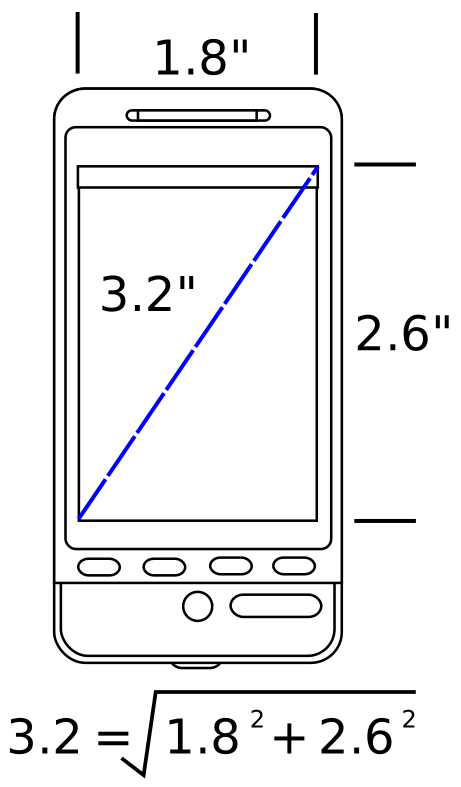
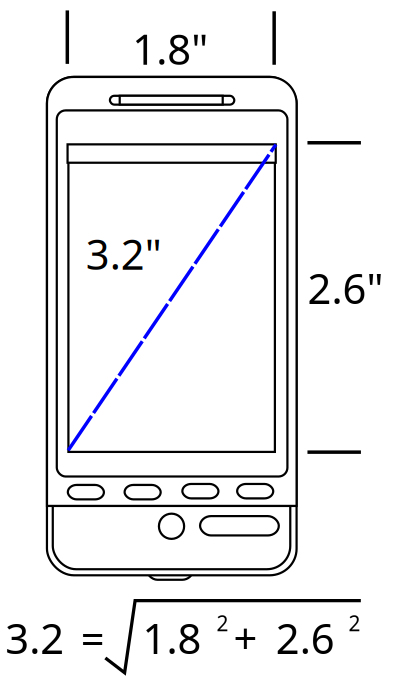
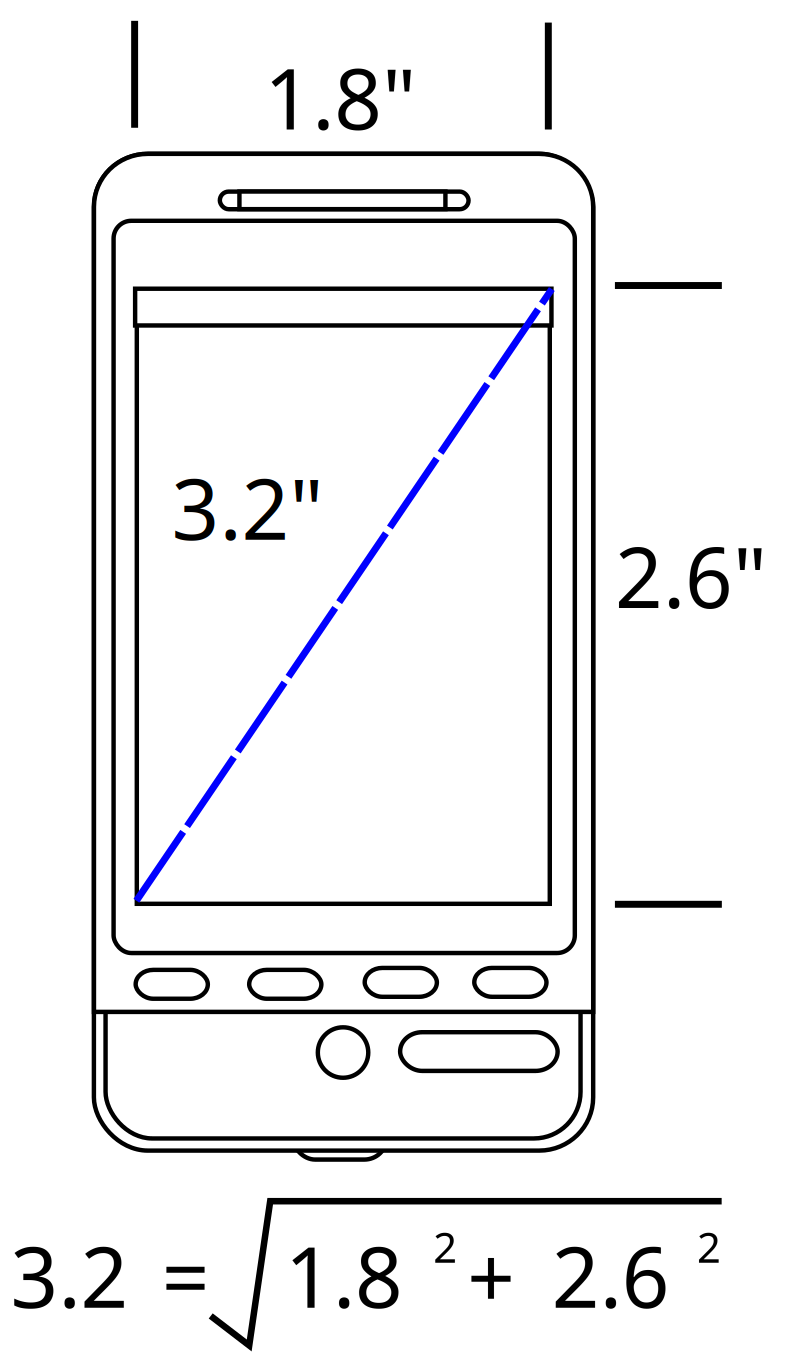
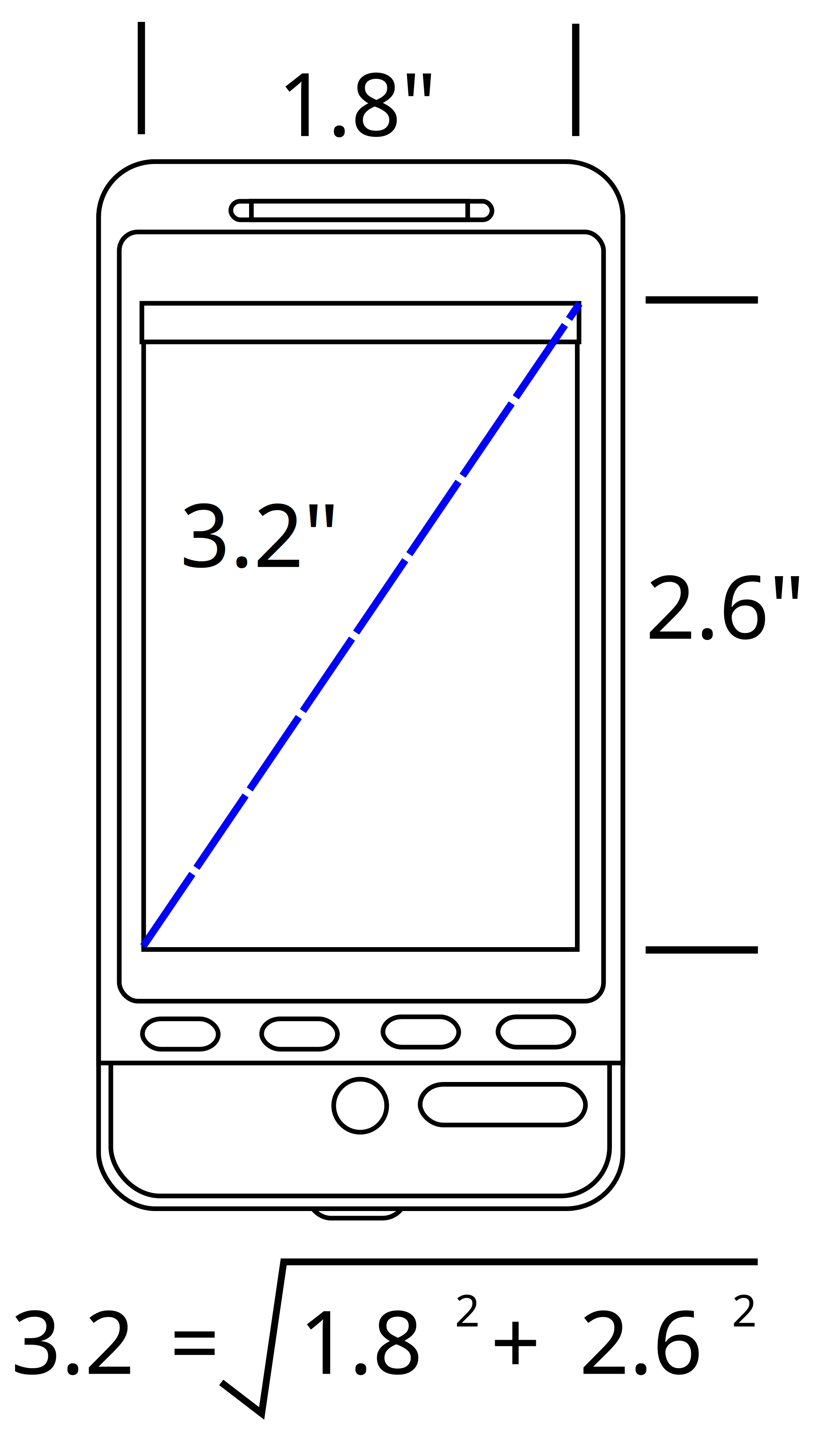
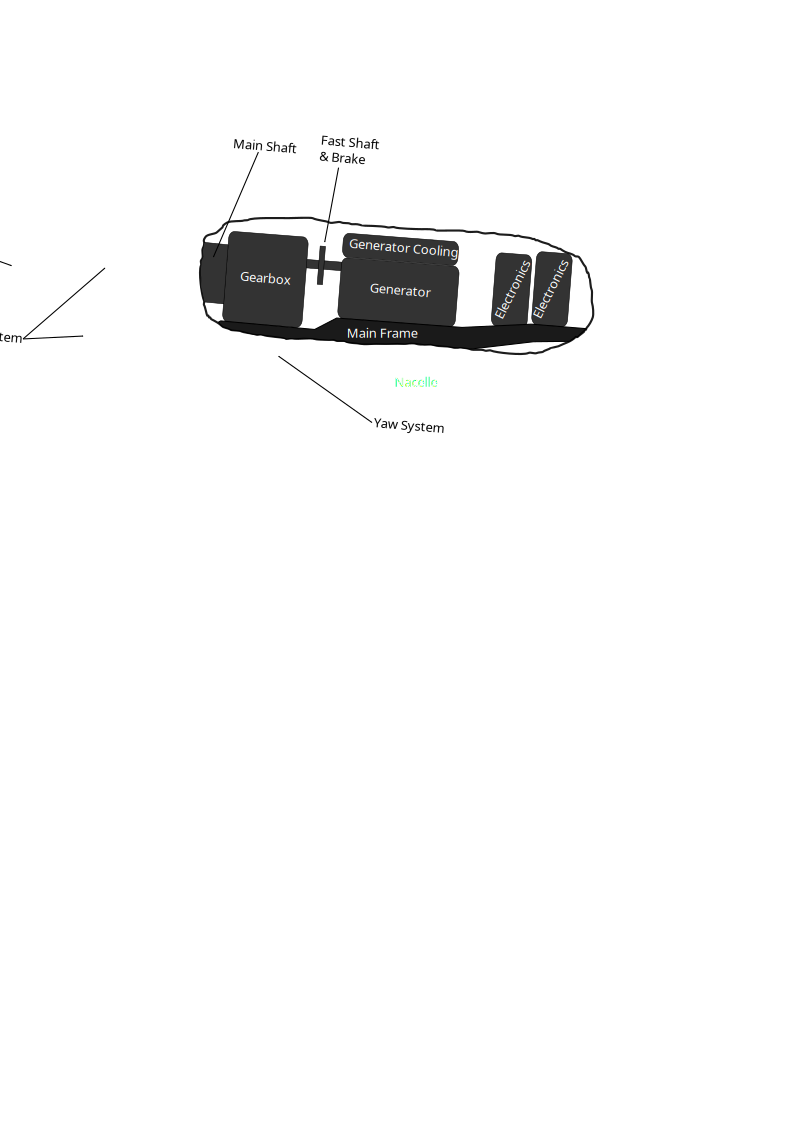
Device Screen Size Clipart
⬇ Download SVG
⧉ Copy SVG (paste into Figma)
✓ Free download - no signup, no watermark
CC0 (Public Domain)
CC0 Public Domain - free for personal and commercial use, no attribution required.
License deed →
Device Screen Size - GR8DAN (CC0 (Public Domain)), via Clipart.Free
{'account_label': 'Cuenta', 'total_credits': 'Créditos', 'plan_subscribed': 'Plan', 'next_billing_date': 'Próxima fecha de facturación', 'cancel_subscription': 'Cancelar suscripción', 'plan_not_active': 'Plan no activo', 'api_token': 'Token API', 'get_credits': 'Obtener créditos', 'hello': 'Hola.', 'change_password': 'Cambiar contraseña', 'delete_account': 'Eliminar cuenta', 'billing_history': 'Historial de facturación', 'status': 'Situación', 'processor': 'Procesador', 'amount': 'Cantidad', 'date': 'Fecha', 'no_payments': 'No hay pagos todavía', 'are_you_sure': '¿Estás seguro de que quieres cancelar tu suscripción?', 'close': 'Cerrar', 'success': '¡Su éxito!', 'success_message': 'Su acción se completó con éxito.', 'back_to_home': 'Volver a casa', 'start_transcribing': 'Empieza a transcribir', 'verify_email': 'Verificar correo electrónico', 'verify_email_subtitle': 'Introduzca el código que enviamos a su correo electrónico', 'verification_code': 'Código de verificación', 'no_email': '¿No recibió el correo electrónico?', 'resend_email': 'Reenviar', 'contact': 'Contáctenos', 'need_help': '¿Necesitas ayuda?', 'request_refund': 'Solicitud de reembolso', 'message_sent': 'Su mensaje ha sido enviado, pronto le llamaremos.', 'email_address': 'Dirección de correo electrónico', 'message': 'Mensaje', 'send': 'Enviar', 'or_contact': 'O envíanos un correo electrónico directamente', 'lost_password': 'Olvidó la contraseña', 'lost_password_subtitle': 'Introduzca su correo electrónico y le enviaremos un enlace de restablecimiento', 'remember_password': '¿Recuerdas tu contraseña?', 'sign_up': 'Registrarse', 'password': 'Contraseña', 'password_hint': 'Mínimo 4 caracteres', 'already_have_account': '¿Ya tienes una cuenta?', 'forgot_password': '¿Olvidó la contraseña?', 'dont_have_account': '¿No tienes una cuenta?', 'privacy_policy': 'Política de privacidad', 'refund_policy': 'Política de reembolso', 'transaction_id': 'ID de transacción', 'payment_email': 'Correo electrónico utilizado para el pago', 'pricing_h1': 'Precios simples, nivel libre serio', 'pricing_sub': 'El nivel libre es el más generoso del mercado. Paga sólo cuando tus archivos lo superan.', 'plan_free': 'Libre', 'plan_free_sub': 'No se necesita ninguna cuenta', 'most_popular': 'Más popular', 'plan_pro_annual': 'Pro anual', 'billed_annually': '60 dólares facturados anualmente', 'go_pro_annual': 'Go Pro: 60 dólares por año', 'payments_soon_short': 'Pagos iniciados en breve', 'plan_pro_monthly': 'Pro Mensual', 'cancel_anytime': 'Cancelar en cualquier momento', 'go_pro_monthly': 'Go Pro - $10/mes', 'packs_heading': 'Paquetes de crédito — una sola vez, nunca expira', 'packs_sub': '1 crédito = 1 minuto de audio, redondeado por archivo. Para entrevistas únicas y catálogos anteriores — sin suscripción.', 'pack_s': 'Paquete S', 'pack_m': 'Paquete M', 'pack_l': 'Paquete L', 'minutes_label': 'minutos', 'pack_features': 'Archivos de 10 horas, etiquetas de altavoz, cola de prioridad', 'buy_label': 'Comprar', 'soon_label': 'Pronto', 'compare_tiers': 'Comparar niveles', 'tier_anon': 'No se ha inscrito', 'tier_free': 'Cuenta gratuita', 'tier_pro': 'Pro', 'tier_packs': 'Paquetes de crédito', 'row_files': 'Archivos', 'row_length': 'Longitud por archivo', 'row_size': 'Tamaño por archivo', 'row_queue': 'Cola', 'row_speakers': 'Etiquetas de altavoz', 'row_exports': 'Exportaciones', 'row_history': 'Histórico', 'api_note': '¿Necesita una API de desarrolladores para el discurso a texto?', 'faq_heading': 'Preguntas frecuentes', 'reset_password': 'Reiniciar contraseña', 'repeat_password': 'Confirmar contraseña', 'payments_soon_title': 'Los pagos se están iniciando pronto', 'checkout_loading_payment': 'Cargando el formulario de pago seguro...', 'mo': 'mo', 'checkout_or': 'o', 'checkout_wallet_loading': 'Comprobando el pago de Apple / Google Pay...', 'payment_secured': 'Pago seguro a través de', 'crypto': 'Pagar con Crypto', 'crypto_not_available': 'Pago en criptomoneda no disponible para este plan', 'tools': 'Herramientas', 'audio_to_text': 'Audio a texto', 'mp4_to_text': 'MP4 a texto', 'languages_label': 'Idiomas', 'lang_spanish': 'Español', 'lang_french': 'Francés', 'lang_german': 'Alemán', 'lang_portuguese': 'Portugués', 'lang_japanese': 'Japonés', 'lang_chinese': 'Chinos', 'lang_arabic': 'Árabe', 'lang_hindi': 'Hindi', 'lang_korean': 'Coreano', 'lang_italian': 'Italiano', 'pricing': 'Precios', 'logout': 'Cerrar sesión', 'company': 'Empresa', 'about_us': 'Acerca de', 'terms_of_service': 'Condiciones de servicio', 'refund': 'Política de reembolso', 'home_h1_prefix': 'Convierte cualquier audio o vídeo en texto limpio,', 'home_h1_accent': 'en minutos.', 'trust_no_signup': 'Sin registro', 'trust_no_watermark': 'Sin marca de agua', 'trust_autodelete': 'Los archivos se borran automáticamente en 24h', 'dz_title': 'Arrastre y suelte su archivo aquí', 'dz_or': 'o', 'dz_browse': 'navegar por sus archivos', 'dz_free_limits': 'Gratis: {0} archivos al día · hasta {1} min y {2} MB cada uno', 'lang_locked_note': 'Predefinido el idioma para esta página', 'spoken_language': 'Lengua hablada', 'autodetect': 'Autodetectar', 'upload_note_pre': '¿Archivos más grandes o más cargas?', 'upload_note_signup': 'Cuenta gratuita: 5 archivos/día, archivos de 1 hora', 'upload_note_pro': 'Pro: archivos de 10 horas + etiquetas de hablante', 'uploading': 'Cargando...', 'uploading_hint': 'Mantenga esta pestaña abierta — usted será redirigido a su transcripción.', 'checkout_stripe_blocked': 'El sistema de pago no pudo cargar. Deshabilite su bloqueador de anuncios o bloqueador de contenido para esta página, y luego refresque.', 'step_uploaded': 'Cargado', 'step_queued': 'En cola', 'step_transcribing': 'Transcribiendo', 'step_ready': 'Listo', 'duration_label': 'Duración', 'failed_title': 'Falló la transcripción', 'failed_no_charge': 'No se cobraron créditos por este archivo.', 'try_again': 'Inténtalo de nuevo', 'anon_banner': 'Guardado durante 24 horas — regístrese gratis para conservarlo.', 'anon_banner_cta': 'Crear una cuenta gratuita', 'language_label': 'Idioma', 'segments_label': 'segmentos', 'delete_label': 'Eliminar', 'timestamps_label': 'Marcas de tiempo', 'copy_all': 'Copiar todo', 'export_label': 'Exportar', 'feature_no_ads': 'Sin anuncios', 'feature_unlimited': 'Uso ilimitado', 'feature_priority': 'Apoyo prioritario', 'feature_early_access': 'Acceso temprano a nuevas características', 'srt_generator': 'Generador de SRT', 'audio_follow_note': 'La reproducción sigue la transcripción — haga clic en cualquier marca de tiempo para saltar.', 'export_nudge': '¡Exportado! Esta transcripción desaparece en 24 horas —', 'export_nudge_cta': 'regístrese gratis para conservar una biblioteca guardada', 'failed_help': '¿Sigue fallando?', 'file_label': 'Archivo', 'interview_transcription': 'Transcripción de entrevistas', 'meeting_transcription': 'Transcripción de reuniones', 'new_transcription': 'Nueva transcripción', 'no_transcripts_yet': 'Todavía no hay transcripciones.', 'not_found_message': 'Esa página no existe, pero el transcriptor sí.', 'share_link': 'Compartir enlace', 'status_completed': 'Listo', 'status_failed': 'Falló', 'status_processing': 'Procesamiento', 'tp_arabic_desc': 'Habla árabe al texto, libre y sin registro. MSA fuerte; las advertencias del dialecto explicaron honestamente. Salida de derecha a izquierda. Exportar TXT, SRT, VTT.', 'tp_arabic_faq0_a': 'El árabe estándar moderno, claramente — los noticieros, discursos y registros formales transcriben en el nivel alto del modelo. Entre los dialectos: Egipcio y Levantino mejor (exposición a los medios), Golfo siguiente, Maghrigi darija más débil.', 'tp_arabic_faq0_q': '¿Qué árabe maneja mejor esto?', 'tp_arabic_faq1_a': 'Establecer expectativas bajas: Darija mezcla francés y amazigh, además de fonología lejos de MSA, lo hacen la variante más difícil de la corriente principal árabe. Obtendrá un esqueleto utilizable para el discurso claro, pero debe planificar la edición. Para el discurso formal magrebí (noticias, educación), la precisión es mucho mejor.', 'tp_arabic_faq1_q': '¿Funcionará la darija marroquí/Argeliana?', 'tp_arabic_faq2_a': 'No, como prácticamente todo árabe escrito, la salida no se llama: consonantes y vocales largas solamente, con hamza y taa marbuta escritas correctamente. Ese es el estándar para texto árabe legible; la salida totalmente vocalizada no es algo que los modelos de voz produzcan de manera fiable.', 'tp_arabic_faq2_q': '¿La transcripción incluye harakat (voz corta)?', 'tp_arabic_faq3_a': 'Sí. El editor hace RTL naturalmente, las exportaciones TXT son texto árabe UTF-8 simple, y los archivos de subtítulos SRT/VTT funcionan en reproductores con soporte RTL (YouTube, VLC, reproductores web modernos). Líneas de dirección mixtas — árabe con nombre de marca en inglés — siguen la representación bidi estándar.', 'tp_arabic_faq3_q': '¿Se maneja correctamente de derecha a izquierda en las exportaciones?', 'tp_arabic_faq4_a': 'Esta página transcribe árabe al árabe — el paso exacto. Para el inglés, exportar el TXT y la traducción automática; ar→en traducción en texto limpio está muy por delante de la traducción de voz de una sola foto, especialmente para MSA. Traducción de transcripción dentro de la aplicación está en la hoja de ruta.', 'tp_arabic_faq4_q': '¿Arabe audio a texto en inglés?', 'tp_arabic_faq5_a': "La recitación Tajwid es cantada/melódica y altamente estilizada — el modelo a menudo reconoce el texto (mucho de él está en los datos de entrenamiento) pero esta no es una herramienta confiable de transcripción del Corán, y la salida no llevará una vocalización correcta.Para los khutbas, las conferencias y el du'a en el registro hablado, se comporta como el discurso normal de MSA/dialéctico.", 'tp_arabic_faq5_q': '¿Recitación del Corán o audio religioso?', 'tp_arabic_h1': 'Transcribe audio árabe al texto', 'tp_arabic_sec0_h': 'El caso fuerte es el MSA; los dialectos varían', 'tp_arabic_sec0_p0': 'Modern Standard Arabic () — noticias, discursos, conferencias, entrevistas formales — se transcribe en un nivel alto. Ahí es donde los datos de entrenamiento son más ricos y donde se puede esperar la exactitud de la lengua cercana a Europa en audio claro.', 'tp_arabic_sec0_p1': 'El árabe hablado es diglossico, y los dialectos son donde la honestidad importa: Egipcio y Levantina (los dialectos medios-pesados) transcribir razonablemente bien, a menudo ligeramente normalizado hacia las ortografías de MSA. Los dialectos del Golfo son serviciales. Maghreb (Darija marroquí/Argeliana) es el caso difícil — pesado francés / Berber mezcla y fonología lejos de MSA significan una producción notablemente más áspera.', 'tp_arabic_sec1_h': 'Texto de derecha a izquierda, hamza y taa marbuta', 'tp_arabic_sec1_p0': 'La salida es un script árabe adecuado de derecha a izquierda con ortografía estándar — asientos de hamza, taa marbuta y variantes alif escritas convencionalmente. Las vocales cortas (harakat) no están escritas, como en texto árabe normal. El editor y todas las exportaciones manejan RTL correctamente, y los archivos SRT/VTT llevan el texto árabe listo para los jugadores que soportan subtítulos RTL (los más modernos lo hacen).', 'tp_arabic_sub': 'العربية al texto — Árabe estándar moderno a alta precisión, dialectos principales con advertencias honestas. Libre, no se necesita ninguna cuenta.', 'tp_audio_to_text_desc': 'Convierta audio a texto libre con AI. MP3, WAV, M4A, FLAC y más — sin cuenta, 3 archivos al día, hasta 30 minutos cada uno. Editar, luego exportar TXT, SRT o VTT.', 'tp_chinese_sec0_h': 'Mandarín, y la advertencia cantonés que importa', 'tp_spanish_faq4_q': '¿Puedo transcribir audio español directamente en el texto inglés?', 'tp_audio_to_text_faq0_a': 'MP3, WAV, M4A, FLAC, OGG, AAC, WMA, Opus, AIFF y AMR. Si su grabador produce algo más raro, convertir a WAV o MP3 primero con cualquier convertidor gratuito siempre funcionará, pero pruebe el original primero; el decodificador cubre la mayoría de los contenedores.', 'tp_audio_to_text_faq0_q': '¿Qué formatos de audio son compatibles?', 'tp_audio_to_text_faq1_a': 'Por lo general, con advertencias. El modelo está entrenado en un montón de audio del mundo real imperfecto, por lo que silbido, eco de habitación, y artefactos de compresión rara vez lo rompen. Lo que realmente duele la precisión es el habla que es silenciosa en relación con el ruido — un grabador lejos del altavoz, o música más fuerte que la voz. Si puede, grabar más cerca de la fuente; el editor hace que arreglar los errores restantes rápidamente.', 'tp_audio_to_text_faq1_q': '¿Funcionarán las grabaciones ruidosas o de baja calidad?', 'tp_audio_to_text_faq2_a': 'Sí — las palabras de todos son transcritas independientemente de cuántas personas hablen. En el nivel libre la transcripción no dice quién dijo qué; las etiquetas de los oradores (diarización) son una característica Pro que etiqueta cada segmento speaker 1, speaker 2, etc., y le permite renombrarlas en el editor.', 'tp_audio_to_text_faq2_q': '¿Puede manejar múltiples altavoces en una sola pista?', 'tp_audio_to_text_faq3_a': 'Sí. Cada segmento lleva tiempos de inicio y fin. En el editor puede activar o desactivar la pantalla de la marca de tiempo, y las exportaciones SRT/VTT los incrustan en formato estándar de tiempo de subtítulos. La exportación TXT es prosa limpia sin marcas de tiempo.', 'tp_audio_to_text_faq3_q': '¿Me dan marcas de tiempo?', 'tp_audio_to_text_faq4_a': 'Sí — ese es el flujo de trabajo predeterminado. La transcripción se abre en un editor donde cada segmento se hace clic en editar con auto-guardar. Fije nombres, jerga o palabras escuchadas erróneamente, luego exporte; sus ediciones se incluyen en cada formato.', 'tp_audio_to_text_faq4_q': '¿Puedo editar la transcripción antes de exportar?', 'tp_audio_to_text_faq5_a': 'Anónimo: 30 minutos / 100 MB por archivo, 3 archivos al día. Cuenta gratuita: 1 hora / 500 MB, 5 archivos al día. Pro o un paquete de crédito: hasta 10 horas y 5 GB por archivo. La duración es lo que importa — un largo, pequeño MP3 golpea la tapa antes de que un corto, enorme WAV hace.', 'tp_audio_to_text_faq5_q': '¿Cuánto tiempo puede ser mi archivo de audio?', 'tp_audio_to_text_h1': 'Convertir audio a texto', 'tp_audio_to_text_sec0_h': 'Cada formato de audio común, un transcriptor', 'tp_audio_to_text_sec0_p0': 'Esta página acepta los formatos de audio que la gente tiene: MP3 y AAC de podcasts y descargas, WAV y AIFF de equipos de grabación, M4A de iPhone y Android aplicaciones de memo de voz, FLAC de archivos de arranques, OGG y Opus de aplicaciones de mensajería, y WMA de grabadoras de Windows más antiguas. No hay paso de conversión separado — el transcriptor decodifica el archivo en sí mismo, por lo que nunca es necesario convertir WAV a MP3 primero.', 'tp_audio_to_text_sec0_p1': 'El lenguaje se detecta automáticamente a través de más de 90 idiomas, o puedes fijarlo en las opciones si tu grabación mezcla lenguajes y la detección adivina mal.', 'tp_audio_to_text_sec1_h': 'De la grabación al texto utilizable', 'tp_audio_to_text_sec1_p0': 'Una vez procesada, la transcripción se abre en un editor con marcas de tiempo de per-sentencia. Haga clic en cualquier línea para corregirla, buscar una frase, luego exportar: TXT para documentos y notas, SRT o VTT si el audio pertenece a un vídeo. Los usuarios firmados también obtienen DOCX y PDF para compartir documentos pulidos.', 'tp_audio_to_text_sub': 'Carga cualquier formato de audio común y obtén una transcripción exacta y editable. Gratis sin registro — exporta TXT, SRT o VTT.', 'tp_chinese_desc': 'Mandarín habla a texto, libre y sin registro. Simplificada caracteres, puntuación adecuada. Cantonés es separado (yue). Exportar TXT, SRT, VTT.', 'tp_chinese_faq0_a': 'No — y es importante saber por qué: Cantonés (yue) es un idioma diferente del mandarín (zh), no un acento. Esta página pins Mandarín. El audio cantonés aquí saldrá mal. El modelo subyacente tiene alguna habilidad cantonés bajo su código yue separado, pero no lo consideramos lo suficientemente bueno como para enviar una página por todavía.', 'tp_chinese_faq0_q': '¿Esto funciona para Cantonés?', 'tp_chinese_faq1_a': 'Simplificado, como regla, es la convención dominante en los datos de entrenamiento mandarín del modelo, incluso para los hablantes taiwaneses. Si necesita caracteres tradicionales, ejecute el TXT exportado a través de cualquier convertidor simplificado→tradicional; la conversión es esencialmente sin pérdidas en esa dirección.', 'tp_chinese_faq1_q': '¿Caracteres simplificados o tradicionales en la salida?', 'tp_chinese_faq2_a': 'Alto nivel — mandarín claro (transmisión, reuniones, conferencias) transcribe muy confiable, incluyendo desambiguación dependiente del tono, porque el modelo de idioma elige caracteres de contexto. Fuertes acentos regionales ( mandarín con sabor a Sichuan, mandarín con acento taiwanés) todavía funcionan; idiomas regionales reales (shanghainese, Hokkien) no.', 'tp_chinese_faq2_q': '¿Qué tan precisa es la transcripción mandarina?', 'tp_chinese_faq3_a': 'El chino está escrito sin espacios, y la transcripción sigue el juego, con puntuación de ancho completo (,.!?) insertado en los límites naturales. Segmento / SRT take divide la tierra en límites de frase, por lo que los subtítulos leen naturalmente en lugar de romper la palabra media.', 'tp_chinese_faq3_q': '¿Cómo funciona la puntuación y el espaciado en la transcripción?', 'tp_chinese_faq4_a': 'Esta página transcribe mandarín al texto chino; ese es el paso de alta precisión. Para el inglés, exportar TXT y la traducción automática — zh→en traducción en texto limpio es fuerte, y el resultado de dos pasos supera la traducción de voz de una sola foto.', 'tp_chinese_faq4_q': '¿ Es posible el audio mandarín al texto en inglés?', 'tp_chinese_faq5_a': 'Muy común en la tecnología y el negocio Mandarín, y manejado bien: términos, acrónimos y nombres de marca en inglés son transcritos en línea en latín (por ejemplo, Kubernetes ). Pasajes largos sólo en inglés transcribir mejor a través del auto-detectar el cargador en la página principal.', 'tp_chinese_faq5_q': '¿Qué hay de las palabras en inglés mezcladas con el habla mandarín?', 'tp_chinese_h1': 'Transcribe el audio chino al texto', 'tp_chinese_sec0_p0': 'Esta página está sujeta al mandarín (zh) — / como se habla en China continental, Taiwán, Singapur y Malasia. El mandarín estándar transcribe en un nivel alto, incluyendo mandarín acentuado de hablantes del sur.', 'tp_chinese_sec0_p1': 'El cantonés NO es un dialecto mandarín para el reconocimiento de la voz — es un idioma separado con su propio código (yue), su propio vocabulario y su propia forma escrita. Una grabación cantonés empujada a través de esta página producirá texto mandarín basura a mediocre. No indizamos deliberadamente una página cantonés todavía porque la calidad de salida no cumple con nuestro bar; para el audio cantonés, esperamos mirar herramientas cantonesas dedicadas.', 'tp_chinese_sec1_h': 'Salida simplificada, puntuación y habla mixta', 'tp_chinese_sec1_p0': 'Las transcripciones se producen en caracteres simplificados por defecto (la convención de entrenamiento dominante) con puntuación china de ancho completo (,.?) insertado — chino se escribe sin espacios y la salida sigue. Altavoces mandarineses de Taiwán deben notar que la transcripción se simplificará típicamente, no tradicional; convertir script es un paso de un clic sin pérdida en muchas herramientas. Inglés palabras y nombres de marca dentro de Mandarín habla se transcriben en línea en latín.', 'tp_chinese_sub': '中文 (Mandarin) a chino escrito — caracteres simplificados, puntuación limpia. Libre, no se necesita ninguna cuenta.', 'tp_french_desc': 'Discurso en francés a texto, libre y sin registro. Metropolitano, canadiense y francés africano, hasta 30 minutos por archivo gratis. Exportar TXT, SRT, VTT.', 'tp_french_faq0_a': 'Sí para la mayoría de los contenidos: noticieros, reuniones, conferencias y podcasts en francés canadiense transcribir cerca del nivel metropolitano. Joual informal es el punto débil — el discurso fuertemente contraído tiende a ser normalizado a la ortografía francesa estándar, y el argot denso recoge más errores.', 'tp_french_faq0_q': '¿Trabaja el francés canadiense (Quebécois)?', 'tp_french_faq1_a': "Bien cubierto en registros formales — el discurso francés de Côte d'Ivoire, Senegal, Camerún y Congoleño transcribe de manera fiable para entrevistas y transmisiones. Cuando la exactitud disminuye es rápido el cambio de código en Wolof, Bambara, Lingala o Nouchi dentro de la misma oración; esos fragmentos pueden salir garabateados.", 'tp_french_faq1_q': '¿Qué hay de los acentos franceses africanos?', 'tp_french_faq2_a': "El francés está en el nivel superior del modelo —en audio limpio está dentro de aproximadamente un punto de precisión de la palabra inglesa. El francés rico en homofonía (est/et/ait, ses/ces/c'est) está desambiguado por contexto sorprendentemente bien, aunque ahí es donde los errores restantes cluster; un rápido editor los atrapa.", 'tp_french_faq2_q': '¿Qué tan exacto es el francés comparado con el inglés?', 'tp_french_faq3_a': "Sí — la transcripción es ortografía francesa estándar con todos los diacríticos (é è ê ë à â ç ô û ï) y la eliminación adecuada (d'accord, qu'il, l'équipe). Los números se escriben generalmente como dígitos; septante belga/suizo y nonante se transcriben como hablado.", 'tp_french_faq3_q': '¿Los acentos y los elisiones están escritos correctamente?', 'tp_french_faq4_a': 'Esta página transcribe el discurso francés al texto francés — la ruta de mayor precisión. Para una versión en inglés, exporte el TXT francés y páselo a través del traductor de su elección; traducir texto exacto supera la traducción directa del habla a la calidad.', 'tp_french_faq4_q': '¿Puedo obtener una transcripción en inglés de audio francés?', 'tp_french_faq5_a': 'Sí — subir el archivo de vídeo aquí (MP4/MOV/MKV todo el trabajo), y exportar SRT cuando esté hecho. Las señales se dividen la longitud de subtítulos con la puntuación francesa intacta, listo para YouTube Studio "Subir archivo → Con el flujo de tiempo" o para Premiere / Resolver.', 'tp_french_faq5_q': '¿Va a subtitular mi video francés para YouTube?', 'tp_french_h1': 'Transcribe el audio francés al texto', 'tp_french_sec0_h': 'Todos ellos, con una advertencia', 'tp_french_sec0_p0': 'El francés metropolitano es un idioma de primer nivel para el modelo — la precisión en el discurso claro de registro parisino se acerca Inglés. Francés belga y suizo (con septante/nonante) transcribir igual de bien. Francés canadiense está bien cubierto para el discurso formal y de transmisión; fuerte joual — Québécois informal con fuertes cambios de vocales y contracciones como "chu" para "je suis" — es el único registro donde se notan más errores, normalmente normalizados hacia la ortografía estándar.', 'tp_french_sec0_p1': 'El francés de África Occidental y Central (Senegal, Costa de Marfil, Camerún, República Democrática del Congo) transcribe de manera fiable en los registros de noticias y formales; el cambio de código con Wolof, Lingala o Nouchi slang mostrará más errores.', 'tp_french_sec1_h': 'Ortografía de la forma francesa debe mirar', 'tp_french_sec1_p0': 'La salida utiliza ortografía francesa completa: acentos (é, è, ê, à, ç), apóstrofes y eliones (l\'homme, j\'ai), y convenciones de puntuación francesas. Enlace y letras silenciosas son manejadas por el modelo de idioma — se obtiene "les enfants", nunca una representación fonética.', 'tp_french_sub': 'Français para limpiar, texto con acento — Metropolitan, Québécois, o francés africano. Libre, no se necesita ninguna cuenta.', 'tp_german_desc': 'Hablar alemán a texto, libre y sin registro. Estándar alemán fuerte; dialecto suizo / austriaco advertencias explicadas. Exportar TXT, SRT, VTT.', 'tp_german_faq0_a': 'Honestamente: no bien. El dialecto suizo alemán (Schwiizerdütsch) difiere más del alemán estándar que el holandés, y el modelo lo trata como alemán ruidoso - la producción tiende a ser una normalización áspera de alto alemán con errores reales. Hablantes suizos alemán estándar transcribir excelentemente. Para grabaciones dialécticas, tiempo de edición de presupuesto.', 'tp_german_faq0_q': '¿Trabaja el alemán suizo?', 'tp_german_faq1_a': 'El alemán estándar austriaco —medios de comunicación, reuniones, conferencias— es de primer nivel, incluyendo el vocabulario austriaco (Jänner, Erdapfel) escrito como hablado. El dialecto rural profundo se vuelve más áspero, el mismo patrón que Baviera: cuanto más lejos del estándar, más normaliza o falla el modelo.', 'tp_german_faq1_q': '¿Y el alemán austriaco?', 'tp_german_faq2_a': 'Sí — la transcripción es ortografía alemana apropiada: ä/ö/ü, ß vs ss por las reglas reformadas, y sustantivos capitalizados. No conseguirás "strasse" para "Straße" o sustantivos minúsculas para fijar después.', 'tp_german_faq2_q': '¿Se manejan los sustantivos umlauts, ß y mayúsculas?', 'tp_german_faq3_a': 'Bueno — compuestos son donde los modelos de habla alemana solían desmoronarse, y el modelo grande los maneja: las monedas de estilo Donaudampfschifffahrt se ensamblan correctamente cuando se habla claramente. Los compuestos ad-hoc de la novela en voz rápida son la fuente de error residual; son ediciones rápidas.', 'tp_german_faq3_q': '¿Cómo se hace con palabras compuestas largas?', 'tp_german_faq4_a': 'Esta página produce una transcripción alemana — la ruta exacta. Exportar TXT y la máquina-traducir para una versión en inglés; dos buenos pasos ganaron a uno con pérdidas.', 'tp_german_faq4_q': '¿Puedo convertir el audio alemán en texto inglés?', 'tp_german_faq5_a': 'Común en el audio de tecnología y negocios, y manejado bien: términos en inglés ("das Meeting", "gebrieft", nombres de productos) se transcriben como palabras en inglés dentro de la oración alemana.', 'tp_german_faq5_q': 'Denglisch... ¿alemán con inglés mezclado?', 'tp_german_h1': 'Transcribe audio alemán al texto', 'tp_german_sec0_h': 'Hochdeutsch primero, dialectos con los ojos abiertos', 'tp_german_sec0_p0': 'El alemán estándar (Hochdeutsch) —incluyendo el estándar de color regional como se habla en Baviera, el norte de Alemania o Viena— es un idioma de primer nivel para el modelo. Las palabras compuestas salen correctamente ensambladas (Geschwindigkeitsbegrenzung, no tres fragmentos), y la capitalización de sustantivo sigue automáticamente las reglas alemanas.', 'tp_german_sec0_p1': 'La advertencia honesta: alemán suizo (Schwiizerdütsch) no es alemán estándar. El habla dialéctica aleman es efectivamente otro idioma al modelo — o bien normalizarlo aproximadamente en alemán alto o producir errores. hablantes suizos leyendo alemán estándar, o suizo de radiodifusión alemán, transcribir multa; una conversación casual de la cena de Zürich no. Lo mismo se aplica, más leve, a profundo dialecto bávaro y austriaco — alemán estándar austriaco es excelente, dialecto amplio no es.', 'tp_german_sec1_h': 'Ortografía alemana, realizada correctamente', 'tp_german_sec1_p0': 'La salida sigue la ortografía alemana moderna: sustantivos capitalizados, umlats (ä, ö, ü), ß donde las reglas reformadas lo ponen, y puntuación de frases adecuada a la estructura de cláusula larga del alemán. Si un orador utiliza vocabulario técnico inglés de la mitad de la frase — ubicuo en lugares de trabajo alemanes — esas palabras se transcriben como inline inglés.', 'tp_german_sub': 'Deutsch a texto preciso con nombres mayúsculas, umlauts y ß. Libre, no se necesita cuenta.', 'tp_hindi_desc': 'Habla hindi a texto, libre y sin registro. Salida Devanagari, cambio de código hinglish manejado. Hasta 30 minutos gratis. Exportar TXT, SRT, VTT.', 'tp_hindi_faq0_a': 'Devanagari para el Hindi, latín para el inglés incrustado — la manera en que la escritura Hinglish realmente se ve. No obtendrá una transcripción todo-romanizada. Si necesita hindi romanizado, translitere el TXT exportado con cualquier Devanagari→ Herramienta latina después.', 'tp_hindi_faq0_q': '¿La salida es en letras de Devanagari o latina?', 'tp_hindi_faq1_a': 'Bueno — es la característica definitoria del audio moderno hindi y los datos de entrenamiento reflejan eso. El inglés de la frase media ("básicamente", "presentación", cláusulas completas) se transcribe en línea en el guión latino. Donde tambalea es el cambio rápido de fuego cada pocas palabras; espere que la representación ocasional de escritura errónea se fije en el editor.', 'tp_hindi_faq1_q': '¿Qué tan bien funciona el cambio de código Hinglish?', 'tp_hindi_faq2_a': 'Sólidamente utilizable: en audio claro (podcasts, conferencias, retransmisión) obtienes una transcripción que necesita edición ligera, un nivel por debajo del inglés/español. Los acentos regionales de hablantes no nativos de hindi y el ruido de fondo fuerte bajan la precisión más rápido que en inglés.', 'tp_hindi_faq2_q': '¿Qué tan precisa es la transcripción de Hindi en general?', 'tp_hindi_faq3_a': 'El hindustani hablado es compartido en gran medida, y el modelo transcribirá el discurso de Urdu-register aquí — pero en Devanagari, ya que esta página pins Hindi. Para salida de Urdu en Nastaliq / script árabe, subir a través de la página principal y pin Urdu (ur) en las opciones en su lugar.', 'tp_hindi_faq3_q': '¿ Qué hay de Urdu... el mismo idioma hablado, el guión diferente?', 'tp_hindi_faq4_a': 'Esta página produce la transcripción de hindi — el paso exacto. Exportar TXT y traducir por máquina para el inglés; hi→en traducción en texto limpio es fuerte. La traducción de voz de una sola foto pierde más, especialmente en el contenido conmutado por código.', 'tp_hindi_faq4_q': '¿Hindi audio a texto en inglés?', 'tp_hindi_faq5_a': 'El discurso es el objetivo del diseño; cantar es el mejor esfuerzo. Las voces claras en solitario a menudo salen casi siempre bien, pero las canciones de cine con orquestación completa serán desiguales.', 'tp_hindi_faq5_q': '¿Las canciones de Bollywood o los bhajans transcriben?', 'tp_hindi_h1': 'Transcribe el audio hindi al texto', 'tp_hindi_sec0_h': 'Devanagari fuera, Hinglish en', 'tp_hindi_sec0_p0': 'Las transcripciones están escritas en el guión de Devanagari (), con puntuación Hindi y estructura de oración. Sin embargo, el verdadero discurso indio es raramente puro Hindi — el cambio de código hinglish es la norma, y el modelo lo maneja como lo hace el medio hindi: las palabras y frases en inglés dentro de las oraciones hindi son transcritas generalmente en la línea de escritura latina ( discutir próximo cuarto objetivos), igualando cómo Hinglish es escrito realmente.', 'tp_hindi_sec0_p1': 'El discurso predominantemente inglés con frases en hindi mezcladas funciona mejor a través del cargador de autodetección en la página principal, que lo tratará como inglés.', 'tp_hindi_sec1_h': 'Nivel de precisión y cuestión urdu', 'tp_italian_h1': 'Transcribe audio italiano al texto', 'tp_italian_sec0_h': 'El italiano estándar y sus colores regionales', 'tp_hindi_sec1_p0': 'Hindi se encuentra en el sólido nivel medio-alto del modelo: el discurso claro —contenido de YouTube, conferencias, entrevistas— produce transcripciones muy utilizables, un paso por debajo de los idiomas europeos más altos debido a la densidad de intercambio de código y variedad de hablantes. El hindi y urdu hablados se solapan fuertemente; en esta página la salida es Devanagari, por lo que el discurso de registro de Urdu se escribirá en Devanagari, no en Nastaliq. Para la salida de Urdu-script, ese es un código de idioma separado (ur) a través de la página principal.', 'tp_hindi_sub': '• al texto de Devanagari — Incluyendo el cambio de código en inglés. Libre, no se necesita ninguna cuenta.', 'tp_home_desc': 'Convierta audio o vídeo en texto preciso en minutos. Gratis, no necesita ninguna cuenta — 3 archivos al día, hasta 30 minutos cada uno. Exportar TXT, SRT, VTT. Archivos eliminados después de 24 horas.', 'tp_home_faq0_a': 'El nivel libre es exactamente lo que dice: 3 archivos al día por visitante, hasta 30 minutos y 100 MB por archivo, sin cuenta, sin marca de agua, y sin puerta de correo electrónico. La captura es sólo el límite de longitud de archivo por archivo — archivos más largos (lecturas, podcasts, reuniones completas) necesitan una cuenta gratuita (1 hora de archivos) o Pro / un paquete de crédito (10 horas archivos).', 'tp_home_faq0_q': '¿Es realmente gratis?', 'tp_home_faq1_a': 'No. Suelta un archivo y obtienes la transcripción y las tres exportaciones principales (TXT, SRT, VTT) sin registrarte. Una cuenta es opcional: aumenta los límites diarios y por archivo y mantiene tus transcripciones en una biblioteca en lugar de eliminarlas automáticamente.', 'tp_home_faq1_q': '¿Necesito una cuenta?', 'tp_home_faq2_a': 'Las cargas anónimas y sus transcripciones se eliminan automáticamente 24 horas después de la carga — trate el enlace de transcripción como temporal y exportar lo que necesita. Nunca usamos su audio para entrenar modelos, y los archivos no se comparten con terceros; el procesamiento se produce en nuestros propios servidores GPU.', 'tp_home_faq2_q': '¿Qué pasa con mi archivo después de subirlo?', 'tp_home_faq3_a': 'En un discurso claro con un micrófono decente, un modelo grande de clase Whisper es casi humano, normalmente una tasa de error de palabra de un solo dígito baja en inglés y otros idiomas bien apoyados. La precisión cae con ruido de fondo pesado, crosstalk, acentos fuertes, o grabaciones muy tranquilas, por lo que cada transcripción se abre en un editor para correcciones rápidas.', 'tp_home_faq3_q': '¿Qué tan exacta es la transcripción?', 'tp_home_faq4_a': 'Normalmente una fracción de la longitud de audio: una grabación de 10 minutos normalmente se transcribe en aproximadamente un minuto una vez que se inicia el procesamiento. En momentos de ajetreo, el archivo puede colar brevemente — la página de progreso muestra el estado en vivo y los trabajos Pro saltan a la cola de prioridad.', 'tp_home_faq4_q': '¿Cuánto tiempo lleva?', 'tp_home_faq5_a': 'Audio: MP3, WAV, M4A, FLAC, OGG, AAC, WMA, Opus, AIFF, AMR. Vídeo: MP4, MOV, MKV, WebM, AVI, WMV, MPEG, 3GP. Para el vídeo sólo leemos la pista de audio, por lo que la resolución y el tamaño de archivo son mucho menos que la duración.', 'tp_home_faq5_q': '¿Qué tipos de archivos puedo cargar?', 'tp_home_h1': 'Transcripción de audio y vídeo gratis', 'tp_home_sec0_h': '¿Por qué este transcriptor es realmente libre', 'tp_home_sec0_p0': 'Casi todas las herramientas de transcripción bloquean su transcripción detrás de una cuenta, una marca de agua o un formulario de correo electrónico. Este no: los visitantes anónimos obtienen 3 archivos al día, hasta 30 minutos y 100 MB cada uno, con las exportaciones completas de TXT, SRT y VTT. Ejecutamos nuestros propios servidores GPU, por lo que los archivos cortos no nos cuestan casi nada procesar — el nivel libre es el producto, y los planes pagados para archivos largos (hasta 10 horas) pagan por ello.', 'tp_home_sec0_p1': 'Una cuenta gratuita eleva los límites a 5 archivos al día a una hora y guarda su biblioteca de transcripciones. Pro añade procesamiento prioritario, etiquetas de altavoz y exportaciones de DOCX/PDF.', 'tp_home_sec1_h': 'Construido para grabaciones reales', 'tp_home_sec1_p0': 'El motor es un modelo de voz grande de clase Whisper — la misma familia de modelos utilizados por los servicios de transcripción profesional. Se encarga de reuniones, conferencias, podcasts, entrevistas, notas de voz, y grabaciones telefónicas en más de 90 idiomas con detección automática de lenguaje, y puntua y casos de texto correctamente para que la transcripción se lee como la escritura, no como subtítulos pegados juntos.', 'tp_home_sec1_p1': 'Después de procesar la tierra en un editor de transcripciones: haga clic en cualquier línea para solucionarlo, busque el texto, conmutar las marcas de tiempo, y luego exportar en un solo clic.', 'tp_home_sub': 'Suelta un archivo, consigue una transcripción editable en minutos. No hay registro, no hay marca de agua, no hay puerta de correo electrónico — exportar TXT, SRT o VTT inmediatamente.', 'tp_interview_transcription_desc': 'Transcribe entrevistas gratis con AI. Citas exactas, editables y textuales con marcas de tiempo — sin registro, sin marca de agua. Grabaciones telefónicas y en persona.', 'tp_interview_transcription_faq0_a': 'Casi-verbatim por defecto: las palabras como habladas, con puntuación y casquillo añadido, y la mayoría de las repeticiones tartamudas se caen. Palabras de relleno como "um" a veces se mantienen, a veces se caen — si es estricto los asuntos literales para su metodología, hacer un pase de escucha con el reproductor de segmento y restaurarlos donde llevan significado.', 'tp_interview_transcription_faq0_q': '¿La transcripción está literal o limpia?', 'tp_interview_transcription_faq1_a': 'Busque la transcripción de la frase, haga clic en la marca de tiempo del segmento y el reproductor de audio salta a ese momento. Usted oye la entrega exacta —incluyendo el sarcasmo o vacilación que una transcripción no puede llevar— y puede arreglar cualquier palabra escuchada en línea antes de exportar. Más rápido y seguro que fregar a través de una grabación a mano.', 'tp_interview_transcription_faq1_q': '¿Cómo puedo verificar una cita antes de publicarla?', 'tp_interview_transcription_faq2_a': 'Con las etiquetas de altavoz (Pro o un paquete de crédito), sí — la separación de dos voces es el mejor caso de diarización, y puede cambiar el nombre de las etiquetas a "Q" y "A" en un clic cada uno. En los niveles libres la transcripción corre junto, pero los signos de interrogación y su propia memoria de la conversación hacen que el manual se divida rápidamente para una entrevista de una hora.', 'tp_interview_transcription_faq2_q': '¿Puede separar mis preguntas de sus respuestas?', 'tp_interview_transcription_faq3_a': 'Sí. Las grabaciones de llamadas son de banda estrecha (el clásico "sonido del teléfono") y el modelo las maneja bien, aunque esperen algunos errores más en el extremo más lejano de la línea que en su lado.', 'tp_interview_transcription_faq3_q': '¿Funcionan las grabaciones de llamadas telefónicas?', 'tp_interview_transcription_faq4_a': 'Las reglas varían según el lugar: algunas jurisdicciones requieren el consentimiento de una sola parte (el suyo), otras requieren el de todos.Los códigos de ética de periodismo e investigación generalmente esperan que se revelen independientemente del piso legal.Esto no es asesoramiento legal —verifique su jurisdicción— pero la práctica universal segura es simple: pregunte en cinta y mantenga la petición en la grabación.', 'tp_interview_transcription_faq4_q': '¿Necesito consentimiento para grabar una entrevista?', 'tp_interview_transcription_faq5_a': 'Con un paquete de crédito de $5 (600 minutos), una entrevista de 90 minutos cuesta 90 créditos — 75 centavos, sin suscripción, y el resto del paquete nunca expira. Un servicio de transcripción humana cobra $90-135 para el mismo audio. Las entrevistas de hasta 30 minutos son gratis sin cuenta; hasta una hora con una cuenta gratuita.', 'tp_interview_transcription_faq5_q': '¿Cuánto cuesta transcribir una entrevista de 90 minutos?', 'tp_interview_transcription_h1': 'Transcripción de la entrevista', 'tp_interview_transcription_sec0_h': 'Literales vs lectura limpia — usted elige, en el editor', 'tp_interview_transcription_sec0_p0': 'El modelo produce una transcripción casi verbal: mantiene las palabras como se hablan pero puntua y las envuelve correctamente, y deja caer la mayoría de los tartamudos puros. A partir de ahí el editor le permite ir en cualquiera de las direcciones. Para la investigación cualitativa y la historia oral, déjela literalmente — los inicios falsos y los setos son datos. Para una pregunta y respuesta publicada, lea de forma limpia: haga clic en cualquier respuesta, apriete el fraseo, y la edición se guarda automáticamente en cada formato de exportación.', 'tp_interview_transcription_sec0_p1': 'Cada segmento lleva una marca de tiempo, que es el flujo de trabajo de verificación de citas: busca en la transcripción la frase que quieres citar, haz clic en su marca de tiempo, y el reproductor incorporado salta el audio a ese momento exacto para que puedas confirmar las palabras antes de que vayan a imprimir.', 'tp_interview_transcription_sec1_h': 'La calidad de grabación es todo el juego', 'tp_interview_transcription_sec1_p0': 'Una entrevista suele ser de dos voces, lo que es el caso fácil, mucho más fácil que una reunión de seis personas. Lo que realmente decide la exactitud es la configuración de grabación. En persona: ponga el teléfono entre usted, no en el bolsillo. Llamadas telefónicas: utilice la función de grabación de llamadas de su teléfono o grabe el altavoz de llamadas con un segundo dispositivo, y espere que el lado del usuario sea un poco más difícil para el modelo que el suyo. Videollamadas: grabe localmente en lugar de confiar en el audio comprimido de la nube de la plataforma cuando pueda.', 'tp_interview_transcription_sec1_p1': 'Una cosa que esta página no hará es asesoramiento legal, pero conoce los conceptos básicos: los requisitos de consentimiento para grabar conversaciones varían según la jurisdicción (consentimiento de una sola parte frente a consentimiento de todas las partes), y los códigos profesionales generalmente esperan que le digas a tu sujeto que están siendo grabadas.', 'tp_interview_transcription_sub': 'Para periodistas, investigadores y equipos de contratación: transcripciones literales que se pueden verificar contra el audio, cita por cita. Gratis, no hay registro.', 'tp_italian_desc': 'Discurso italiano a texto, libre y sin registro. Los acentos italianos y regionales estándar, hasta 30 minutos por archivo gratis. Exportar TXT, SRT, VTT.', 'tp_italian_faq0_a': 'Apenas, para los acentos en el italiano estándar — un acento siciliano o milanés que habla italiano transcribe en el mismo nivel que un anunciador RAI. Lo que degrada la salida es cambiar a dialetto verdadero (Neapolitan, Venetian, Sicilian como idiomas), que el modelo sólo puede aproximarse como italiano.', 'tp_italian_faq0_q': '¿Los acentos regionales afectan a la precisión?', 'tp_italian_faq1_a': 'El nivel superior — comparable al español y el francés, cerca del inglés en audio limpio. La ortografía transparente del italiano ayuda: lo que se escucha mapas predeciblemente a la ortografía. Los errores restantes se concentran en los nombres, números hablados rápidamente y audio de todos-hablando-en-una-mesa de cena.', 'tp_italian_faq1_q': '¿Qué tan exacta es la transcripción italiana?', 'tp_italian_faq2_a': "Sí — è vs é, perché, più, città, y elisiones como l'ho detto o un'idea son producidos correctamente por el modelo. Usted consigue italiano escrito correctamente, listo para pegar en un documento sin un pase de acento-fijante.", 'tp_italian_faq2_q': '¿Los acentos y los apóstrofes están escritos correctamente?', 'tp_italian_faq3_a': 'Sí — El italiano ticinés es italiano estándar con sabor regional y transcribe normalmente, incluyendo vocabulario suizo (natlé para celulare) escrito como hablado. Préstamos alemanes o franceses en el idioma suizo-italiano del lugar de trabajo se transcriben en línea.', 'tp_italian_faq3_q': '¿Puede manejar el italiano suizo?', 'tp_italian_faq4_a': 'Esta página transcribe el italiano al italiano — el paso exacto. Exportar el TXT y la traducción automática para el inglés; it→en en texto limpio es excelente, y el camino de dos pasos supera la traducción directa del habla.', 'tp_italian_faq4_q': '¿Audio italiano a texto inglés?', 'tp_italian_faq5_a': 'Maneja bien italiano rápido — el ritmo solo no es un problema. La superposición es: cuando dos personas hablan genuinamente el uno sobre el otro, cualquier voz domina se transcribe y el otro cae. Para entrevistas y podcasts esto es raramente un problema; para mesas redondas acaloradas, esperar vacíos en las pilas.', 'tp_italian_faq5_q': '¿Transcribirá una conversación italiana rápida y superpuesta?', 'tp_italian_sec0_p0': 'El italiano estándar —el registro de RAI, podcasts, conferencias y reuniones— se transcribe en el nivel superior del modelo. Los acentos regionales (milanés, romano, napolitano, siciliano que habla italiano) no son obstáculo: coloración de acento, diferencias de geminación y entonación regional se absorben sin dañar la precisión.', 'tp_italian_sec0_p1': 'La distinción que importa es acento vs. idioma: los dialettis reales — napolitanos, sicilianos, venecianos como idiomas — no son italianos, y el empujar un verdadero dialecto de grabación a través de esta página producirá una dura italianolización. El habla italiana salpicada de palabras dialécticas sale bien, con los términos dialécticos generalmente escritos como hablados.', 'tp_italian_sec1_h': 'La ortografía y el pase editor', 'tp_italian_sec1_p0': "La salida es la ortografía italiana estándar: acentos graves/agudos donde pertenecen (è, perché, città), elisions apostrophized (l'anno, un'ora, po') y puntuación italiana. Los errores residuales típicos agrupan en nombres propios y conversación rápida de interrupción pesada (un deporte nacional); ambos son correcciones rápidas en el editor antes de la exportación.", 'tp_italian_sub': 'Italiano para limpiar el texto con acentos y apóstrofes adecuados. Libre, no se necesita ninguna cuenta.', 'tp_japanese_desc': 'Discurso japonés a texto, libre y sin registro. Salida Kanji/kana con segmentación adecuada. Hasta 30 minutos gratis. Exportar TXT, SRT, VTT.', 'tp_japanese_faq0_a': 'Ambas, mezcladas naturalmente por contexto — japonés escrito estándar, no un romaji o representación de todo-kana. Las palabras comunes aparecen en kanji, elementos gramaticales en hiragana, préstamos y nombres extranjeros en katakana. Lecturas raras o ambiguas a veces reciben el kanji equivocado; esas son ediciones rápidas.', 'tp_japanese_faq0_q': '¿La transcripción usa kanji o kana?', 'tp_japanese_faq1_a': 'Texto japonés se escribe sin espacios y la transcripción sigue a la convención. Los segmentos se dividen en límites de frase natural con â € y. puntuación insertada por el modelo, por lo que el texto se lee como japonés escrito, y SRT señales romper en los bordes de frase en lugar de media palabra.', 'tp_japanese_faq1_q': '¿Cómo se maneja la segmentación sin espacios?', 'tp_japanese_faq2_a': 'Alto, pero un punto por debajo de los idiomas europeos más importantes — el acento de tono japonés y el inventario masivo del homónimo hacen de la selección kanji la principal fuente de error en lugar de mal oído. Estudio claro o audio de reuniones produce transcripciones muy utilizables; el pase del editor es mayormente cheques del homónimo / kanji.', 'tp_japanese_faq2_q': '¿Qué tan exacto es el japonés comparado con el inglés?', 'tp_japanese_faq3_a': 'Kansai-ben es lo suficientemente común en los medios de comunicación como para que el modelo lo maneje bien, normalmente escribiendo formas dialécticas como se hablan (, negativos). Los dialectos regionales más pesados — Tōhoku rural, habla influenciada por Okinawan — degradan notablemente la exactitud.', 'tp_japanese_faq3_q': '¿Kansai-ben y otros dialectos?', 'tp_japanese_faq4_a': 'Esta página produce una transcripción japonesa, que es la ruta exacta. Para el inglés, exportar el TXT y la traducción automática — Japanese→La calidad de la traducción en inglés es mucho mayor en texto limpio que en traducción directa de voz.', 'tp_japanese_faq4_q': '¿Puedo obtener texto en inglés de audio japonés?', 'tp_japanese_faq5_a': 'Sí — registros educados y honoríficos están fuertemente representados en los datos de entrenamiento (noticias, presentaciones, interacciones de servicio) y transcribir con precisión, incluyendo formas de verbo humildes/honoríficas.', 'tp_japanese_faq5_q': '¿Se encargará de Keigo y negocios japoneses?', 'tp_japanese_h1': 'Transcribe el audio japonés al texto', 'tp_japanese_sec0_h': 'Cómo sale el japonés: guión y segmentación', 'tp_japanese_sec0_p0': 'La transcripción se escribe la manera en que el japonés es escrito: una mezcla natural de kanji, hiragana, y katakana, elegido por contexto — no, katakana para préstamos y nombres extranjeros, kana para la gramática. Puntuación japonesa ( y..) se inserta, y como japonés no utiliza espacios, el texto fluye sin segmentar, exactamente como un escritor nativo lo produciría.', 'tp_japanese_sec0_p1': 'Una consecuencia para los subtítulos: las longitudes de la señal se basan en la segmentación de frases del modelo en lugar de contar palabras. Las exportaciones SRT/VTT producen señales cortas y legibles, pero las convenciones japonesas de subtítulos (13-16 caracteres por línea) pueden significar que dividieron algunas señales en el editor para la leyenda de estilo de transmisión.', 'tp_japanese_sec1_h': 'Registros y dialectos', 'tp_japanese_sec1_p0': 'El japonés estándar () — reuniones, conferencias, podcasts, discursos empresariales pesados con keigo — es el fuerte palo del modelo y se transcribe en un nivel alto. Kansai-ben y otras formas regionales se suelen interpretar correctamente o ligeramente normalizado; el dialecto regional fuerte de los hablantes rurales más viejos (Tōhoku, Kagoshima) es el caso verdaderamente difícil. Homophone-heavy japonés significa que el modelo ocasionalmente elige el kanji equivocado para un nombre — vale la pena un escaneo en el editor.', 'tp_japanese_sub': '日本語 a texto escrito correctamente — kanji, kana, y puntuación manejada. Libre, no se necesita ninguna cuenta.', 'tp_korean_desc': 'Hablar coreano a texto, libre y sin registro. Salida de hangul con espaciado correcto y partículas. Hasta 30 minutos libre. Exportar TXT, SRT, VTT.', 'tp_korean_faq0_a': 'Sí — es aplicado por el modelo de lenguaje a convenciones estándar: partículas ligadas a sus sustantivos, sustantivos dependientes espaciados, compuestos comunes unidos. Es el mismo estándar que un escritor coreano cuidadoso usaría, y mucho más consistente que los modelos de habla cruda que solían ser.', 'tp_korean_faq0_q': '¿La transcripción sigue las reglas de espaciado coreanas?', 'tp_korean_faq1_a': 'Las partículas son un punto fuerte — / vs / y la marcación de objetos salen correctamente del contexto. Las terminaciones de verbos son transcritas como habladas, preservando el registro: se queda, se queda. Formas casuales contratadas ( para ) se escriben de la manera coloquial.', 'tp_korean_faq1_q': '¿Son precisas las partículas y los extremos de verbo?', 'tp_korean_faq2_a': 'El coreano es uno de los idiomas asiáticos más cubiertos del modelo gracias a los abundantes datos de los medios. La brecha con el inglés se muestra en una conversación rápidamente superpuesta y un discurso slang-dense; el contenido de un solo orador (lecturas, vlogs) es excelente.', 'tp_korean_faq2_q': '¿Qué tan exacto es Coreano en general?', 'tp_korean_faq3_a': 'Los acentos de Gyeongsang, Jeolla y Chungcheong que hablan bien los coreanos casi estándar — las diferencias de entonación no duelen mucho. El vocabulario dialéctico pesado se normaliza o se pierde, y el dialecto Jeju (efectivamente un idioma separado) está fuera de alcance.', 'tp_korean_faq3_q': '¿Qué hay de los satoori (dialécticos regionales)?', 'tp_korean_faq4_a': 'Esta página produce la transcripción coreana; para el inglés, exportar TXT y la traducción automática. ko→en traducción en texto limpio es fuerte, y la ruta de dos pasos preserva más matices (especialmente registro) que la traducción de voz de una sola foto.', 'tp_korean_faq4_q': '¿Sonidos coreanos a texto inglés?', 'tp_korean_faq5_a': 'Dramas y entrevistas: sí, eso es un discurso normal. Variedad muestra: esperar más errores — los gritos superpuestos, los efectos de sonido y la cultura de texto en pantalla los hacen difíciles incluso para los humanos. Canciones K-pop: cantar es el mejor esfuerzo; las voces claras de balada hacen mejor que las secciones de rap densas.', 'tp_korean_faq5_q': '¿Se ocupará de K-content — espectáculos de variedades, K-pop, dramas?', 'tp_korean_h1': 'Transcribe el audio coreano al texto', 'tp_korean_sec0_h': 'Salida, espaciado y partículas de hangul', 'tp_korean_sec0_p0': 'Coreano escribe con espacios, pero las reglas () son notoriamente fiddly — partículas se unen a su sustantivo, verbos compuestos divididos o unirse por convención. La transcripción aplica el espaciado estándar automáticamente, une partículas (/) correctamente, e inserta la puntuación de la oración. La salida es Hangul puro con escritura latina para el inglés incrustado; no se utilizan hanja, emparejando coreano escrito moderno.', 'tp_korean_sec0_p1': 'Registro honorífico (, ) y el discurso casual () se transcriben como hablado — terminaciones verbales salen de la manera que el orador les dijo, lo que importa para entrevistas y contenido de la variedad-show.', 'tp_korean_sec1_h': 'Lo que transcriba bien, y qué ver', 'tp_korean_sec1_p0': 'Coreano estándar de Seúl —podcasts, conferencias, reuniones, YouTube— se encuentra en el nivel más alto del modelo. Las bromas rápidas de variedad de show con altavoces superpuestos y efectos de sonido es el caso difícil clásico (como lo es para transcriptores humanos). Satoori (dialécticos regionales): Gyeongsang y Jeolla acentos en vocabulario estándar transcribir bien; dialecto Jeju profundo es efectivamente fuera de alcance.', 'tp_korean_sub': '• Hangul texto con el espaciado correcto y las partículas. Libre, no se necesita ninguna cuenta.', 'tp_meeting_transcription_desc': 'Convierta las grabaciones de las reuniones en minutos de búsqueda. Zoom, Equipos, Meet — gratis, sin registro, archivos de borrado automático en 24h. Etiquetas de altavoz en Pro. Exportar TXT, DOCX, SRT.', 'tp_meeting_transcription_faq0_a': 'Zoom: las grabaciones locales aterrizan en Documentos/Zoom (busque el.mp4, no el.m4a al lado de él — o bien funciona); las grabaciones en la nube descargan desde zoom.us → Grabaciones. Equipos: el chat de reunión enlaza la grabación, almacenada en OneDrive/SharePoint del organizador — abrir y descargar. Conoce: comprueba la carpeta de Google Drive del organizador → Conoce las grabaciones. Sube el archivo descargado aquí tal y como está.', 'tp_meeting_transcription_faq0_q': '¿Dónde encuentro mi archivo de grabación Zoom / Teams / Meet?', 'tp_meeting_transcription_faq1_a': 'Sí, con etiquetas de altavoz — una función Pro / credit-pack. El motor separa voces y etiquetas cada segmento; se renombra las etiquetas una vez en el editor y toda la transcripción actualizaciones. Sin Pro todavía se obtiene el texto completo de las palabras de todos, simplemente no atribuido por persona.', 'tp_meeting_transcription_faq1_q': '¿Puede decirme quién dijo qué?', 'tp_meeting_transcription_faq2_a': 'La precisión cae en los momentos en que las reuniones son peores: varias personas hablando a la vez, alguien lejos del micrófono, el eco del portátil-hablante. Esos estiramientos son la razón por la que la transcripción se abre en un editor — encontrarlos con la búsqueda y fijarlos en segundos contra el reproductor de audio.', 'tp_meeting_transcription_faq2_q': '¿Qué tan preciso es en una reunión de personas?', 'tp_meeting_transcription_faq3_a': 'Las cargas anónimas y sus transcripciones se eliminan automáticamente en un plazo de 24 horas; las subidas de cuentas persisten sólo hasta que las eliminas. Los archivos se procesan en nuestros propios servidores GPU, nunca se utilizan para el entrenamiento de modelos, y nunca se comparten. Para material a nivel de tablero, exporte lo que necesita y elimine la transcripción inmediatamente — la eliminación elimina el archivo de audio y cada segmento.', 'tp_meeting_transcription_faq3_q': '¿Son confidenciales mis reuniones?', 'tp_meeting_transcription_faq4_a': '30 minutos por archivo sin cuenta (3 archivos al día), 1 hora con una cuenta gratuita (5 al día). Una parada semanal de una hora encaja exactamente con la cuenta gratuita; cualquier cosa más larga — talleres de medio día, entrenamientos grabados — necesita Pro ($10/mo) o un paquete de crédito ($5 cubre 10 horas, una sola vez).', 'tp_meeting_transcription_faq4_q': '¿Cuánto tiempo puedo transcribir una reunión gratis?', 'tp_meeting_transcription_faq5_a': 'Sí — la exportación de DOCX se incluye con cualquier cuenta (y PDF junto a ella). Con etiquetas de altavoz en, el DOCX sale como "[Nombre] dijo..." párrafos, que es 90% de la manera de circular minutos: recortar la pequeña charla, negrita las decisiones, enviar.', 'tp_meeting_transcription_faq5_q': '¿Puedo obtener minutos como documento de Word?', 'tp_meeting_transcription_h1': 'Transcripción de la reunión', 'tp_meeting_transcription_sec0_h': 'Cómo sacar la grabación de tu aplicación de reunión', 'tp_meeting_transcription_sec0_p0': 'Zoom guarda grabaciones locales en Documentos/Zoom como MP4 (grabaciones de nubes descargadas desde el portal web bajo Grabaciones). Los equipos almacenan videos de reuniones en OneDrive o SharePoint — abre la grabación y usa Download. Google Meet guarda la unidad del organizador en una carpeta "Meet Recordings". Los tres producen MP4 estándar que se cargan aquí directamente; una reunión típica de 45 minutos se ajusta al nivel de cuenta libre, y un maratón de todas las manos se ajusta a la tapa de 10 horas de Pro.', 'tp_meeting_transcription_sec0_p1': 'Si la aplicación no graba tu reunión —una sala de conferencias, un teléfono en la mesa—, eso también funciona: cualquier formato de audio o vídeo está bien, aunque un micrófono cerca del centro de la mesa late uno al final.', 'tp_meeting_transcription_sec1_h': 'De grabación a minutos y elementos de acción', 'tp_meeting_transcription_sec1_p0': 'Una transcripción de la reunión sólo es útil si se puede decir quién se comprometió a qué. En Pro, etiquetas de altavoz (diarización) etiqueta cada segmento speaker 1, speaker 2, etc. — haga clic en una etiqueta en el editor, renombrarlo una vez a "Priya" o "Legal", y cada segmento de esa actualización de voz. Busque la transcripción para "acción", "plazo", o el nombre de un colega, arregle cualquier cosa que haya oído mal, luego exportar: TXT para pegar en notas, DOCX para circular minutos formales.', 'tp_meeting_transcription_sec1_p1': 'Dos notas de honestidad: la conversación cruzada pesada —tres personas hablando entre sí— es lo más difícil en el reconocimiento del habla, y momentos como ese necesitarán limpieza manual. Y la confidencialidad se maneja de la manera aburrida y verificable: las cargas anónimas se eliminan automáticamente en 24 horas, las subidas de cuentas se quedan sólo hasta que las eliminas, y nada se utiliza para entrenar modelos o compartir con terceros.', 'tp_meeting_transcription_sub': 'Suelta un Zoom, equipos o Meet grabando y consigue minutos de búsqueda y editables. Gratis, sin registro — etiquetas de altavoz disponibles en Pro.', 'tp_mp3_to_text_desc': 'Convierta MP3 en texto preciso en minutos. Libre, no necesita cuenta — 3 archivos al día, hasta 30 minutos cada uno. Exportar TXT, SRT, VTT. Archivos eliminados después de 24 horas.', 'tp_mp3_to_text_faq0_a': 'Apenas, para el discurso. Cualquier cosa de 64 kbps mono hacia arriba transcribe esencialmente, así como audio sin pérdida — memos de voz de teléfono y descargas de podcast están muy por encima de eso. Abajo ~32 kbps puede ver más errores en los nombres y el habla rápida, pero incluso viejos MP3s de calidad de dictáfono generalmente salen legibles.', 'tp_mp3_to_text_faq0_q': '¿Una baja tasa de bits MP3 daña la precisión?', 'tp_mp3_to_text_faq1_a': 'Sí. Un episodio de 30 minutos encaja con el nivel de no registro. Los episodios típicos de 45 a 90 minutos encajan con el nivel de cuenta libre (hasta 1 hora) o Pro (hasta 10 horas). Transcribir su catálogo trasero en granel es para lo que son los paquetes de crédito — $ 5 cubre 10 horas de audio, una sola vez, sin suscripción.', 'tp_mp3_to_text_faq1_q': '¿Puedo transcribir un episodio completo de podcast?', 'tp_mp3_to_text_faq2_a': 'Sí. iPhone Voice Memos exporta M4A y la mayoría de los grabadores Android exportan MP3 o M4A — ambos cargan aquí directamente, no se necesita conversión. Los memos grabados en un bolsillo o en una habitación tendrán más errores que los grabados cerca del altavoz; el editor hace limpieza rápida.', 'tp_mp3_to_text_faq2_q': '¿Funcionan los memos de voz iPhone y Android?', 'tp_mp3_to_text_faq3_a': 'A veces, pero con expectativas: el modelo está construido para el discurso. Las voces claras, frontales y centrales a menudo salen en gran medida bien; cualquier cosa con instrumentación densa, armonías apiladas o entrega de rap será irregular. Para las letras específicamente, un sitio dedicado a las letras suele superar cualquier modelo de discurso a texto.', 'tp_mp3_to_text_faq3_q': '¿Puede transcribir letras de canciones de un MP3?', 'tp_mp3_to_text_faq4_a': 'Los niveles gratuitos son por día (3 anónimos / 5 con una cuenta gratuita), por lo que los trabajos a granel necesitan Pro (uso justo ilimitado a $10/mes) o un paquete de crédito (5 dólares por 10 horas, $15 por 40 horas, $39 por 150 horas — paquetes nunca expiran).', 'tp_mp3_to_text_faq4_q': 'Tengo docenas de MP3s — ¿puedo hacer todos ellos?', 'tp_mp3_to_text_faq5_a': 'No. El MP3 se lee, transcribe y (para cargas anónimas) se elimina después de 24 horas. Nunca modificamos, re-etiquetamos o re-codificamos el archivo, y la descarga que obtienes es la transcripción — tu original se queda exactamente como se ha subido.', 'tp_mp3_to_text_faq5_q': '¿Mis etiquetas ID3 o el propio archivo se modifican?', 'tp_mp3_to_text_h1': 'Convertir MP3 a texto', 'tp_mp3_to_text_sec0_h': '¿Por qué MP3 es el caso fácil', 'tp_mp3_to_text_sec0_p0': 'MP3 es lo que más habla de audio ya vive en: descargas de podcast, aplicaciones de grabador de voz, archivos antiguos, llamadas exportadas. El modelo fue entrenado en enormes cantidades de voz comprimida, por lo que el propio códec MP3 no cuesta esencialmente nada en precisión — una grabación de voz mono limpia de 64 kbps, así como un WAV estudio.', 'tp_mp3_to_text_sec0_p1': 'Cargar el archivo tal como está. No hay necesidad de convertir, volver a codificar o "mejorar" un MP3 antes de transcribir; la re-codificación solo puede perder información.', 'tp_mp3_to_text_sec1_h': 'Desde MP3 a notas, citas y subtítulos', 'tp_mp3_to_text_sec1_p0': 'Un episodio de podcast de 30 minutos se ajusta al nivel libre anónimo; un episodio de larga duración o una entrevista de 2 horas necesita una cuenta gratuita (1 hora) o Pro (10 horas). Después de procesar, utilice el editor para corregir nombres y jerga, luego exportar TXT para notas y citas o SRT/VTT si el audio se publicará con vídeo.', 'tp_mp3_to_text_sub': 'El formato de audio más común, transcrito gratis. Podcasts, memos de voz, entrevistas — soltar el MP3, editar el texto, exportar.', 'tp_mp4_to_text_desc': 'Transcribe el vídeo MP4 a texto gratis. Ampliar grabaciones, capturas de pantalla, vídeo telefónico — no se necesita cuenta, hasta 30 minutos gratis. Exportar TXT, SRT, VTT.', 'tp_mp4_to_text_faq0_a': 'Sí — MP4 de aplicaciones de reuniones son los más comunes en esta página. Las grabaciones de Zoom locales y en la nube, las descargas de equipos y las capturas de pantalla de OBS/QuickTime llevan audio AAC estándar que transcribe bien.', 'tp_mp4_to_text_faq0_q': '¿Funcionan Zoom, Equipos y grabaciones de pantalla?', 'tp_mp4_to_text_faq1_a': 'La primera pista de audio en el contenedor. Algunos grabadores de pantalla (OBS en particular) pueden guardar el micrófono y el audio del sistema como pistas separadas — si necesita transcriptar ambos lados, exportar/regrabar con pistas fusionadas, o extraer y cargar la pista mixta.', 'tp_mp4_to_text_faq1_q': 'Mi MP4 tiene múltiples pistas de audio — ¿qué se utiliza?', 'tp_mp4_to_text_faq2_a': 'Sí. El audio del iPhone —ya sea H.264 o vídeo HEVC, en.mp4 o.mov— lleva el audio AAC, y eso es todo lo que leemos. No hay necesidad de convertir el códec de vídeo; la pista de audio es idéntica de cualquier manera.', 'tp_mp4_to_text_faq2_q': '¿Son compatibles los vídeos de iPhone HEVC (.mp4/.mov)?', 'tp_mp4_to_text_faq3_a': 'Depende de dónde va el texto. SRT/VTT mantiene el momento y cae directamente en el vídeo como subtítulos o subtítulos. TXT deja caer el momento y le da prosa limpia para notas, documentación o citas. Ambas exportaciones vienen de la misma transcripción, por lo que puede agarrar ambos.', 'tp_mp4_to_text_faq3_q': '¿Debo exportar SRT o TXT desde mi MP4?', 'tp_mp4_to_text_faq4_a': 'Un vídeo de 3 GB 4K con 10 minutos de voz es un trabajo de 10 minutos; un MP4 de 40 MB solo para voz que funciona 2 horas es un trabajo de 2 horas. Los límites por archivo (30 min anónimo, 1 h de cuenta gratuita, 10 h de pago) son todos sobre duración, con techos generosos de tamaño junto.', 'tp_mp4_to_text_faq4_q': '¿Por qué la duración importa más que el tamaño del archivo?', 'tp_mp4_to_text_faq5_a': 'Sí, 4K está bien y no cambia nada sobre precisión o velocidad.Techos de tamaño: 100 MB anónimo, cuenta gratuita de 500 MB, 5 GB Pro/packs. Si su archivo 4K excede el techo para su nivel, extraiga el audio (pequeño en comparación) y suba eso en su lugar.', 'tp_mp4_to_text_faq5_q': '¿Puedo subir archivos 4K? ¿Hay un límite de tamaño?', 'tp_mp4_to_text_h1': 'Convertir MP4 a texto', 'tp_mp4_to_text_sec0_h': 'El caballo de trabajo de la reunión-grabación', 'tp_mp4_to_text_sec0_p0': 'MP4 es lo que Zoom, Teams, Meet, OBS y cada cámara de teléfono le dan. Sólo se lee la pista de audio dentro del MP4 — la transmisión de vídeo se ignora por completo, por lo que una grabación de 4K hora de duración transcribe exactamente tan rápido como una 480p de la misma longitud. La resolución es irrelevante; la duración es lo que cuenta contra su límite.', 'tp_mp4_to_text_sec0_p1': 'Eso también significa que el flujo de trabajo más rápido para MP4s muy grandes es extraer el audio primero: la transcripción es idéntica y la carga es una fracción del tamaño.', 'tp_mp4_to_text_sec1_h': 'Subtítulos o minutos del mismo archivo', 'tp_mp4_to_text_sec1_p0': 'Para el vídeo publicado, exporte SRT (YouTube, Premiere, Resolve, CapCut) o VTT (jugadores HTML5, Vimeo). Para reuniones y conferencias, exporte TXT y tendrá minutos de búsqueda con el relleno despojado por sus propias ediciones.', 'tp_mp4_to_text_sub': 'Zoom llamadas, grabaciones de pantalla, videos telefónicos — suelte el MP4 y obtenga una transcripción con el tiempo o subtítulos listos para usar.', 'tp_portuguese_desc': 'Discurso en portugués al texto, libre y sin inscripciones. Brasileño y portugués europeo ambos cubiertos. Hasta 30 minutos libres. Exportar TXT, SRT, VTT.', 'tp_portuguese_faq0_a': 'O bien — el lenguaje está fijado al portugués, no a una variante, y el modelo identifica la variante del audio en sí. PT-BR es el lado más fuerte del modelo por volumen de datos; PT-PT es sólido, pero su reducción de vocales pesadas cuesta un poco de precisión en el habla informal rápida.', 'tp_portuguese_faq0_q': 'Brasileño o portugués europeo, ¿qué espera esto?', 'tp_portuguese_faq1_a': 'El portugués brasileño es de primer nivel, comparable al español, dentro de un par de puntos de Inglés en audio claro. El portugués europeo se queda ligeramente atrasado en el habla casual porque las vocales no estresadas a menudo desaparecen por completo; la transmisión PT-PT es excelente.', 'tp_portuguese_faq1_q': '¿Qué tan exacta es la transcripción portuguesa?', 'tp_portuguese_faq2_a': 'Sí. La transcripción es ortografía estándar portuguesa: vocales nasales (ã, õ), cedilla (ç), y acentos agudos/circunflejos todos colocados por el modelo. La ortografía sigue las convenciones actuales de Acordo Ortográfico.', 'tp_portuguese_faq2_q': '¿Los acentos y los ç se escribirán correctamente?', 'tp_portuguese_faq3_a': 'Sí, particularmente en los registros formales y de radiodifusión, donde se patrones cercanos a los portugueses europeos. La mezcla informal de discursos en palabras Kimbundu, Umbundu o Changana transcribirá a los portugueses con precisión y tropezará con las palabras de préstamo — rápidamente correcciones en el editor.', 'tp_portuguese_faq3_q': '¿Se ocupa de los portugueses africanos (Angola, Mozambique)?', 'tp_portuguese_faq4_a': 'Esta página transcribe el portugués al portugués — la ruta de la precisión-conservación. Exportar el TXT y ejecutarlo a través de un traductor para el inglés; traducir una transcripción limpia supera la traducción directa del discurso.', 'tp_portuguese_faq4_q': '¿Puedo obtener texto en inglés de audio portugués?', 'tp_portuguese_faq5_a': 'El discurso de la región fronteriza que se deriva entre portugués y español se transcribe hacia las grafías portuguesas en esta página, ya que el idioma está fijado. Para grabaciones genuinamente bilingües, el cargador de autodetección en la página principal elige el idioma dominante por archivo.', 'tp_portuguese_faq5_q': '¿ Qué sucede con el portunhol o el español mezclado?', 'tp_portuguese_h1': 'Transcribe el audio portugués al texto', 'tp_portuguese_sec0_h': 'PT-BR y PT-PT no son los mismos, ambos trabajos', 'tp_portuguese_sec0_p0': 'El portugués brasileño domina los datos de entrenamiento (ya que domina Internet), por lo que PT-BR —de carioca a paulistacentos del noreste— se encuentra en el nivel de máxima precisión del modelo. El portugués europeo también se transcribe bien, pero su reducción de vocales (vozes no estresadas en la golosina) hace que sea más difícil que el PT-BR; espere que se realicen más ediciones para un discurso rápido en Lisboa.', 'tp_portuguese_sec0_p1': 'Patrón portugués angoleño y mozambiqueño cercano a la variante europea y transcribir de manera fiable en los registros formales. La transcripción sigue la variante del orador: uso você/tu, gerúndio vs a + infinitive, y vocabulario (trem vs comboio) salen como hablado.', 'tp_portuguese_sec1_h': 'Ortografía bajo el Acordo Ortográfico', 'tp_portuguese_sec1_p0': 'La producción utiliza la ortografía actual post-acuerdo con diacríticos completos — ã, õ, ç, á, â, é, ê, í, ó, ô, ú — y la puntuación portuguesa. Los nombres y las palabras de préstamo en inglés comunes en el discurso de negocios brasileño se transcriben tal y como está.', 'tp_portuguese_sub': 'Português a texto preciso — brasileño o europeo, con acentos y puntuación adecuados. Libre, no se necesita ninguna cuenta.', 'tp_spanish_desc': 'Español de habla española a texto, gratis y sin inscripciones. Español de América Latina y Castellano, hasta 30 min por archivo. Editar, luego exportar TXT, SRT, VTT.', 'tp_spanish_faq0_a': 'Sí. Los datos de entrenamiento sesgan ligeramente latinoamericanos por volumen, pero el castellano (incluyendo la distinción) se transcribe en el mismo nivel. Vocabulario regional —formas de vosotros, conjugaciones de voseo, jerga mexicana y argentina— está escrito como hablado.', 'tp_spanish_faq0_q': '¿Se maneja el español latinoamericano y castellano por igual?', 'tp_spanish_faq1_a': 'El español se encuentra en el nivel de máxima precisión del modelo, normalmente dentro de un punto o dos de Inglés en audio claro — casi humano para el discurso de calidad de emisión. La precisión se sumerge en el discurso caribeño muy rápido y el crosstalk pesado, que es para lo que el editor incorporado es.', 'tp_spanish_faq1_q': '¿Cuán exacta es la transcripción española?', 'tp_spanish_faq2_a': 'Sí. La salida es la ortografía española estándar: las marcas de pregunta/exclusivación invertidas son producidas automáticamente por el modelo. Se obtiene un español correctamente escrito, no una aproximación despojada de ASCII.', 'tp_spanish_faq2_q': '¿Saldrán acentos y ñ en el texto?', 'tp_spanish_faq3_a': 'Las frases cortas en inglés dentro del discurso español ("bien", nombres de marca, jerga de trabajo) se transcriben correctamente en esta página. Si su grabación es genuinamente mitad y mitad, utilice el cargador de autodetección en la página de inicio — las fuerzas españolas que fijan frases límite hacia la ortografía española.', 'tp_spanish_faq3_q': '¿ Qué hay del español y el inglés mezclados?', 'tp_spanish_faq4_a': 'No en esta página — esto transcribe el discurso en español al texto en español, que es el camino correcto. Traducción automática de la transcripción después (con cualquier traductor que le guste) conserva mucho más significado que pedir un modelo de discurso para traducir en la marcha. Traducción de la transcripción está en nuestra hoja de ruta.', 'tp_spanish_faq5_a': 'No por esta página — son idiomas separados, no dialectos españoles. El modelo sí admite el catalán, el gallego y el vasco: subir a la página de inicio con autodetectar o fijar el idioma en las opciones allí.', 'tp_spanish_faq5_q': '¿Está cubierto aquí el catalán, el gallego o el vasco?', 'tp_spanish_h1': 'Transcribe el audio español al texto', 'tp_spanish_sec0_h': 'Cobertura de dialecto: ambos lados del Atlántico', 'tp_spanish_sec0_p0': 'El español es uno de los idiomas más fuertes del modelo, solo en comparación con el inglés en la cobertura de entrenamiento. El español mexicano, colombiano, Rioplatense (Argentina/Uruguay, incluido el voseo), caribeño, andino y castellano, todos ellos transcriben en el nivel de máxima precisión del modelo.', 'tp_spanish_sec0_p1': 'La distinción vs seseo no importa a la salida: la transcripción está escrita en ortografía estándar de cualquier manera, con ñ, marcas de acento, e invertido â €.', 'tp_spanish_sec1_h': 'Espanol y cambio de código', 'tp_spanish_sec1_p0': 'Con el lenguaje fijado al español (como está en esta página), los fragmentos en inglés son usualmente transcritos como palabras inglesas dentro del texto español en lugar de ser manguidas, pero los pasajes largos en inglés salen mejor si usas el transcriptor de autodetección en la página principal, que cambia por archivo.', 'tp_spanish_sub': 'English a texto preciso — Latinoamericano o castellano, auto-puntuado con acentos propios. Libre, no se necesita ninguna cuenta.', 'tp_srt_generator_desc': 'Generar archivos de subtítulos SRT de cualquier vídeo o audio, gratis. Trascripción de IA con tiempo editable — sin registro, sin marca de agua.', 'tp_srt_generator_faq0_a': 'Un formato de subtítulos de texto plano: bloques numerados, cada uno con una línea de tiempo (00:01:23,450 --> 00:01:26,100) y una o dos líneas de texto de título. Debido a que es texto plano, se puede abrir y ajustar en cualquier editor, y cada plataforma de vídeo principal y NLE lo importa.', 'tp_srt_generator_faq0_q': '¿Qué es exactamente un archivo SRT?', 'tp_srt_generator_faq1_a': 'SRT para cargas de YouTube y editores de escritorio (Premiere, Resolve, CapCut, Final Cut via conversores). <track> elementos, Vimeo, y reproductores JS como Video.js o Plyr esperan WebVTT. El mismo contenido, dialecto diferente — descargue ambos si no está seguro.', 'tp_srt_generator_faq1_q': 'SRT o VTT — ¿qué debo descargar?', 'tp_srt_generator_faq2_a': 'Los códigos se dividen en los límites de frase y frase en segmentos cortos en lugar de bloques de longitud de párrafo, siguiendo el uso de subtítulos de convenciones de legibilidad (aproximadamente 1-2 líneas por taco, velocidad de lectura cómoda). Si un código todavía lee largo, dividir o recortar en el editor antes de exportar.', 'tp_srt_generator_faq2_q': '¿Cómo se manejan las longitudes de las líneas de subtítulos?', 'tp_srt_generator_faq3_a': 'Texto, sí — haga clic en cualquier segmento del editor, escriba la corrección y se guarda automáticamente; el SRT que descarga incluye sus ediciones. Los codazos de tiempo de grano fino se hacen mejor en su editor de vídeo o una herramienta de subtítulos después de la exportación, ya que son más fáciles contra la vista previa de vídeo.', 'tp_srt_generator_faq3_q': '¿Puedo corregir el momento o el texto antes de descargar?', 'tp_srt_generator_faq4_a': 'YouTube: Studio → Subtítulos → Añadir → Subir archivo, elija "Con tiempo". Premiere Pro: Importar el.srt como cualquier activo y soltarlo en la línea de tiempo, o utilizar Texto → Títulos → Importar. CapCut: Texto → Títulos → Importar subtítulos. En los tres, el tiempo se lleva a cabo automáticamente.', 'tp_srt_generator_faq4_q': '¿Cómo añado el SRT a YouTube, CapCut o Premiere?', 'tp_srt_generator_faq5_a': 'Un SRT es un archivo sidecar — un espectador de pista separado puede cambiar, y las plataformas pueden indexar y traducir. Los subtítulos grabados (código duro) se representan en los píxeles y no se pueden desactivar. Generar el SRT aquí, y si desea que los subtítulos grabados, importarlo en su editor y render.', 'tp_srt_generator_faq5_q': '¿Qué hay de los subtítulos de quemados contra sidecar?', 'tp_srt_generator_h1': 'Generador de subtítulos SRT gratis', 'tp_srt_generator_sec0_h': 'Lo que obtiene: un archivo.srt adecuado', 'tp_srt_generator_sec0_p0': 'Un archivo SRT es texto plano con señales numeradas: un número de secuencia, una línea de tiempo en HH:MM:SS,mmm --> HH:MM:SS,mmm formato, y el texto de título. Cada editor y plataforma que acepta subtítulos acepta SRT. El generador transcribe su archivo con IA, lo divide en señales legiblemente cortas, y le da la versión.srt — más una WebVTT (.vtt) para reproductores web desde la misma barra de botones.', 'tp_srt_generator_sec0_p1': 'Antes de descargar, puede corregir cualquier línea en el editor de transcripciones; sus ediciones fluyen directamente al archivo de subtítulos.', 'tp_srt_generator_sec1_h': 'SRT vs VTT — ¿cuál necesitas?', 'tp_srt_generator_sec1_p0': 'SRT es el formato universal más antiguo: úsalo para las subidas de YouTube, Premiere Pro, DaVinci Resolve, CapCut, y prácticamente cualquier editor de escritorio. VTT (WebVTT) es el formato nativo de la web: úselo para HTML5 <track> Los subtítulos, Vimeo y la mayoría de los jugadores incrustados. Llevan el mismo texto y el mismo tiempo — VTT utiliza un punto en lugar de una coma en marcas de tiempo y soporta el estilo web.', 'tp_srt_generator_sub': 'Cargar vídeo o audio y descargar un archivo.srt listo para usar — cronometrado, numerado y editable. VTT incluido, sin registro.', 'tp_video_to_text_desc': 'Transcribe el vídeo a texto sin necesidad de transferencia. MP4, MOV, MKV, WebM y más — audio se extrae del lado del servidor, nada se vuelve a codificar. No se necesita cuenta. Exportar TXT, SRT, VTT.', 'tp_video_to_text_faq0_a': 'Del lado del servidor, con un desmultiplicador estándar: leemos la corriente de audio existente fuera del contenedor sin volver a codificar el vídeo. Su archivo no se convierte, comprime o marca de agua — la pista de vídeo simplemente se ignora, y sólo se analiza el discurso.', 'tp_video_to_text_faq0_q': '¿Cómo se extrae el audio de mi video?', 'tp_video_to_text_faq1_a': 'MP4, MOV, MKV, WebM, AVI, WMV, MPEG/MPG y 3GP. Eso cubre los videos de teléfono (MP4/MOV), grabadoras de pantalla (MKV/MP4/WebM), descargas de aplicaciones de reuniones (MP4) y la mayoría de las imágenes de cámara. Si tienes algo exótico, remuxing a MP4 con cualquier herramienta gratuita lo hará.', 'tp_video_to_text_faq1_q': '¿Qué contenedores de vídeo son compatibles?', 'tp_video_to_text_faq2_a': 'Las cargas anónimas se eliminan automáticamente 24 horas después de la carga, el archivo de vídeo y la transcripción. Las cargas de cuenta permanecen en la biblioteca hasta que las eliminas. De cualquier manera, el vídeo solo se almacena para ser transcrito; no se utiliza para entrenamiento ni se comparte en ningún lugar.', 'tp_video_to_text_faq2_q': '¿Guardas mi video?', 'tp_video_to_text_faq3_a': 'Ambos vienen del mismo resultado. Elija TXT cuando desee prosa legible — notas de reunión, citas, un borrador de artículo. Elija SRT o VTT cuando el texto se vuelve a colocar en el vídeo: SRT para subidas de YouTube y la mayoría de los editores, VTT para reproductores web. Puede descargar todos ellos desde el mismo editor.', 'tp_video_to_text_faq3_q': '¿Debo exportar una transcripción o subtítulos?', 'tp_video_to_text_faq4_a': 'La duración es el límite real, no gigabytes, pero el tiempo de carga es sobre usted. Si su conexión es lenta, extraiga el audio primero (la mayoría de los editores exportan audio sólo en segundos) y suba eso en su lugar — un M4A de 60 MB carga mucho más rápido que el vídeo de 4 GB que vino, y la transcripción es idéntica.', 'tp_video_to_text_faq4_q': 'Mi archivo de vídeo es enorme — ¿algunas extremidades?', 'tp_video_to_text_faq5_a': 'El discurso sobre una cama de música moderada suele transcribir bien — el modelo es bueno para centrarse en la voz. Donde le cuesta es la música más fuerte que el discurso, el escaqueo pesado, o letras cantadas mezcladas con diálogo.', 'tp_video_to_text_faq5_q': '¿Qué hay de los videos con camas de música ruidosas?', 'tp_video_to_text_h1': 'Convertir vídeo a texto', 'tp_video_to_text_sec0_h': 'Cómo funciona la transcripción de vídeo aquí', 'tp_video_to_text_sec0_p0': 'Cuando subes un vídeo, el servidor lee solo la secuencia de audio fuera del contenedor: tu vídeo nunca se vuelve a codificar, cambiar el tamaño o alterarlo, y el contenido de la imagen nunca se analiza. Esto hace que el proceso sea rápido incluso para archivos grandes: una grabación de pantalla de 2 GB con 20 minutos de voz se transcribe tan rápidamente como un MP3 de 20 minutos.', 'tp_video_to_text_sec0_p1': 'El resultado es una transcripción con timestampa que puede exportar como archivos de subtítulos SRT o VTT listos para YouTube, Premiere, Resolver o un reproductor HTML5 — o como TXT simple cuando sólo necesita las palabras.', 'tp_video_to_text_sec1_h': 'Reuniones, grabaciones de pantalla, conferencias, imágenes', 'tp_video_to_text_sec1_p0': 'Las cargas típicas aquí son las grabaciones de Zoom y Teams, capturas de pantalla OBS, grabaciones de conferencias y grabaciones de teléfono. Todos estos llevan audio AAC comprimido que el modelo maneja bien. Si un vídeo tiene varias pistas de audio (algunos grabadores de pantalla guardan el micrófono y el audio del sistema por separado), se utiliza la primera pista — exportar con pistas fusionadas si necesita ambos lados de una llamada.', 'tp_video_to_text_sub': 'Sube un vídeo, tiramos de la pista de audio y la transcribimos. Subtítulos (SRT/VTT) o una transcripción simple — gratis, sin registro.', 'words_label': 'palabras', 'your_transcripts': 'Sus transcripciones', 'login': 'Iniciar sesión', 'payments_soon': 'Los pagos se lanzarán pronto — el plan gratuito está totalmente abierto hoy.', 'mp3_to_text': 'MP3 a texto', 'video_to_text': 'Vídeo a texto', 'trust_exports': 'Exportación en TXT · SRT · VTT', 'transcribing_title': 'Transcribiendo su archivo', 'progress_note': 'Suele tardar una fracción de la duración del audio. Esta página se actualiza automáticamente.', 'footer_tagline': 'Transcripción gratuita con IA, sin registro, sin marca de agua y sin pedir su correo. Los archivos se borran automáticamente después de 24 horas.', 'tp_podcast_transcription_h1': 'Transcripción de Podcast', 'tp_podcast_transcription_sec0_h': 'Por qué los podcasters transcriben (no es solo accesibilidad)', 'tp_voice_memo_transcription_sec1_h': '¿Cómo son realmente los memos — y lo que eso significa para la exactitud', 'podcast_transcription': 'Transcripción de Podcast', 'rec_discard': 'Descartar', 'rec_mic_denied': 'El acceso al micrófono fue bloqueado — permitirlo en la configuración del sitio de su navegador, o subir un archivo en su lugar.', 'rec_or': 'o grabar aquí mismo', 'rec_start': 'Grabar', 'rec_stop': 'Detener', 'rec_transcribe': 'Grabación de la transcripción', 'sample_heading': '¿Cómo es la salida?', 'tp_arabic_accuracy': 'Nivel de alta precisión para el árabe estándar moderno y el habla formal; audio dialéctico-pesado varía, con Egipto y Levantine más fuerte.', 'tp_chinese_accuracy': 'Nivel de alta precisión: Mandarín claro sale limpio; espere más ediciones en acentos regionales fuertes o habla con influencia cantonés.', 'tp_french_accuracy': 'Nivel de precisión superior: en audio claro, francés transcribe dentro de aproximadamente 1-2 puntos de precisión de palabras en inglés.', 'tp_german_accuracy': 'Nivel de precisión superior: en audio claro, alemán transcribe aproximadamente 1-2 puntos de precisión de palabras en inglés.', 'tp_hindi_accuracy': 'Sólido nivel medio-alto: el hindi claro produce una transcripción utilizable que necesita edición ligera — un nivel por debajo del inglés o español.', 'tp_italian_accuracy': 'Nivel de precisión superior: en audio claro, Italia transcribe aproximadamente 1-2 puntos de exactitud de palabras en inglés.', 'tp_japanese_accuracy': 'Nivel de alta precisión: claro japonés estándar sale limpio; espere algunas ediciones más en rápidas bromas superpuestas o dialecto pesado.', 'tp_korean_accuracy': 'Nivel de alta precisión: claro Coreano sale limpio con el espacio adecuado; espere más ediciones en el estilo de la variedad rápida de la demostración de discurso superpuesta.', 'tp_podcast_transcription_desc': 'Transcribe los episodios de podcast gratis. Muestra notas, citas, subtítulos para podcasts de vídeo, catálogo de back-ups que se puede buscar, sin registro.', 'tp_podcast_transcription_faq0_a': 'Sí, mensurablemente. El audio es invisible para los motores de búsqueda; una página de transcripción da a cada episodio miles de palabras indexables en el vocabulario exacto de su nicho. Muestra que publica transcripciones rango para frases de cola larga habladas en medio episodio — consultas nadie piensa poner en un título. Exportar TXT, ordenar el relleno en el editor primero, y pegarlo en la página de episodio o en su CMS.', 'tp_podcast_transcription_faq0_q': '¿Las transcripciones realmente ayudan a la SEO de un podcast?', 'tp_podcast_transcription_faq1_a': 'Transcribe la mezcla final, luego trabaja dentro del editor: busca los momentos que recuerdas, haz clic en sus marcas de tiempo para confirmar el audio y copia las mejores líneas para las citas de tira. Las marcas de tiempo del segmento duplican como marcadores de capítulo — note los tiempos de los cambios de tema mientras deslizas. Diez minutos por episodio es realista una vez que lo has hecho dos veces.', 'tp_podcast_transcription_faq1_q': '¿Cuál es el flujo de trabajo más rápido de notas?', 'tp_podcast_transcription_faq2_a': 'Sí — exportar SRT y cargarlo en YouTube Studio (Subtítulos → Añadir → Subir archivo, "Con tiempo"). Las auto-capciones en YouTube son peores que una transcripción de Whisper clases que has comprobado en un lugar, y subir tu propio SRT significa que los subtítulos coinciden con la transcripción pulida en tu sitio web palabra por palabra.', 'tp_podcast_transcription_faq2_q': 'Mi podcast también está en YouTube — ¿Puedo obtener subtítulos?', 'tp_podcast_transcription_faq3_a': 'La mezcla final. Los tallos de host/invitado separados significan dos cargas, dos transcripciones y entrelazamiento manual; el episodio mixto da una transcripción en orden de escucha, con camas de música y ediciones ya donde estarán para el público. Si necesitas etiquetas que dicen, la diarización del altavoz Pro etiqueta el archivo mixto por voz.', 'tp_podcast_transcription_faq3_q': '¿Debo subir las pistas de doble entrega crudas o la mezcla final?', 'tp_podcast_transcription_faq4_a': 'Un paquete de crédito y un ritmo. $15 compra 2.400 minutos — unos 40 episodios de una hora — y $39 compra 9.000 (150 horas); los paquetes nunca expiran, por lo que no hay presión de fecha límite. Lote por temporada, transcribir un puñado de episodios por sesión, y publicar transcripciones a medida que avanza; cada uno comienza a ganar tráfico de búsqueda inmediatamente.', 'tp_podcast_transcription_faq4_q': '¿Cómo puedo trabajar a través de un catálogo de 100 episodios?', 'tp_podcast_transcription_faq5_a': 'No — la música sin voz simplemente no produce texto, por lo que su tema de introducción se convierte en un espacio limpio entre segmentos. anuncios de lectura de host transcribir como cualquier otro discurso (borrar en el editor si no lo desea en notas de espectáculo).Los únicos puntos problemáticos son el discurso deliberadamente enterrado bajo música fuerte, que puede necesitar un pase manual.', 'tp_podcast_transcription_faq5_q': '¿Los anuncios, la música de introducción y los efectos de sonido rompen la transcripción?', 'tp_podcast_transcription_sec0_p0': 'Una transcripción es la única versión de su episodio que Google puede leer. Publicar uno bajo cada episodio da a los motores de búsqueda una hora de texto indexable por show — oyentes le encuentran buscando una frase un invitado dijo, no sólo su título. El mismo texto es su proyecto de notas de exposición: quitar la transcripción, tirar de las tres mejores citas para mensajes sociales, levantar la lista de temas para marcadores de capítulos, y que ha hecho en diez minutos lo que solía tomar una nueva escucha.', 'tp_podcast_transcription_sec0_p1': 'También es la versión accesible de tu programa para audiencias sordas y difíciles de escuchar, y si publicas una versión de vídeo, la exportación de SRT cae directamente a YouTube como subtítulos.', 'tp_podcast_transcription_sec1_h': 'Economía de episodios: lo que encaja en qué nivel', 'tp_podcast_transcription_sec1_p0': 'Un episodio de forma corta (menos de 30 minutos) se transcribe gratis sin ninguna cuenta, tres al día. Los episodios típicos de 45 a 60 minutos se ajustan al nivel de cuenta libre. Para un catálogo de back, los paquetes de crédito son la herramienta: $5 compra 600 minutos — aproximadamente una temporada de episodios semanales de una hora — y los paquetes nunca expiran, por lo que puede trabajar a través del archivo a su propio ritmo. Un programa semanal que transcriba cada nuevo episodio más excavaciones ocasionales de archivos es el clásico caso de uso Pro ($10/mes).', 'tp_podcast_transcription_sec1_p1': 'Entrevistas remotas grabadas como pistas separadas (double-enders) transcribir mejor como el archivo de episodio mixto-abajo — subir la edición final, no los tallos crudos, por lo que la limpieza de crosstalk y las diferencias de nivel ya se han manejado.', 'tp_podcast_transcription_sub': 'Episodios en notas de espectáculos, citas y subtítulos. Gratis para episodios más cortos, y un catálogo completo de atrás por el precio de un café.', 'tp_podcast_transcription_title': 'Transcripción de Podcast — AI gratis, Mostrar notas y subtítulos transcribe.free', 'tp_portuguese_accuracy': 'Nivel de precisión superior: en audio claro, el portugués (especialmente brasileño) transcribe aproximadamente 1-2 puntos de precisión de palabras en inglés.', 'tp_spanish_accuracy': 'Nivel de precisión superior: en audio claro, el español se transcribe dentro de aproximadamente 1-2 puntos de precisión de palabras en inglés.', 'tp_voice_memo_transcription_desc': 'Convierta los memos de voz de iPhone y Android en texto libre — o grabe directamente en el navegador y transcriba en un solo paso. No hay aplicación, no se registra, memos auto-eliminar en 24h.', 'tp_voice_memo_transcription_faq0_a': 'Abra Memos de voz, toque el memo, toque el icono de compartir. AirDrop a un Mac, "Guardar en archivos" luego subir desde iCloud Drive, o — más simple — abrir esta página en Safari en el teléfono mismo, toque la zona de descarga y seleccione el memo de Archivos. Los memos de iPhone son archivos M4A y cargar sin ninguna conversión.', 'tp_voice_memo_transcription_faq0_q': '¿Cómo puedo obtener un memo de voz de mi iPhone?', 'tp_voice_memo_transcription_faq1_a': 'Sí — toque el botón de registro, permitir el acceso al micrófono, hablar, toque parar, y revisar el clip antes de enviarlo a la transcripción. La grabación ocurre en su navegador (nada se transmite en cualquier lugar mientras se habla); el audio sólo se carga cuando se pulsa transcribir. Funciona en Chrome, Edge, Firefox y Safari en el escritorio y los teléfonos.', 'tp_voice_memo_transcription_faq1_q': '¿Puedo grabar directamente en esta página en lugar de subirla?', 'tp_voice_memo_transcription_faq2_a': 'Sí. Exportar/remitir la nota de voz a sí mismo y guardar el archivo — WhatsApp produce.opus/.ogg, Telegram.ogg — y ambos subir aquí directamente. La calidad es de banda estrecha pero una sola voz, que el modelo maneja bien; espere texto casi limpio de una nota de voz normal.', 'tp_voice_memo_transcription_faq2_q': '¿Funcionan WhatsApp y Telegram notas de voz?', 'tp_voice_memo_transcription_faq3_a': 'Por lo general, sí — el audio de una sola voz amortiguada todavía transcribe, con más errores en los nombres y pasajes silenciosos. Subirlo como está: el modelo fue entrenado en un montón de audio terrible del mundo real, y la fijación de una docena de palabras en el editor supera a la re-dictación de todo el memo. Lo que no puede rescatar es el discurso completamente enmascarado por el viento o el crujido.', 'tp_voice_memo_transcription_faq3_q': 'Mi memo está silenciado (grabado en un bolsillo/bolso). ¿Alguna esperanza?', 'tp_voice_memo_transcription_faq4_a': 'Utilice "Copiar todo" en el editor — pone el texto limpio en el portapapeles para pegar en Notas, Noción, Obsidiana o un correo electrónico. Para archivar, exportar TXT (el nombre del archivo coincide con el nombre de su nota). Memos transcritos sin una cuenta de auto-borrado en 24 horas, así que copie o exporte el mismo día.', 'tp_voice_memo_transcription_faq4_q': '¿Cuál es la mejor manera de introducir notas en mi app de notas?', 'tp_voice_memo_transcription_faq5_a': 'Diferentes cambios. Las aplicaciones de dictado en vivo muestran palabras mientras hablas, pero usan modelos más ligeros y castigan divagaciones. Aquí hablas de forma natural, luego obtienes una transcripción de Whisper clases con puntuación adecuada un minuto más tarde — mejor precisión y formato, pequeña espera. Para capturar pensamientos, borradores y reuniones, generalmente gana record-entonces-transcribir.', 'tp_voice_memo_transcription_faq5_q': '¿Es tan bueno dictar en esta página como una aplicación de dictado?', 'tp_voice_memo_transcription_h1': 'Memo de voz al texto', 'tp_voice_memo_transcription_sec0_h': 'Obtener un memo de su teléfono (la parte molesta)', 'tp_voice_memo_transcription_sec0_p0': 'iPhone: abre Memos de voz, toca el memo, toca el botón • (o comparte) → Compartir, y bien AirDrop a su computadora, guardarlo en Archivos, o compartirlo directamente a esta página de Safari — llega como un M4A que se carga aquí tal y como está. Android: la mayoría de las aplicaciones de grabación (Samsung Voice Recorder, Google Recorder, Easy Voice Recorder) tienen una acción de acción de compartir o exportar produciendo M4A, MP3 o 3GP — todos soportados. WhatsApp y Telegram notas de voz de exportación como OGG/Opus, que también carga directamente, sin conversión.', 'tp_voice_memo_transcription_sec0_p1': 'O salte el archivo de baile por completo: el botón de grabación de esta página utiliza el micrófono de tu dispositivo y transcribe lo que dices en un solo paso, útil para capturar un pensamiento en un portátil que no tiene ninguna aplicación de memo de voz.', 'tp_voice_memo_transcription_sec1_p0': 'Los memos de voz son lo más indulgente que puedes transcribir: una voz, cerca del micrófono, sin crosstalk. Un memo grabado normalmente —teléfono en la mano o en el escritorio— sale casi perfecto. Los modos de fallo clásicos son grabaciones de bolsillo (apañados a través de tela) y memos tomados mientras caminas por una calle ventosa; ambos todavía transcriben, sólo con más ediciones necesarias. Los memos se ajustan al nivel libre por diseño: casi todos son de menos de 30 minutos, por lo que rara vez necesitarás una cuenta en absoluto.', 'tp_voice_memo_transcription_sec1_p1': 'Desde allí, haz un clic en TXT para tu aplicación de notas, o copia el texto directamente del editor en un correo electrónico, administrador de tareas o documento.', 'tp_voice_memo_transcription_sub': 'Sube un memo desde tu teléfono o pulsa aquí mismo para hablar. De cualquier manera, consigues un texto limpio y editable en un minuto.', 'tp_voice_memo_transcription_title': 'Memo de voz para texto — Transcribir o grabar en el navegador transcribe.free', 'voice_memo_transcription': 'Memo de voz al texto'}
Credit is optional - CC0 requires none.