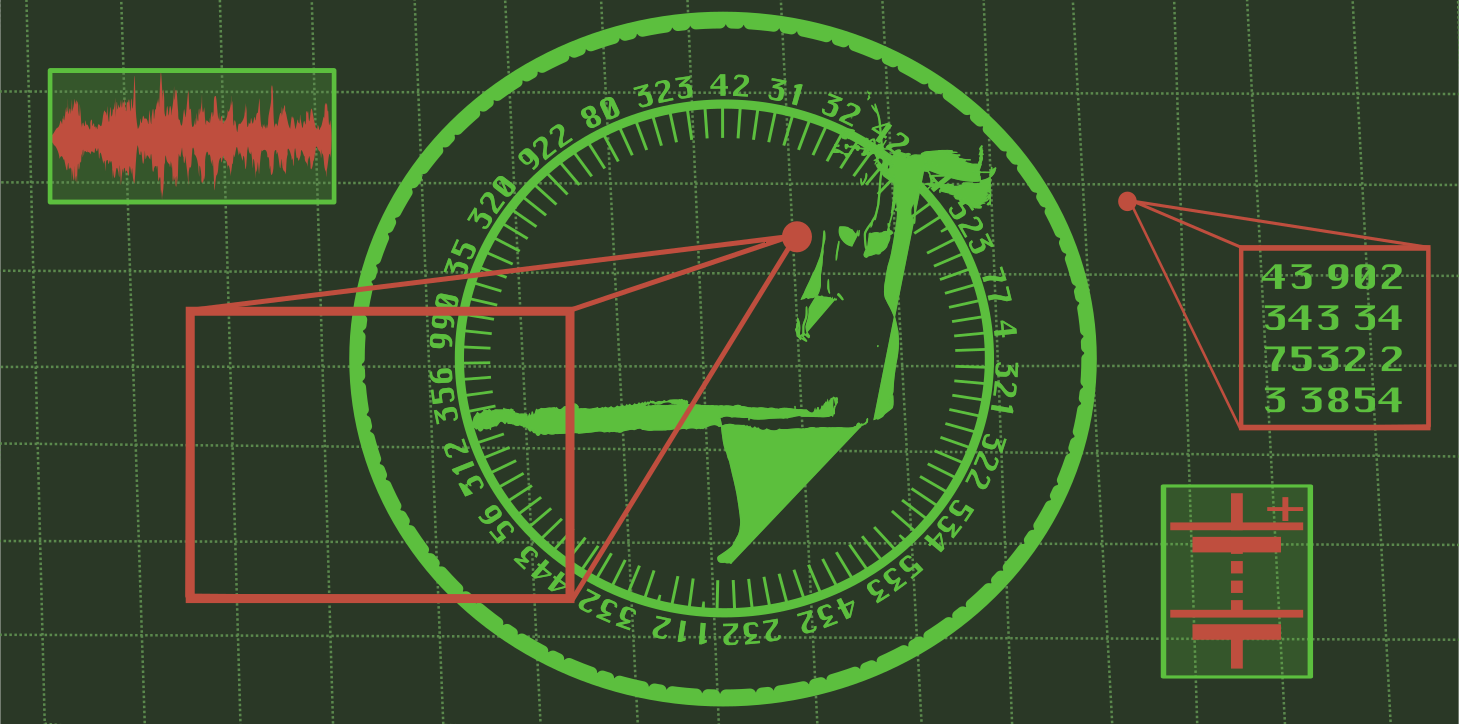
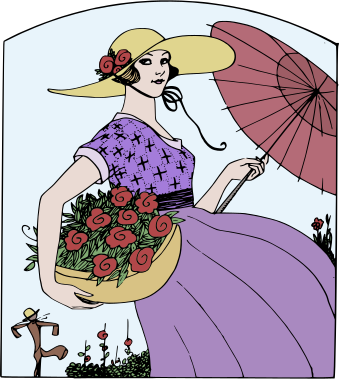
Woman Scan Sary clipart
⬇ Download SVG
⧉ Adikao ny SVG (Ampidiro anatin'ny Figma)
✓ Fandefasana maimaimpoana - tsy mila misoratra anarana, tsy misy marika rano
CC0 (Public Domain)
CC0 Public Domain - maimaimpoana ho an'ny fampiasana manokana sy ara-barotra, tsy mila fanamarinana.
Lisansa →
Woman Scan - j4p4n (CC0 (Public Domain)), via Clipart.Free
{'total_credits': 'Fanomezana', 'account_label': 'Kaonty', 'next_billing_date': "Datin'ny fandoavana ny vola manaraka", 'cancel_subscription': 'Manajanona ny fandefasana', 'plan_not_active': 'Tsy miasa ny drafitra', 'api_token': 'Token API', 'get_credits': 'Handray ny fankasitrahana', 'hello': 'Miarahaba', 'change_password': 'Manova teny fanalahidy', 'delete_account': 'Fafao ny kaonty', 'billing_history': "Diarin'ny fandoavana", 'status': 'Fivoarana', 'processor': 'Processeur', 'amount': 'Isa', 'date': 'Daty', 'no_payments': 'Tsy misy fandoavam-bola', 'are_you_sure': 'Tena te hanafoana ny fidiranao ve ianao?', 'close': 'Hidio', 'success': 'Fahombiazana!', 'success_message': 'Vita soa aman-tsara ny asa ataonao.', 'back_to_home': "Miverina any amin'ny fandraisana", 'about': 'Momba anay', 'about_intro': "Ny Clipart.Free dia tahirin-kevitra maimaimpoana amin'ny sary clip ho an'ny daholobe - fijery mialoha avy hatrany, SVG sy PNG azo alaina amin'ny tsindry iray, ary fahazoan-dàlana mazava ho an'ny sary tsirairay.", 'about_licenses': "Voatsara rehefa ampidirina ny fahazoan-dàlana ho an'ny sary tsirairay - ary voaaro amin'ny fiarovana ny SVG tsirairay - alohan'ny hamoahana azy, miaraka amin'ny fahazoan-dàlana miseho eo amin'ny pejy. Fantatrareo foana fa azo ampiasaina amin'ny asa ara-barotra ny sary iray alohan'ny handefasana azy.", 'about_downloads': "Rakitra mitahiry tena ny fampidinana: tsindrio iray, tsy misy pejy mifampiditra, tsy misy fisoratana anarana, tsy misy captchas, tsy misy marika rano. Ny SVG master sy ny PNG mangarahara amin'ny habeny telo, avy hatrany amin'ny mpizara.", 'about_submit': "Afaka mandefa ny sary clip CC0-ny manokana ireo mpanakanto - izahay no mikarakara ny rakitra, manome tsiny anao ary mampifandray amin'ny tranonkalanao.", 'submit_nav': 'Hampiditra', 'about_contact': 'Aza misalasala mifandray aminay raha manana fanontaniana ianao.', 'contact_us': 'Hifandray aminay', 'error_500': "Nisy zavatra tsy nety teo amin'ny lafinay. Andramo indray azafady aorian'izay.", 'back_home': "Miverina any amin'ny fandraisana", 'verify_email_subtitle': "Soraty ny famantarana nalefanay tamin'ny mailakao", 'verification_code': 'Famaha fanamarinana', 'no_email': 'Tsy nahazo ilay mailaka ve ianao?', 'contact': 'Hifandray aminay', 'need_help': 'Mila fanampiana?', 'request_refund': 'Mangataka famerenana', 'message_sent': 'Nalefa ny hafatrao. Hamaly anao izahay tsy ho ela.', 'email_address': 'Adiresy mailaka', 'message': 'Hafatra', 'send': 'Mandefa', 'or_contact': 'Na mandefa mailaka anay mivantana', 'lost_password': 'Teny fanalahidy adino', 'lost_password_subtitle': 'Manorata ny adiresy mailakao ary handefa rohy famerenana ianao', 'remember_password': 'Tadidinao ve ny teny fanalahidinao?', 'login': 'Fidirana', 'dmca_h1': "DMCA & politikan'ny famonoana", 'dmca_lede': "Ny asakanto izay heverinay fa tena ao amin'ny sehatra ho an'ny daholobe na nahazo alalana araka ny tokony ho izy ihany no avoakanay. Raha misy zavatra manitsakitsaka ny zonao eto, lazao anay ary hanao zavatra haingana izahay.", 'dmca_file_h': 'Ahoana ny fomba handefasana fanambarana fanafoanana', 'dmca_file_intro': "Mandefa mailaka anay amin'ny", 'dmca_file_intro2': 'Mba ho ekena araka ny 17 U.S.C. § 512(c)(3), tsy maintsy ahitana ny manaraka rehetra ny filazanao:', 'dmca_el_work': "Ny famantarana ny asa voasoratra anarana izay lazainao fa voaratsy (ny lohateny na URL-n'ny sary sy ny porofo fa ianao no tompony na misolo tena azy).", 'dmca_el_url': "Ny URL(s) marina ao amin'ity tranonkala ity izay misy ilay fitaovana manitsakitsaka.", 'dmca_el_contact': "Ny mombamomba anao: anarana feno, adiresy mailaka, laharan'ny finday ary adiresy mailaka.", 'dmca_el_goodfaith': "Fanambaràna fa mino tsara ianao fa tsy nahazo alalana avy amin'ny tompon'ny zon'ny mpamorona, ny solontenany na ny lalàna ny fampiasana ny votoaty.", 'dmca_el_accuracy': "Fanambarana, eo ambany sazy ho an'ny fianianana tsy marina, fa marina ny vaovao ao amin'ny filazanao ary ianao no tompon'ny zon'ny mpamoronahazo alalana hanao ny asany ho an'ny tompony.", 'dmca_el_signature': 'Ny soniao ara-batana na elektronika.', 'dmca_response': "Mijery haingana ny fampahafantarana feno izahay - matetika ao anatin'ny 72 ora - ary manaisotra na manakana ny fidirana amin'ny votoaty mandritra ny fanadihadianay (miverina HTTP 410 ny pejy nalaina).Milaza amin'ny mpandefa ny sary nalaina izahay ary manome azy ireo dika mitovy amin'ny fampahafantaranao.", 'dmca_counter_h': 'Fanamarihana', 'dmca_counter_intro': "Raha nalaina ny saryo ary mino ianao fa diso izany na tsy nahalalanao ny tenao, dia afaka mandefa fampandrenesana manohitra amin'ny adiresy mitovy ianao, anisan'izany:", 'dmca_c_ident': "Ny famantarana ny fitaovana nalaina sy ny URL izay nasehony talohan'ny nametrahana azy.", 'dmca_c_statement': "Fanambaràna, eo ambany sazy ho an'ny fianianana tsy marina, fa mino ianao fa noho ny hadisoana na tsy fahafantarana ny tena izy no nanesorana ilay votoaty.", 'dmca_c_contact': "Ny anaran'ny olona, ny adiresy sy ny laharan'ny finday, ary ny fankatoavana ny fahefan'ny fitsarana federaly ho an'ny distrika misy anao (na, raha ivelan'i Etazonia, ny distrika ara-pitsarana izay mety hitanay).", 'dmca_c_signature': 'Ny soniao ara-batana na elektronika.', 'dmca_counter_result': "Raha mahazo fanairana mifanohitra ara-dalàna izahay, dia alefanay any amin'ny mpitatitra voalohany izany, raha tsy hoe mampahafantatra anay izy ireo ao anatin'ny 10-14 andro asa fa nametraka fitoriana tany amin'ny fitsarana, dia mety hamerina ny votoaty izahay.", 'dmca_repeat_h': 'Mpisioka miverina', 'dmca_repeat': "Manajanona ny zo handefasana ireo kaonty izay matetika mandefa votoaty manitsakitsaka ny lalàna izahay, ary mitazona ny tahirin'ny famonoana mba hanatanterahana izany.", 'dmca_footer': 'Fanontaniana momba ny fahazoan-dalana fa tsy ny fanitsakitsahana?', 'licenses_h1': "Lisansa Clipart, amin'ny teny Anglisy tsotra", 'error_403': "Tsy afaka miditra amin'io pejy io ianao - saingy misy betsaka eto izay azonao ampiasaina.", 'dev_h1': "APIn'ny clipart", 'dev_lede': "Karohy sy apetraho amin'ny JSON ny tahirin-kevitra CC0 manontolo - famaha maimaimpoana, fangatahana 500 isan'andro, tsy misy karatra fandoavam-bola.", 'dev_key_title': 'Ny famaha API-nao', 'dev_key_limit_post': "requests/day - averina amin'ny 00:00 UTC.", 'dev_key_none': 'Tsy mbola manana famaha ianao - tsindry iray monja no ilaina.', 'dev_key_create': 'Hamorona famaha API maimaimpoana', 'dev_key_login': "Misoratra anarana maimaimpoana (email fotsiny) mba hahazoana famaha miaraka amin'ny fangatahana 500 isan'andro.", 'sign_up': 'Misoratra anarana', 'dev_search_desc': "Karohy ny lahatahiry manontolo. Ireo mpizara: q (request), category (slug), license (cc0), page. 30 ny valiny isaky ny pejy, araka ny laharan'ny laza.", 'dev_detail_desc': "Ny metadata feno ho an'ny entana iray: lohateny, tag, sokajy, fahazoan-dàlana + URL deed, mpamorona, habe, loko misongadina, ary ny URL SVG/PNG mivantana.", 'dev_rules_title': "Lalànan'ny fampiasana", 'dev_rule_cache': 'Apetraho ao anaty cache ny valinteny avy aminao - miova tsikelikely ny katalog.', 'dev_rule_hotlink': "Apetraho ao amin'ny fitahirizanao manokana ny rakitra ho an'ny fampiharana famokarana; aza mamorona rohy mafana maharitra ao amin'ny CDN-ntsika.", 'dev_rule_cc0': "CC0 ny asakanto - tsy tokony holazaina amin'ny mpiseraserao ny mombamomba azy, ary tsy tokony holazaina aminao koa (tena ilaina foana ny rohy).", 'dev_tiers_title': "Mila mihoatra ny 500 isan'andro ve ianao?", 'dev_reqs_day': 'fangatahana/andro', 'dev_choose': 'Misafidiana', 'dev_payments_soon': 'Handefa ny fandoavana vola tsy ho ela', 'dev_soon_note': "Havoaka ao amin'ny aterineto tsy ho ela ny ambaratongam-bola - mandra-pahatongan'izany, mifandraisa aminay raha mila fetra avo kokoa ianao ary hamaha ny olana ho anao izahay.", 'error_410': 'Tsy misy intsony ity pejy ity - nalaina tanteraka.', 'continue_with_google': "Tohizo amin'ny alalan'ny Google", 'or': 'na', 'password': 'Teny fanalahidy', 'password_hint': 'Marika 4 farafahakeliny', 'already_have_account': 'Efa manana kaonty ve ianao?', 'error_400': "Tsy hita ho mety ilay fangatahana. Andeha hiverina amin'ny laoniny ianao.", 'forgot_password': 'Teny fanalahidy', 'dont_have_account': 'Tsy manana kaonty ve ianao?', 'search': 'Karohy', 'home_trust_cc0': 'CC0 public domain', 'home_trust_svgpng': 'Fampidinana SVG + PNG', 'home_trust_nosignup': 'Tsy misy fisoratana anarana, tsy misy marika solika', 'home_trending': 'Sary clipart malaza', 'home_all_clipart': 'Jereo ny clipart rehetra', 'home_categories': 'Mizaha araka ny sokajy', 'home_newest': 'Sary clipart farany', 'home_api_eyebrow': "Ho an'ny mpamorona", 'home_api_title': "Ny tahirin-kevitra iray manontolo, amin'ny endrika API JSON", 'home_api_sub': "Karohy, metadata ary URL SVG/PNG mivantana ho an'ny sary tsirairay - CC0, ka tsy tokony holazaina mihitsy ny anaran'ny mpampiasa anao. Famaha maimaimpoana, fangatahana 500 isan'andro.", 'home_api_cta': 'Hahazo famaha API maimaimpoana', 'clipart_browse_az': 'Mizaha A-Z', 'faq': 'Fanontaniana matetika', 'home_submit_title': 'Mpanakanto: zarao ny sary clip-nao', 'home_submit_btn': 'Hampiditra sary clipart', 'privacy_policy': 'Politika momba ny tsiambaratelo', 'onboarding_title': "Tonga soa eto amin'ny Clipart.Free!", 'onboarding_subtitle': "Vonona ny kaontinao. Afaka alaina maimaimpoana ny sary rehetra eto - SVG sy PNG azo alaina ho an'ny daholobe, ary misy famaha API maimaimpoana ho an'ny mpamorona.", 'onboarding_step1_title': 'Mizaha sary clip maimaimpoana', 'onboarding_step1_desc': "Sary an'arivony ho an'ny daholobe ao anatin'ny sokajy 30 - biby, fety, sekoly, sary sy ny sisa.", 'onboarding_browse_clipart': 'Mizaha ireo clipart rehetra', 'onboarding_step2_title': 'Fantaro ny fahazoan-dàlana', 'onboarding_step2_desc': "Mampiseho ny fahazoan-dàlana eo alohany ny sary tsirairay, miaraka amin'ny famintinana amin'ny teny Anglisy tsotra - mba hahafantaranao izay azo antoka ho an'ny asa ara-barotra.", 'onboarding_licenses': 'Fanazavana ny fahazoan-dàlana', 'onboarding_step3_title': 'Mamorona fampiharana?', 'onboarding_step3_desc': "Maka famaha API maimaimpoana - mitady ny tahirin-kevitra manontolo amin'ny JSON, fangatahana 500 isan'andro.", 'onboarding_api': 'Maka famaha API', 'onboarding_quick_links': 'Rohy haingana:', 'clipart_nav': 'Sary clipart', 'licenses_nav': 'Lisansa', 'licenses_lede': "Mampiseho ny fahazoan-dàlana eo alohany ny sary tsirairay ao amin'ity tranonkala ity.Ity no zavatra ahafahanao atao amin'ny tsirairay - tsy misy teny ara-dalàna.", 'lic_cc0_name': "CC0 1.0 Iraisam-pirenena (Fanomezana ho an'ny daholobe)", 'lic_sum_cc0': "CC0 Public Domain - maimaimpoana ho an'ny fampiasana manokana sy ara-barotra, tsy mila fanamarinana.", 'lic_fact_commercial': 'Fampiasàna ara-barotra', 'lic_fact_modify': 'Hanova, hanova loko, hanova', 'lic_fact_redistribute': 'Avy eo ampizarana sy ampidirina', 'lic_fact_sell': "Mivarotra vokatra vita amin'izany", 'lic_fact_no_attr': 'Tsy ilaina ny fanehoana ny maha-izy azy', 'lic_cc0_who': "Iza no ho jerena: ny rehetra. Namela ny zon'ny mpamorona rehetra ny mpanakanto - tsy misy zavatra tokony ho raisina ho toy ny tsy maintsy atao. Ity no fahazoan-dàlana ho an'ny ankamaroan'ny tranomboky manontolo.", 'lic_browse_cc0': 'Jereo ny sary clip CC0', 'lic_read_full': 'Vakio ny lahatsoratra feno momba ny fahazoan-dàlana', 'lic_pd_name': "Faritra ho an'ny daholobe", 'lic_sum_pd': "Faritra ho an'ny daholobe - tsy misy olona manana ity sary ity; ampiasaina amin'ny zavatra rehetra, tsy mila alalana.", 'lic_pd_who': "Izay rehetra. Efa tapitra ny fizakàmanana na tsy mbola nampiasaina mihitsy (ohatra ny asa nataon'ny governemanta Amerikana) - tena mitovy amin'ny CC0 amin'ny zavatra azonao atao.", 'lic_ccby_name': 'Creative Commons Attribution 4.0', 'lic_sum_ccby': "Malalaka ny fampiasana azy, anisan'izany ny ara-barotra - omeo ny artista ny tsiny fotsiny (ny pejy CC BY tsirairay dia manana ny tsiny azo adika).", 'lic_fact_attr_required': 'Tsy miraharaha ny fankasitrahana ny mpanakanto', 'lic_ccby_who': "Ho an'iza: izay rehetra vonona hametraka andalana iray ho an'ny fankasitrahana. Tsy ao anatin'ny tranombokin'ny v1 izany - voatokana ho an'ny fonosana lohahevitra ho avy; raha toa ka tsy te-hanaisotra ny fankasitrahana manontolo ianao, dia mijanona ao amin'ny fizarana CC0.", 'licenses_disclaimer': "Famintinana amin'ny teny Anglisy tsotra ity pejy ity, tsy torohevitra ara-dalàna. Ny pejy tsirairay amin'ny sary dia misy rohy mankany amin'ny fahazoan-dàlana marina mihatra aminy. Hitanao zavatra tsy nahazoana alalana ve?", 'dmca_nav': 'DMCA / fametrahana', 'pricing': "Famaritana ny vidin'ny entana", 'pricing_subtitle': 'Manomboka maimaimpoana. Mividy izay ampiasainao fotsiny. Fanovàna rehefa misy.', 'pricing_tab_monthly': 'Drafitra isam-bolana', 'pricing_tab_packs': 'Credit packs', 'pricing_toggle_hint': 'Miverina isam-bolana ny fidirana. Iray isaky ny fotoana ny karatra ary tsy miova.', 'pricing_current_plan': 'Ity drafitra ity', 'pricing_most_popular': 'Ny malaza indrindra', 'month_short': 'mo', 'credits_per_month': 'credits per month', 'feat_higher_limits': "Fetra avo kokoa amin'ny fampidinana ho an'ny fitaovana tsirairay", 'feat_priority_processing': "Haben'ny filaharan'ny AI", 'feat_all_tools': "Ny fitaovana AI rehetra, ny lamin'ny rakitra rehetra", 'feat_email_support': 'Fandraisana an-tànana mailaka', 'feat_api_access': 'Fahazoana API', 'feat_priority': 'Fandraisana an-tànana ny laharam-pahamehana', 'pricing_get': 'Handray', 'credits': 'credits', 'single_charge': 'in-one', 'feat_never_expire': "Tsy miova ny fotoana faharetan'ny credits", 'feat_all_formats_generic': 'Ireo lamina rakitra raisina an-tànana rehetra', 'pricing_buy_pack': 'Hividy fonosana', 'risk_free': 'Tsy misy loza', 'money_back': "30 andro ny fiverenan'ny vola", 'flexible': 'Milamina', 'change_plan_whenever': 'Ovay na atsaharo rehefa misy', 'fair': 'Mazava', 'credits_never_expire': "Tsy miova ny fotoana faharetan'ny credits", 'credits_what_title': "Inona no azo vidiana amin'ny alalan'ny trosa?", 'credits_what_sub': "Maimaimpoana foana ny fisintahana sary mihetsika - SVG sy PNG, tsy misy fetra. Ny drafitra dia ho an'ny API'n'ny mpamorona: fetrany ny fangatahana isan'andro ho an'ny rindran'asa namboarina tamin'ny tranom-boky.", 'cc_chat': 'AI Chat', 'cc_per_msg': 'hafatra', 'cc_ocr': 'OCR', 'cc_humanize': 'Humanizer', 'cc_detect': 'Mpamantatra AI', 'cc_bg': 'Mpamafa afara', 'cc_tts': 'Soratra ho teny', 'cc_stt': "Fiteny ho an'ny lahabolana", 'cc_upscale': 'Mpanova sary', 'cc_imggen': 'Mpamorona sary AI', 'cc_logo': 'Mpamorona famantarana', 'cc_imgedit': 'Mpanova sary AI', 'credits_free_try': "Tsy mila kaonty ianao mba handraisana anjara - mahazo asa 5 maimaimpoana amin'ny AI isan'andro ianao. Mividy credits na misoratra anarana raha te-hahazo bebe kokoa.", 'error_404': 'Tsy hitanay ilay pejy - mety nifindra na tsy nisy mihitsy izy.', 'month': 'volana', 'checkout_your_email': 'Ny adiresy mailakao', 'capture_no_password': "Tsy mila teny fanalahidy, handefa rohy amin'ny mailaka ho anao izahay mba hametrahana iray aoriana kely.", 'payments_soon_title': 'Hatomboka tsy ho ela ny fandoavam-bola', 'detail_filesize': "Haben'ny rakitra", 'payments_soon_body': "Tsy mbola misokatra ny API mividy vola. Azo ampiasaina amin'izao fotoana izao ny sehatra maimaimpoana (500 fangatahana isan'andro) - ary tsy misy sarany mandrakizay ny sary clipart rehetra.", 'payments_soon_cta': 'Hahazo famaha API maimaimpoana', 'checkout_loading_payment': 'Maka ny taratasy fandoavam-bola azo antoka...', 'pay_now': 'Pay', 'mo': 'mo', 'checkout_or': 'na', 'checkout_wallet_loading': 'Mitady ny Apple Pay / Google Pay...', 'paypal_redirect_note': "Ho alefa any amin'ny PayPal ianao mba hanatanterahana ny fandoavam-bola.", 'payment_secured': "Fandoavana azo antoka amin'ny alalan'ny", 'checkout_email_required': 'Tsy maintsy misy ny adiresy mailaka', 'checkout_account_failed': 'Tsy afaka namorona ny kaonty.', 'checkout_log_in_here': 'Hiditra eto', 'checkout_connection_error': 'Nisy olana teo am-pifandraisana. Andramo indray.', 'categories_nav': 'Karazana', 'cat_animals': 'Biby', 'cat_flowers': 'Voninkazo', 'cat_people': 'Olona', 'cat_food_drink': 'Sakafo sy zava-pisotro', 'cat_holidays': "Fetin'ny fety sy fankalazana", 'cat_signs': 'Marika sy marika manokana', 'cat_silhouettes': 'Silhouettes', 'cat_all': 'Ireo sokajy rehetra', 'developers_nav': 'API', 'languages_title': 'Teny', 'footer_clipart': 'Sary clipart', 'footer_all_clipart': 'Sary clipart rehetra', 'cat_education': 'Fanabeazana sy Sekoly', 'cat_borders': "Sisin'ny frame", 'footer_licenses': 'Lisansa', 'footer_lic_explained': 'Azavaina ny lisansa Clipart', 'footer_lic_cc0': "Sary clipart CC0 ho an'ny sehatra tsy miankina", 'footer_site': 'Toerana', 'footer_api': "APIn'ny clipart", 'terms_of_service': "Fepetran'ny tolotra", 'about_us': 'Momba anay', 'footer_tagline': "sary clipart maimaimpoana ho an'ny daholobe - SVG sy PNG, tsy mila misoratra anarana, tsy misy marika rano.", 'languages_subtitle': 'Misafidiana ny teny tianao - nadika ny tranonkala manontolo.', 'languages_current': 'Ireo voafaritra', 'languages_no_results': "Tsy misy teny mifanaraka amin'ny karokao.", 'err_go_home': "Mankany amin'ny pejy fandraisana", 'err_browse_clipart': 'Mizaha ireo clipart rehetra', 'err_popular': "Na miditra amin'ny sokajy malaza:", 'clipart_h1': 'Free ClipArt', 'clipart_lede': "Tolotra maimaimpoana ho an'ny daholobe ny sary clipart amin'ny endrika SVG vector na PNG mangarahara - tsy mila misoratra anarana, tsy mila marika rano, tsy mila milaza ny tompony.", 'clipart_all': 'Ny rehetra', 'clipart_license': 'Lisansa', 'clipart_lic_explain': "Inona no dikan'izany?", 'clipart_sort_popular': 'Malaza', 'clipart_sort_new': 'Vaovao indrindra', 'clipart_count_word': 'sary', 'page': 'Pejy', 'clipart_none': "Tsy misy sary clip mifanaraka amin'ny karokao.", 'clipart_none_hint': 'Andramo ny teny tsotra kokoa, na jereo ny sokajy etsy ambony - mirakitra ny fikarohana rehetra izahay mba hahafantarana izay tokony ampidirina manaraka.', 'submit_h1': 'Hampiditra ny sary clip anao', 'submit_intro': "Manaiky ny sary vector namboarinao izahay, natokana ho an'ny sehatra ho an'ny daholobe (CC0). Notsiahivin'olona iray ny fandefasana tsirairay alohan'ny handefasana azy - izahay no mikarakara ny rakitra, manome anao ny tsiny ary mampifandray anao amin'ny tranonkalanao.", 'submit_licenses_link': 'Azavaina ny lisansa Clipart', 'submit_dmca_link': "Politikan'ny fanesorana", 'submit_thanks_h': 'Clipart nalefa hojerena', 'submit_thanks': "Misaotra! Mijery ny fandefasana rehetra izahay ao anatin'ny 72 ora ary mandefa mailaka aminao na amin'ny fomba iray na amin'ny fomba hafa.", 'submit_browse': 'Hikaroka sary clipart', 'submit_file': 'Raki-tsoratra SVG', 'submit_file_hint': ".svg tsotra ihany, hatramin'ny 2 MB - tsy misy sary mipetaka, tsy misy baiko soratra (mijery izahay).", 'submit_title_label': "Lohatenin'ilay sary", 'submit_creator': "Anaran'ny artista", 'submit_creator_url': 'Ny tranonkalanao', 'optional': 'tsy maintsy atao', 'submit_tags': 'Tag', 'submit_tags_hint': "mizarazara amin'ny virtoaly", 'submit_license': 'Lisansa', 'submit_license_hint': "Ny v1 dia manaiky ny CC0 ihany - fampanantenana tsotra indrindra ho an'ireo rehetra misintona.", 'submit_desc': 'Momba ilay sary', 'submit_attest': "Namorona ity asakanto ity aho ary natokana ho an'ny daholobe ao anatin'ny CC0 1.0 - afaka mampiasa azy ny olona rehetra, mandrakizay.", 'submit_btn': "Mandefa ho an'ny fanadihadiana", 'clipart_word': 'Sary clipart', 'detail_by': "amin'ny", 'detail_downloads': '%s no nandefa ity rakitra ity', 'detail_copy_svg': 'Adikao ny SVG', 'detail_copy_hint': "Ampidiro anatin'ny Figma", 'detail_free_line': 'Fandefasana maimaimpoana - tsy mila misoratra anarana, tsy misy marika rano', 'lic_sum_open': "Lisansa misokatra - maimaimpoana ho an'ny fampiasana manokana sy ara-barotra.", 'lic_deed': 'Lisansa', 'detail_credit_required': "Tsy maintsy misy ny fanehoan-kevitra ho an'ity sary CC BY ity.", 'detail_credit_optional': 'Tsy ilaina ny fanomezam-boninahitra - tsy mila izany ny CC0.', 'detail_about_title': 'Momba ity sary ity', 'detail_dimensions': "Haben'ny sary", 'clipart_faq_q_free': 'Azo ampiasaina ve ny "{0}"?', 'clipart_az_desc': "Jereo ny {0} sary clipart maimaimpoana manomboka amin'ny litera {1} - misintona SVG na PNG, tsy mila misoratra anarana.", 'lic_learn_more': 'Azavaina ny lisansa Clipart', 'detail_creator': 'Mpiangaly', 'detail_anon': 'Mpandray anjara tsy fantatra anarana', 'detail_source': 'Loharano', 'detail_source_page': 'Pejy voalohany', 'detail_tags': 'Tag', 'detail_edit_title': 'Mila manova na manova ity ve ianao?', 'detail_edit_sub': "Adikao ho PDF, ICO na WebP ny SVG - na ovao ny haben'ny PNG - amin'ny alalan'ny mpanova maimaimpoana an-tserasera.", 'detail_edit_cta': 'Mpanova rakitra maimaimpoana', 'detail_api_title': 'Mamorona fampiharana?', 'detail_api_sub': "Maka ity sary ity (sy ny tahirin-kevitra manontolo) amin'ny endrika JSON miaraka amin'ny famaha API maimaimpoana - fangatahana 500 isan'andro.", 'detail_api_cta': "Clipart API ho an'ny tahirin-kevitra", 'detail_related': 'Sary clipart mifandraika', 'clipart_az_h1': "Free ClipArt manomboka amin'ny", 'checkout_stripe_blocked': "Tsy afaka naka ny rafitra fandoavam-bola. Atsaharo ny mpibahana dokambarotra na mpibahana votoaty amin'ity pejy ity, dia avereno averina.", 'rate_this_page': 'Mamaritra ity pejy ity', 'rating_feedback_prompt': 'Inona no azonay atao hanatsarana? Manampy anay hamahana ny olana ny fihetseham-ponao.', 'rating_reason_missing': 'Tsy hitako izay ilaiko', 'rating_reason_broken': 'Tsy nety ny fampidinana', 'rating_reason_slow': 'Mavesatra loatra', 'rating_reason_confusing': 'Sarotra ampiasaina', 'rating_feedback_placeholder': 'Lazao amintsika ny bebe kokoa (tsy voatery)…', 'rating_feedback_send': 'Mandefa', 'rating_feedback_thanks': "Misaotra tamin'ny fanehoan-kevitrao!", 'share_copied': 'Nadika ny rohy!', 'share_love': 'Fitiavana', 'share_it': 'Zarao', 'feature_no_ads': 'Tsy misy dokambarotra', 'feature_unlimited': 'Tsy misy fetra ny fampiasana', 'feature_priority': 'Fandraisana an-tànana ny laharam-pahamehana', 'feature_early_access': 'Fahazoana mialoha ny endri-javatra vaovao', 'pro_cta_text': "Go Pro ho an'ny modely AI tsara indrindra - sary, lahatsary ary resaka - ary koa ny fandefasana betsaka kokoa, ny laharam-pahamehana amin'ny filaharana ary tsy misy fiandry.", 'pro_cta_btn': 'Handefa ny Pro', 'home_title': 'Sary maimaimpoana - Tolotra SVG sy PNG CC0', 'home_meta': "Manana sary an-jatony tena maimaimpoana, sary clipart ho an'ny daholobe ny Clipart.Free. Afaka misintona vector SVG na PNG mangarahara avy hatrany ianao - tsy mila misoratra anarana, tsy mila marika rano, tsy mila milaza ny tompony. CC0 licensed for commercial use. 100% Free.", 'clipart_hub_title': 'Sary maimaimpoana - {0} Sary SVG sy PNG maimaimpoana (CC0)', 'clipart_hub_desc': "Jereo ny {0} sary clipart maimaimpoana ho an'ny sehatra tsy miankina. Afaka misintona SVG na PNG avy hatrany ianao - tsy mila misoratra anarana, tsy misy marika rano, tsy mila milaza ny tompony. CC0 licensed for commercial use.", 'clipart_title': '{0} Clipart - Free SVG & PNG Download (CC0)', 'clipart_title_ccby': '{0} Clipart - Free SVG & PNG Download (CC BY)', 'clipart_desc': "Afaka misintona {0} maimaimpoana amin'ny endrika SVG vector na PNG mangarahara (400 / 800 / 2000 px). {1} nahazo alalana {2} clipart - maimaimpoana ho an'ny fampiasana manokana sy ara-barotra.", 'clipart_cat_h1': '{0} clipart maimaimpoana', 'clipart_cat_title': '{0} Free {1} Clipart Images - SVG & PNG (CC0)', 'clipart_lic_title': '{0} - {1} Vector maimaimpoana', 'clipart_tag_h1': '{0}', 'clipart_tag_sub': 'Fampidinana SVG & PNG maimaimpoana', 'clipart_tag_desc': "{0} clipart maimaimpoana - {1} sary ho an'ny sehatra ho an'ny daholobe ho alaina amin'ny endrika SVG na PNG.", 'clipart_az_title': "Sary clipart maimaimpoana manomboka amin'ny {0}", 'clipart_faq_a_free_cc0': 'Eny. Ao anatin\'ny sehatra ho an\'ny daholobe araka ny CC0 1.0 ny "{0}" - namela ny zon\'ny mpamorona rehetra ny mpanakanto. Azonao alaina, ovaina, avoaka ary averina avoaka ho an\'ny tanjona rehetra, manokana na ara-barotra, tsy mila manontany na iza na iza ianao.', 'clipart_faq_a_free_pd': 'Eny. Ao anatin\'ny sehatra tsy miankina ny "{0}" - tsy misy olona manana ny zon\'ny mpamorona azy, ka afaka ampiasaina maimaimpoana izy io, na ho an\'ny tena manokana na ho an\'ny dokam-barotra, tsy mila alalana.', 'clipart_faq_a_free_ccby': 'Eny, amin\'ny fepetra iray: manana fahazoan-dàlana CC BY ny "{0}", ka afaka ampiasaina maimaimpoana izy io - anisan\'izany ny ho an\'ny dokam-barotra - raha toa ka omenao ny anaran\'ilay mpanakanto. Misy andalana iray manome ny anaran\'ilay mpanakanto azo adika amin\'ity pejy ity.', 'clipart_faq_q_attr': 'Ahoana no ahafahako manome voninahitra ny "{0}" araka ny tokony ho izy?', 'clipart_faq_a_attr': 'Ampidiro ny anaran\'ilay mpanakanto ({1}), rohy mankany amin\'ny loharano, ary ny anaran\'ny fahazoan-dàlana "CC BY". Ny andalana feno dia efa vonona ho adika ao amin\'ny takelaka kelin\'ny fampanantenan\'ny mpamorona eo ambony.', 'clipart_faq_q_comm': 'Azoko ampiasaina amin\'ny varotra tsy misy fanondroana ve ny "{0}"?', 'clipart_faq_a_comm': "Eny. Tsy mila fanamarinana na karama ny {1}, na dia amin'ny asa ara-barotra aza - vokatra, tetikasa, rindran'asa, fonosana ary fanontana. Tsara ny fanamarinana fa tsy ilaina mihitsy.", 'clipart_faq_q_formats': "Inona no lamin'ny rakitra sy habe azoko afindra?", 'clipart_faq_a_formats': "Vektor SVG {1}x{2} px ({3} KB) izay azo ovaina habe tsy misy fahasimbana ny rakitra fototra. Misy PNG mangarahara efa vita amin'ny haben'ny 400, 800 ary 2000 pixel - tsy mila misoratra anarana, tsy misy marika rano.", 'clipart_faq_q_creator': 'Iza no namorona ny "{0}"?', 'clipart_faq_a_creator': 'Ny "{0}" dia nataon\'i {1} ary nozaraina tao amin\'ny Openclipart teo ambanin\'ny fanomezan-dàlana ho an\'ny daholobe. Ny pejy loharano dia voalaza ao amin\'ny antsipiriany etsy ambony - tsy ilaina ny manome ny anaran\'ilay mpanakanto fa fihetsika tsara.', 'clipart_faq_q_edit': 'Ahoana no ahafahako manova na manova loko ity SVG ity?', 'clipart_faq_a_edit': "Avy eo, apetraho ao amin'ny Inkscape (desktop) na amin'ny mpitety tranonkala ny SVG ary sokafy amin'ny alalan'ny mpanova sary maimaimpoana toy ny Inkscape izy io - na ampidiro ao amin'ny Figma amin'ny alalan'ny tsindry Adikao SVG. Azo ovaina ny endrika sy loko rehetra, ary ny rakitrao dia ho anao ihany no ho azo ampiasaina na hovidiana.", 'clipart_copy_svg': 'Adikao ny SVG', 'submit_title': "Mandefa ny Sarinao - Mizara ny Zanakao Artista Amin'izao Tontolo Izao", 'submit_meta': "Artista ve ianao? Mandefa ny sary clip CC0-nao ary ho hitanay maimaimpoana izany - pejy manokana, SVG + PNG, miaraka amin'ny fankasitrahana feno sy rohy mankany aminao.", 'submit_missing_fields': "Ampidiro ny lohateny sy ny anaran'ilay asa-kanto.", 'submit_bad_license': 'Misafidiana fahazoan-dàlana.', 'submit_missing_attest': "Miangavy mba manamafy fa namorona ity asa-kanto ity ianao ary omeo ho an'ny daholobe (CC0) izany.", 'submit_missing_file': 'Ampidiro ny rakitra SVG-nao.', 'submit_bad_type': 'Ny rakitra.svg ihany no ekena.', 'submit_too_big': 'Lehibe loatra io rakitra io - 2 MB ny fetra.', 'submit_bad_svg': 'Tsy mety ekena ity SVG ity ({0}). Avoakana SVG tsotra tsy misy baiko soratra na sary mipetaka ianao dia andramo indray.', 'submit_rate_limited': "Efa nahatratra ny fetra fandefasana isan'ora ianao. Andramo indray aorian'ny {0} minitra eo ho eo.", 'captcha_incorrect': 'Tsy mety ny sanda Captcha', 'dev_title': "API Clipart - Fahazoana miditra maimaimpoana ho an'ny mpamorona", 'dev_meta': "API JSON maimaimpoana ho an'ny {0} sary clipart CC0: fikarohana, metadata ary URL mivantana SVG/PNG. Famaha maimaimpoana misy fangatahana 500 isan'andro - tsy mila karatra fandoavam-bola.", 'home_faq_q1': "Tena maimaimpoana tokoa ve ny sary clip ao amin'ny {0}?", 'home_faq_a1': "Eny. Ny zava-drehetra ao amin'ny tranombokin'ny Open Library dia eo ambany fahazoan-dàlana ho an'ny daholobe (CC0) na fahazoan-dàlana misokatra - afaka misintona maimaimpoana ary afaka mampiasa maimaimpoana ho an'ny asa manokana sy ara-barotra. Tsy misy fitsapana, tsy misy fetra isan'andro, tsy misy marika rano, tsy ilaina ny fanehoana ny tompony.", 'home_faq_q2': "Azoko ampiasaina amin'ny varotra ve ireo sary ireo - amin'ny vokatra, amin'ny asa ataon'ny mpanjifa, amin'ny fampiharana?", 'home_faq_a2': "Eny. Tsy misy fameperana ara-barotra ny asakanto CC0 ho an'ny sehatra ho an'ny daholobe: avoaka amin'ny entana, alefa ao anatin'ny fampiharana, ampiasaina amin'ny dokambarotra sy tetikasa ho an'ny mpanjifa. Milaza ny fahazoan-dàlana amin'ny teny Anglisy tsotra ny pejy tsirairay amin'ny sary.", 'home_faq_q3': 'Mila misoratra anarana ve aho sa mamorona kaonty?', 'home_faq_a3': "Tsia. Tsy mila kaonty ny tsindry fampidinana rehetra - SVG sy PNG. Ny famaha API an'ny mpamorona ihany no mila kaonty.", 'home_faq_q4': "Inona no fahasamihafana misy eo amin'ny fisintahana SVG sy PNG?", 'home_faq_a4': "Ny SVG no maodelin'ny vector azo ovaina - azo ovaina araka izay tiana atao izy io ary sokafana ao amin'ny Inkscape, Illustrator na Figma. Ireo PNGs dia sary mangarahara vonona hapetraka amin'ny 400, 800 ary 2000 pixel ho an'ireo fitaovana tsy mampiditra SVG.", 'home_faq_q5': 'Tsy maintsy manome voninahitra ny mpanakanto ve aho?', 'home_faq_a5': "Tsy ho an'ny sary CC0 na an'ny sehatra ho an'ny daholobe - izay saika ny tahirin-kevitra manontolo. Aseho amin'ny pejy tsirairay ny anaran'ny mpanakanto sy ny rohy mankany amin'ny loharano raha toa ka te-hanome fankasitrahana tsy voatery ianao.", 'home_faq_q6': 'Mamorona sary clipart aho - afaka mandray ny asako ve ianao?', 'home_faq_a6': "Eny. Mandefa ny SVG-nao any amin'ny {0}/submit/ ary, raha vao ekena, dia hahazo pejy manokana, fampiantranoana maimaimpoana, SVG + PNG misintona, ary ny fankasitrahana feno miaraka amin'ny rohy miverina aminao.", 'about_us_meta_description': "Momba ny clipart.free - ny iraka ao ambadiky ny tahirin-kevitra iray misy sary mihetsika tena maimaimpoana, ho an'ny daholobe: SVG sy PNG misintona avy hatrany tsy misy fisoratana anarana, tsy misy marika rano ary tsy misy fisamborana.", 'contact_meta_description': "Antsoy ny clipart.free raha manana fanontaniana momba ny tahirin-kevitra, ny fahazoan-dàlana, ny fandefasana, ny fanesorana, ny API, na zavatra hafa. Matetika izahay mamaly ao anatin'ny andro iray.", 'dmca_title': 'DMCA & Politika fanafoanana', 'dmca_meta': "Ahoana ny fomba filazana sary iray ao amin'ny clipart.free izay heverinao fa manitsakitsaka ny zon'ny mpamorona na tsy nahazoana alalana - inona no tokony ho tafiditra ary ahoana no hanatontosanay izany haingana.", 'licenses_title': 'Ny lisansa Clipart nohazavaina', 'licenses_meta': "Ny INSEE dia mampiasa ny kaodim-paositra clipart.free. isam-ponina dia clipart.free mponina araka ny fanisana natao tamin'ny taona 2008.", 'cancel': 'Foano', 'checkout': 'Fijerena', 'delete': 'Fafao ny kaonty', 'deleted': 'Voafahana ny kaonty', 'refund': 'Fandoavana', 'clipart_az_count': 'sary', 'clipart_cat_animals_lede': "Sary an-tsary maimaimpoana momba ny biby - saka, alika, vorona, fambolena ary biby fiompy amin'ny endrika CC0 SVG sy PNG.", 'clipart_cat_transportation_a1': "Eny. Azo ampidirina ao anatin'ny famantarana sy marika ara-barotra ny sary CC0. Jereo tsara fa miavaka ny famantaranao farany - ny sary clip fototra ihany koa dia afaka ampiasaina ho an'ny rehetra.", 'clipart_cat_animals_intro': "Avy amin'ny biby fiompy mankany amin'ny zavaboary safari, ahitana saka, alika, vorona, trondro, biby fiompy ary ny zava-drehetra eo anelanelany ity tahirin-kevitra ity. Azon'ny rehetra ampiasaina (CC0) ny sary rehetra, ka azonao alefa ao anaty taratasy asa, marika, fanasana amin'ny fety na vokatra tsy misy fangatahana alalana. Afaka misintona ny SVG ianao mba hampitomboana azy amin'ny habeny rehetra, na maka PNG mangarahara efa vita.", 'clipart_cat_animals_q1': "Azoko ampiasaina amin'ny tetikasa ara-barotra ve ity sary clipart ity?", 'clipart_cat_animals_a1': "Eny. Ny zava-drehetra ao amin'ny sokajy biby dia CC0 ho an'ny daholobe - ampiasaina amin'ny varotra, amin'ny fampiharana, amin'ny asa ataon'ny mpanjifa ary amin'ny fanontana, tsy misy sarany ary tsy misy fanondroana.", 'clipart_cat_animals_q2': 'Rakitra vector ve ireo sary biby ireo?', 'clipart_cat_animals_a2': "Eny. Vektor SVG ny rakitra fototra ho an'ny sary biby tsirairay, ka azo ampitomboina ho lasa sticker na takelaka kelin'ny dokambarotra izy io nefa tsy very ny fahazavany. Azo atao ihany koa ny mampiasa PNG mangarahara amin'ny 400, 800 ary 2000 pixel amin'ny alalan'ny fanindriana iray.", 'clipart_cat_animals_q3': 'Ahoana no ahafahako mahita biby iray manokana?', 'clipart_cat_animals_a3': 'Ampiasao ny boaty fikarohana miaraka amin\'ny anaran\'ny biby ("owl", "dachshund", "tropical fish") na tsindrio ny tag eo ambanin\'ny sary mba hahitana ny sary rehetra mifandraika amin\'izany.', 'clipart_cat_nature_plants_lede': "Sary an-tsary maimaimpoana momba ny natiora - hazo, ravinkazo, tontolo iainana sy toetr'andro amin'ny endrika CC0 SVG sy PNG.", 'clipart_cat_nature_plants_intro': "Hazo, ranomandry, tendrombohitra, masoandro, rahona ary ny tontolo iainana manontolo - na sary an-tànana na endrika geometrika. ny sary momba ny natiora no tena fototra amin'ny tetikasa mpianatra, ny marika ara-tontolo iainana sy ny fanamboarana ny vanim-potoana, ary ny rakitra rehetra eto dia CC0 ho an'ny daholobe: afaka ampiasaina na aiza na aiza, azo ovaina malalaka ary azo amidy aza.", 'clipart_cat_nature_plants_q1': 'Azoko ovaina ve ireo sary momba ny natiora ireo?', 'clipart_cat_nature_plants_a1': "Tena azo atao tokoa. Apetraho ao amin'ny Inkscape (poana), Illustrator na Figma ny SVG ary sokafy izy io mba hanova loko ny ravinkazo, hafindra toerana ny sampana na hampifandray singa. Ny CC0 dia midika fa ny anareo tanteraka ny vokatra azo.", 'clipart_cat_nature_plants_q2': "Manana ny endrika isan-taona ve ianao - ravin'ny fararano, hazo ranomandry?", 'clipart_cat_nature_plants_a2': 'Eny, voarakitra tsara ny vanim-potoana. Karohy ny "fararano", "ririnina" na "lohataona", na araho ny tag amin\'ny sary hazo na ravinkazo mankany amin\'ny vanim-potoana mifanaraka aminy.', 'clipart_cat_nature_plants_q3': "Azo atao ve ny manonta amin'ny habeny lehibe?", 'clipart_cat_nature_plants_a3': "Eny - tsy miankina amin'ny resolution ny SVG master, ka ny afisy na ny sora-baventy dia azo anontaina tsara. Raha mampiasa raster ianao, dia mampiasa ny PNG 2000px.", 'clipart_cat_flowers_lede': 'Sary an-tsary maimaimpoana momba ny voninkazo - raozy, tulipa, voninkazo sy famenoana voninkazo, CC0 daholo izy rehetra.', 'clipart_cat_flowers_intro': "Raozy, tulipa, masirasira, voninkazo sy voninkazo fanaingoana, manomboka amin'ny sary tsotra ka hatramin'ny sary an-tsary amin'ny fomba taloha. ny sary an-tsary amin'ny voninkazo dia mitondra fanasana, karatra fisaorana, fampiroboroboana ny lohataona ary tetikasa fanamboarana - ary satria ny zava-drehetra eto dia ho an'ny daholobe, afaka manonta, mampifangaro ary mivarotra malalaka ny famolavolanao ianao.", 'clipart_cat_flowers_q1': "Azoko ampiasaina amin'ny fanasana mariazy amidy ve ireo voninkazo ireo?", 'clipart_cat_buildings_architecture_lede': "Sary an-tsary maimaimpoana momba ny tranobe - trano, tranobe, zoro sy ny maritrano amin'ny endrika CC0.", 'clipart_cat_flowers_a1': "Eny. Azo ampiasaina amin'ny vokatra amidyo ny sary clip CC0 - fanasana an-tsoratra, modely nomerika, rakitra voafafa - tsy misy saram-pidirana sy tsy misy taratasy fanamarinana.", 'clipart_cat_flowers_q2': "Azoko ovaina ve ny lokon'ny sary famantarana voninkazo?", 'clipart_cat_flowers_a2': "Eny. Sokafy amin'ny alalan'ny mpanova vector ny SVG ary ovao loko ny petals, ny andry ary ny afara ao anatin'ny segondra vitsy. Tsy voageja ny SVG tsy voavaky ny fampidinana - tsy misy zavatra voaaro.", 'clipart_cat_flowers_q3': "Inona no fahasamihafana misy eo amin'ny SVG sy ny PNG?", 'clipart_cat_flowers_a3': "Ny SVG dia ny vector master azo ovaina izay miova habe tsy misy fetra. Ireo PNGs dia efa vonona hametraka sary mangarahara amin'ny 400, 800 ary 2000 pixels - mety raha tsy mampiditra SVG ny fitaovanao.", 'clipart_cat_people_lede': "Sary clipart maimaimpoana momba ny olona - sary, tarehy, asa ary avatars ho an'ny daholobe.", 'clipart_cat_people_intro': "Lehilahy, vehivavy, ankizy, mpiasa, sary an-tànana, avatars ary ny vahoaka mitambatra. ny sary an'ny olona dia mampiseho ny fampisehoana, ny fanazavana, ny afisy ary ny interfacen'ny mpampiasa - ary CC0 ny tsirairay eto, ka tsy misy ny fialan-tsasatra na ny fiahiana ny fahazoan-dàlana: maimaimpoana ny asa famoronana ho an'ny fampiasana rehetra.", 'clipart_cat_people_q1': "Afaka mampiasa sary an-tsary an'olona ao anatin'ny fampirantiana ara-barotra na fampiharana ve aho?", 'clipart_cat_people_a1': "Eny. Sary natao ho an'ny daholobe (CC0) ireo - ampiasaina amin'ny sary, fampiharana, dokambarotra ary fitaovana an-tsoratra tsy misy alalana na fankatoavana.", 'clipart_cat_people_q2': "Misy ve ny fahasamihafana amin'ny lokon'ny hoditra sy ny asa?", 'clipart_cat_people_a2': "Ny fanangonana dia mizarazara amin'ny endrika maro, asa sy endrika - ary satria SVG azo ovaina ny raki-tahiry tsirairay, dia mila segondra vitsivitsy amin'ny fanovana ny lokon'ny hoditra na ny lokon'ny fitafiana amin'ny fanovana vector.", 'clipart_cat_people_q3': "Mila fahazoan-dalana ho an'ny modely ve aho ho an'ny olona clipart?", 'clipart_cat_people_a3': "Tsia. Sary fanehoana ireo, tsy sary an'olona tena izy, ary mitondra ny fanomezan-dàlana CC0 izy ireo - tsy misy ny fitovian-javatra na ny zo amin'ny fampielezan-kevitra.", 'clipart_cat_food_drink_lede': 'Sary an-tsary maimaimpoana momba ny sakafo sy ny zava-pisotro - voankazo, sakafo, kafe, mofomamy ary maro hafa, CC0 daholo.', 'clipart_cat_food_drink_intro': "Voankazo sy legioma, pizza sy burger, tavoahangy kafe, mofomamy, tavoahangy ary sakafo feno. ny sary an-tsary momba ny sakafo dia manampy amin'ny famoronana ny lisitry ny sakafo, ny karatra famenoana sakafo, ny marika an'ireo fiara fitaterana sakafo ary ny fitaovana ho an'ny sekoly - ary ity takelaka ity dia ho an'ny daholobe, ka afaka mampiasa azy ireo tsy misy fahazoan-dàlana ny trano fisakafoanana sy ny mpivarotra.", 'clipart_cat_food_drink_q1': "Afaka mametraka ity sary ity amin'ny lisitr'ireo sakafo ao amin'ny trano fisakafoanana ve aho?", 'clipart_cat_food_drink_a1': 'Eny - mety ny lisitra, ny mari-pamantarana, ny fonosana, ny taratasy fampitandremana sy ny tranonkala. CC0 midika fa fampiasana ara-barotra tsy misy sarany sy tsy misy fanondroana.', 'clipart_cat_food_drink_q2': 'Manana sary momba ny sakafo ara-pahasalamana sy ny sakafo atoandro any an-tsekoly ve ianao?', 'clipart_cat_food_drink_a2': 'Eny. Karohy ny "voankazo", "loto" na "salama" mba hahitana ny isan\'ny vokatra sy ny sary momba ny sakafo mifanaraka izay mety amin\'ny fitaovana fampianarana.', 'clipart_cat_food_drink_q3': "Afaka mampitambatra sary maro momba ny sakafo ao anatin'ny endrika iray ve aho?", 'clipart_cat_food_drink_a3': "Eny. Afaka misintona ireo SVGs ary mamorona azy ireo maimaimpoana amin'ny alalan'ny mpanonta lahatsoratra - azo atambatra indray, averina lokoina ary ampidirina amin'ny endrika vaovao izay anao tanteraka ny sary CC0.", 'clipart_cat_transportation_lede': 'Sary clipart maimaimpoana momba ny fitaterana - fiara, kamiao, fiarandalamby, fiaramanidina ary sambo ho toy ny CC0 vector.', 'clipart_cat_transportation_intro': "Fiara, fiara fitateram-bahoaka, kamiao, bisikileta, fiarandalamby, fiaramanidina, balafomanga ary sambo, manomboka amin'ny sary mifono taratasy ka hatramin'ny sary amin'ny lafiny rehetra.Miseho eny rehetra eny ny sary momba ny fitaterana - ny takelaka momba ny fitaterana, ny boky ho an'ny ankizy, ny fitaovana momba ny fiarovana ny fifamoivoizana - ary ny lahatahiry rehetra eto dia ho an'ny daholobe, vonona ho an'ny rehetra.", 'clipart_cat_transportation_q1': "Afaka mampiasa sary an-tsary fiara ao amin'ny famantarana ny orinasako ve aho?", 'clipart_cat_transportation_q2': "Misy fiara mijery an-tsisiny ve ho an'ny sary?", 'clipart_cat_transportation_a2': "Eny - mahazatra eto ny sary an-tsisiny amin'ny fiara, fiara fitateram-bahoaka ary kamiao ary mety tsara amin'ny sary an-tsary sy ny sary mizarazara.", 'clipart_cat_transportation_q3': "Afaka mamorona sary mihetsika amin'ireo SVGs fiarakodia ireo ve aho?", 'clipart_cat_transportation_a3': "Eny. Mampiseho sary mihetsika tsara amin'ny alalan'ny CSS na JavaScript ny SVG - kodiarana, làlana fifindra-monina, sns. Vector madio, voadio ary tsy misy baiko soratra ao anatiny ireo rakitra.", 'clipart_cat_travel_places_lede': 'Sary an-tsary maimaimpoana momba ny dia - toerana, fitafiana, fialan-tsasatra sy sary, CC0 daholo.', 'clipart_cat_travel_places_intro': "Ny sary an-tsary momba ny dia dia manaingo ireo làlana, bilaogy momba ny dia, fampiroboroboana ny masoivoho ary ny boky fanangonana sary - ary satria ireo dia sehatra ho an'ny daholobe, afaka mampiasa azy ireo amin'ny varotra tsy misy fahazoan-dàlana ny orinasa mpizahatany.", 'clipart_cat_travel_places_q1': "Afaka mampiasa izany amin'ny dokambarotra ve ny masoivoho mpizahatany?", 'clipart_cat_travel_places_a1': "Eny - voaaro daholo ny dokambarotra, ny boky, ny lahatsoratra ara-tsosialy ary ny tranonkala. CC0 midika hoe tsy misy sarany, tsy misy fandraisana anjara ary tsy misy fetra amin'ny fampiasana.", 'clipart_cat_travel_places_q2': 'Manana toerana malaza ve ianao?', 'clipart_cat_travel_places_a2': "Eny, miseho hatrany ny sary mampiseho ireo toerana malaza toy ny Tohatra Eiffel sy ny Big Ben. tsy azo atao ny mividy ny zon'ny mpamorona ny tranobe, ary CC0 ny asakanto.", 'clipart_cat_travel_places_q3': "Inona no sary an-tsary amin'ny dia mety indrindra amin'ny làlana?", 'clipart_cat_travel_places_a3': 'Kisary kely mifono - fiaramanidina, taratasy, valizy - mba hahafahantsika mamaky ny làlana isan\'andro. Karohy ny "sary" miaraka amin\'ny lohahevitrao, ary ampiasaina ny SVG mba hahafahanao mametraka azy amin\'ny habeny kely.', 'clipart_cat_buildings_architecture_intro': "Trano, tranobe, fiangonana, tetezana, orinasa ary ny masoandron'ny tanàna, amin'ny endrika isan-karazany, manomboka amin'ny sary hosodoko ka hatramin'ny lokon'ny boky tantara. ny sary clipart momba ny maritrano dia manome ny taratasy momba ny fana, sarintany, tahirin-kevitra momba ny tantara ary ny entana amin'ny lalao - izay rehetra an'ny daholobe, maimaimpoana ny fanovana sy ny fampiasana indray.", 'clipart_cat_buildings_architecture_q1': "Afaka mampiasa sary an-trano amin'ny fampiroboroboana ny fana ve aho?", 'clipart_cat_buildings_architecture_a1': "Eny, azo atao ny mametraka ny afisy, ny lisitra, ny famantarana ary ny tranonkala - CC0 ny asa-kanto ho an'ny daholobe tsy misy fameperana ara-barotra.", 'clipart_cat_buildings_architecture_q2': 'Misy ve ny sary famantarana ny trano tsotra sy ny tranobe misy antsipirihany?', 'clipart_cat_buildings_architecture_a2': 'Ireo roa ireo. Karohy ny "sary an-trano" mba hahitana ireo marika kely indrindra izay miasa amin\'ny haben\'ny favicon, na jereo ny sokajy mba hahitana ny antsipirian\'ny rindrina sy ny sary feno an-dalambe.', 'clipart_cat_buildings_architecture_q3': "Afaka mamorona sarintany an'i tanàna avy amin'ireny ampahany ireny ve aho?", 'clipart_cat_buildings_architecture_a3': "Eny - mifangaro tsara amin'ny mpanova vector ny SVGs, ka afaka mamorona faritra iray manontolo avy amin'ny trano, lalana ary hazo ianao. Ny vokatra dia ho anao tanteraka.", 'clipart_cat_business_finance_lede': 'Sary an-tsary maimaimpoana momba ny raharaham-barotra - vola, sary, birao ary sary momba ny varotra, CC0 daholo izy rehetra.', 'clipart_cat_business_finance_intro': "Vola sy vola taratasy, sary famantarana ny fitomboana, kitapo, fifampiraharahana, fiara sy ny varavaran'ny fivarotana. Ny sary momba ny raharaham-barotra dia ampahany amin'ny fampirantiana - ary tsy toy ny fisintahana amin'ny tranonkalam-pivarotana, tsy misy fahazoan-dàlana na fitsipika momba ny fanomezan-dalana.", 'clipart_cat_business_finance_q1': "Azoko ampiasaina amin'ny fampirantiana sy tatitra ho an'ny mpanjifa ve izany?", 'clipart_cat_business_finance_a1': "Eny, tsy misy fameperana - ny takelaka anatiny, ny vokatra azo avy amin'ny mpanjifa, ny tatitra navoaka sy ny endrika amidyo. Tsy misy fetra ara-barotra ny CC0.", 'clipart_cat_business_finance_q2': 'Ara-dalàna ve ny fampiasana ireo marika sy sary ahitana vola?', 'clipart_cat_business_finance_a2': "Eny. Sary an-tsary ny vola ireny, fa tsy ny taratasy fandoavam-bola, ka tsy mihatra ny lalàna momba ny fanodinkodinam-bola - ary ny asa-kanto dia eo amin'ny sehatry ny daholobe.", 'clipart_cat_business_finance_q3': "Manana kisary mifono ho an'ny dashboard ve ianao?", 'clipart_cat_business_finance_a3': 'Eny - karohy ny "chart", "graph" na "money icon". Satria SVG izy ireo, dia miova loko avy hatrany izy ireo mba hifanaraka amin\'ny endriky ny tabilao.', 'clipart_cat_computer_technology_lede': 'Sary clipart maimaimpoana momba ny teknolojia - solosaina, finday, robots ary fitaovana toy ny SVG CC0.', 'clipart_cat_computer_technology_intro': "Laptops, smartphones, servers, robots, circuit motifs ary hardware retro. Tech clipart no mameno ny antontan-taratasy, ny fampianarana, ny start decks ary ny UI mockups - ary ny sary rehetra eto dia ho an'ny daholobe, ka azo alefa ao anatin'ny vokatrao izy, fa tsy ny fitenenana fotsiny.", 'clipart_cat_computer_technology_q1': "Afaka mandefa ireo sary ireo ao anatin'ny fampiharana na tranonkalako ve aho?", 'clipart_cat_computer_technology_a1': "Eny. Azo ampidirina ao anatin'ny rindrambaiko, endrika sy endrika - na dia ireo mividy aza - ny asa-kanto CC0, tsy mila rakitra fahazoan-dàlana na fankasitrahana.", 'clipart_cat_computer_technology_q2': "Azo antoka ve ny mampiditra ireo SVGs mivantana ao amin'ny HTML?", 'clipart_cat_computer_technology_a2': "Voatsara rehefa ampidirina ny SVG rehetra ao amin'ity tranonkala ity - fafàna na tsia ny baiko soratra, ny mpifehy ny zava-mitranga ary ny rohy ivelany. Tsy miova ny fomba fanao mahazatra: omeo amin'ny alalan'ny tag img na amin'ny alalan'ny fantsona tsy miova ny SVG miresaka amin'ny mpampiasa.", 'clipart_cat_computer_technology_q3': 'Manana sary an-tsary retro computing ve ianao?', 'clipart_cat_computer_technology_a3': 'Eny - ny efijery CRT taloha, ny floppy disks ary ny terminals mahazatra dia miseho hatrany. Karohy ny "retro" na "floppy" ary mankafy ny fahatsiarovana.', 'clipart_cat_science_lede': 'Sary an-tsary maimaimpoana momba ny siansa - atoms, fitaovana laboratoara, sary momba ny habakabaka sy ny biolojia, CC0 daholo izy rehetra.', 'clipart_cat_science_intro': "Atoma, molekiola, tavoahangy, fakantsary kely, ADN, planeta ary anatomia. ny sary momba ny siansa dia mitondra ny taratasy fanao any an-dakilasy, afisy laboratoara, tabilao momba ny fihaonambe momba ny siansa ary boky fampianarana - ary ny fanomezana ho an'ny daholobe dia midika fa afaka mampiasa azy ireo indray ny mpampianatra sy ny mpamoaka lahatsoratra amin'ny ambaratonga rehetra, maimaimpoana.", 'clipart_cat_science_q1': "Afaka mampiasa izany amin'ny taratasy fanao sy ny slide ve ny mpampianatra?", 'clipart_cat_science_a1': "Eny - izany no tena tanjony. Apetaho ny dika tsy voafetra, zarao amin'ny distrika rehetra, ampidiro ao anatin'ny fandaharam-pianarana navoaka. Tsy misy fetra ara-panabeazana na ara-barotra ny CC0.", 'clipart_cat_science_q2': 'Marina ara-tsiantifika ve ireo sary?', 'clipart_cat_science_a2': "Ireo dia sary mampiseho ny fahasamihafana eo amin'ny henjana - tsara ho an'ny famolavolana sy ny fampianarana ankapobeny, saingy aoka ho jerena tsara ny zavatra ampiasainao amin'ny fanadihadiana ara-dalàna raha ampitahaina amin'ny loharanom-baovao.", 'clipart_cat_science_q3': 'Manana sary momba ny habakabaka sy ny astronomia ve ianao?', 'clipart_cat_science_a3': 'Maro - planeta, roketa, teleskopa ary faritra misy kintana. Karohy ny "efitra", "planeta" na "roketa" mba hijery ny tahirin-kevitra.', 'clipart_cat_education_school_lede': "Sary an-tsary maimaimpoana avy amin'ny sekoly - boky, penina, efitrano fianarana ary sary ho an'ny fianarana, CC0 daholo izy rehetra.", 'clipart_cat_education_school_intro': "Boky, penina, takelaka, kitapo, satroka, satroka fankatoavana sy ny sary an-tsoratra. ny sary an-tsary avy amin'ny sekoly no sakafo isan'andron'ny mpampianatra - taratasy fanao, vaovao farany, takelaka fampitam-baovao, tabilao momba ny loka - ary ny lahatahiry rehetra eto dia ho an'ny daholobe, ka afaka manonta sy mizara tsy misy fanisana toerana ny sekoly.", 'clipart_cat_education_school_q1': "Maimaimpoana ho an'ny mpampianatra ve ity sary clip ity?", 'clipart_cat_education_school_a1': "Tsy misy kaonty, tsy misy fetra amin'ny fandefasana, tsy misy andalana momba ny fanomezam-boninahitra ao amin'ny taratasy asa. Ny CC0 dia midika fa an'ny rehetra ny sary - azo avoaka sy adika malalaka.", 'clipart_cat_education_school_q2': "Afaka mampiasa sary an-tsary avy amin'ny sekoly ao amin'ny loharanom-baovao TPT mividy ve aho?", 'clipart_cat_education_school_a2': "Eny, afaka mametraka sary clip CC0 ao amin'ny loharanom-baovao mividy vola tsy misy pejy fanamarinana na fividianana fahazoan-dàlana ny mpampianatra sy ny tsena mitovy amin'izany.", 'clipart_cat_education_school_q3': 'Manana sary an-tsary ny abidy sy ny isa ve ianao?', 'clipart_cat_education_school_a3': 'Eny - sora-baventy, sary miisa ary karatra-tsary. Karohy ny "alfabeta" na sora-baventy iray mba hahitana izay misy.', 'clipart_cat_health_medical_lede': 'Sary an-tsary ara-pitsaboana maimaimpoana - fahasalamana, fanampiana voalohany, anatomia sy sary momba ny fikarakarana ho toy ny CC0 vector.', 'clipart_cat_health_medical_intro': "Stethoscopes, fanafody, fitaovana fitsaboana, nify, fo ary sary amin'ny hopitaly. ny sary clipart momba ny fitsaboana dia manome ny fanampiana ho an'ny marary, ny mari-pamantarana ny toeram-pitsaboana, ny fampianarana momba ny fahasalamana ary ny kisary ny fampiharana - izay rehetra ao amin'ny sehatra ho an'ny daholobe, ka afaka mampiasa azy ireo tsy misy fahazoan-dàlana ny toeram-pitsaboana sy ny fiandohan'ny fahasalamana.", 'clipart_cat_health_medical_q1': "Afaka mampiasa izany amin'ny varotra ve ny toeram-pitsaboana sy ny hopitaly?", 'clipart_cat_signs_symbols_q1': "Azoko ampiasaina amin'ny toerana tena misy asa ve ireo mari-pamantarana fiarovana ireo?", 'clipart_cat_arts_entertainment_q3': "Tsy manana marika ara-barotra ve ireo sarontava sy ny sary famantarana amin'ny sarimihetsika?", 'clipart_cat_health_medical_a1': "Eny - azo atao ny famantarana ao amin'ny efitrano fiandry, ny boky, ny tranonkala ary ny fitaovana ho an'ny marary. CC0 midika hoe tsy misy sarany ary tsy misy fanondroana, na dia ho an'ny fampiasana ara-barotra amin'ny fahasalamana aza.", 'clipart_cat_health_medical_q2': 'Voarara ve ny marika volamena?', 'clipart_cat_health_medical_a2': "Ny hazofijaliana mena eo ambonin'ny fotsy dia marika fiarovana ny maha-olona ao amin'ny firenena maro - misafidy ny safidy hafa toy ny hazofijaliana maitso, ny caduceus na ny endrika fo-miaina ho an'ny marika ara-pahasalamana ara-barotra.", 'clipart_cat_health_medical_q3': "Mety amin'ny fampiharana ara-pahasalamana ve ireny?", 'clipart_cat_health_medical_a3': "Eny - mihena araka ny haben'ny kisary ny SVGs ary azo alefa ao anatin'ny rindranasanao eo ambanin'ny CC0. Ho an'ny fahamarinana ara-pitsaboana, jereo ny sary tsirairay mifanaraka amin'ny trangan-javatra ampiasanao.", 'clipart_cat_sports_lede': 'Sary an-tsary ara-panatanjahantena maimaimpoana - baolina, mpilalao, amboara ary sary ara-panatanjahantena, CC0 daholo izy rehetra.', 'clipart_cat_sports_intro': "Baolina kitra, mpilalao baskety, loka, sifotra ary ny làlana mankany amin'ny farany amin'ny fanatanjahantena am-polony. ny sary clipart fanatanjahantena dia mitondra ny fanairana ny ekipa, ny afisy amin'ny fifanina, ny fitaovana PE ary ny sary fanta-daza - izay rehetra izany dia sehatra ho an'ny daholobe, maimaimpoana ho an'ny klioba sy ny orinasa.", 'clipart_cat_sports_q1': "Afaka mampiasa izany amin'ny akanjo sy afisy ve ny klioba fanatanjahantena?", 'clipart_cat_sports_a1': "Eny - ny vokatra avy amin'ny ekipa, ny afisy, ny tapakila ary ny sary ara-tsosialy dia voaro amin'ny CC0 daholo. Tsy misy sarany, tsy misy fankatoavana ilaina.", 'clipart_cat_sports_q2': "Manana sary ho an'ny fanatanjahantena tsy dia mahazatra ve ianao?", 'clipart_cat_sports_a2': "Ankoatra ny dimy lehibe, hahita cricket, darts, bowling, zavakanto ady totohondry, e-chess ary maro hafa ianao.Mitady ny fanatanjahantena amin'ny anarany ary araho ny tag.", 'clipart_cat_sports_q3': 'Afaka mampiasa sary baolina ao anaty sary famantarana ve aho?', 'clipart_cat_sports_a3': "Eny. Azo atao ampahany amin'ny marika ny sary CC0. Ampio ary ampio amin'ny fombanao manokana izy ireny mba ho hitan'ny rehetra ny marikao farany - mbola malalaka ho an'ny rehetra ny sary clip tsy voavidim-pahalalana.", 'clipart_cat_music_lede': "Sary clipart mozika maimaimpoana - fitaovana, tahirin-kevitra ary sary feo ao amin'ny sehatra ho an'ny daholobe.", 'clipart_cat_music_intro': "Guitares, pianos, trompetes, drum kit, notes and staves, microphones and speakers. ny sary clipart mozika dia manaingo ny afisy, ny fitaovana fampianarana, ny lisitra famakiana ary ny podcasts - CC0 ny rakitra rehetra eto, ka afaka mampiasa azy ireo ho an'ny varotra tsy misy fisalasalana ny toerana sy ny mpamorona.", 'clipart_cat_music_q1': "Azoko ampiasaina amin'ny afisy sy ny entana amin'ny fampisehoana ve izany?", 'clipart_cat_music_a1': "Eny - azo atao ny afisy, ny tapakila, ny T-shirt ary ny sary hosodoko amin'ny rakikira.", 'clipart_cat_music_q2': 'Manana sary momba ny fanoratana mozika ve ianao?', 'clipart_cat_music_a2': 'Eny - noty, clé, staven ary famenoana famenoana. Karohy amin\'ny "noty mozika" na "clé" ny famaritana ny famaritana.', 'clipart_cat_music_q3': "Afaka manova loko ny sary an'ny fitaovana aho mba hifanaraka amin'ny marikako?", 'clipart_cat_music_a3': "Eny. Afaka misintona ilay SVG ianao ary manova loko amin'ny alalan'ny mpanova vector - na manokatra azy amin'ny alalan'ny mpanova rindran'asa ary manova mivantana ny sanda famenoana. Manaiky ny fanovana rehetra ny CC0.", 'clipart_cat_arts_entertainment_lede': 'Sary an-tsary maimaimpoana momba ny zavakanto sy ny fialamboly - teatra, sarimihetsika, lalao ary sary famoronana, CC0 daholo izy rehetra.', 'clipart_cat_arts_entertainment_intro': "Paleta sy borosy, sarontava teatra, takelaka sarimihetsika, fakantsary, didy ary fitaovana lalao.Izany no sokajy ho an'ny fampiroboroboana ny famoronana - taratasy fampiroboroboana ny galeria, alina sarimihetsika, alina lalao, tsenan'ny asa tanana - ary ny rakotra rehetra dia ho an'ny daholobe, maimaimpoana ho an'ny afisy sy ny vokatra.", 'clipart_cat_arts_entertainment_q1': "Azoko ampiasaina amin'ny fampiroboroboana ny hetsika ve izany?", 'clipart_cat_arts_entertainment_a1': "Eny - azo atao ny mampiasa ny CC0 ny afisy, tapakila, sora-baventy ary ny fampiroboroboana amin'ny media sosialy ho an'ny hetsika mividy.", 'clipart_cat_arts_entertainment_q2': "Manana lalao amin'ny takelaka sy sary amin'ny karatra ve ianao?", 'clipart_cat_arts_entertainment_a2': "Eny - divay, meeples, karatra sy ny endriky ny karatra, azo alefa ao anatin'ny lalao ara-barotra amidyo aza izy ireo, satria tsy misy fetrany ny CC0 amin'ny sehatra ampiasana.", 'clipart_cat_arts_entertainment_a3': "Ny sarontava mahazatra amin'ny tantara mampihomehy/mampalahelo sy ny famantarana mahazatra amin'ny sarimihetsika dia endrika efa anjatony taona izay tsy manana tompon'ny marika - CC0 ireo sary ireo ary azo antoka ho an'ny fampiasana ara-barotra.", 'clipart_cat_religion_lede': "Sary an-tsary ara-pivavahana maimaimpoana - marika sy seho avy amin'ny finoana manerantany ho toy ny vector CC0.", 'clipart_cat_religion_intro': "Mitondra ny vaovaon'ny fiangonana, ny karatra fialantsasatra, ny fampianarana sy ny hetsika ara-piarahamonina ny sary an-tsary ara-pivavahana - ary ny fanomezana ho an'ny daholobe dia midika fa afaka manonta sy mizara azy ireo ny fiangonana tsy misy fahazoan-dàlana.", 'clipart_cat_religion_q1': "Afaka mampiasa izany amin'ny tatitra sy ny sary ireo fiangonana?", 'clipart_cat_religion_a1': "Eny - maimaimpoana ny fampiasana ny bokikely, ny sary, ny tranonkala ary ny taratasy fampitandremana ny hetsika. Tsy misy fameperana ny CC0 amin'ny fampiasana ara-pivavahana na ara-barotra.", 'clipart_cat_religion_q2': 'Miresaka finoana hafa ankoatra ny Kristiana ve ianao?', 'clipart_cat_religion_a2': "Eny - Misolo tena ny fomban-drazana Jiosy, Silamo, Bodista, Hindu sy ny hafa ny hetsika.Mitady ny marika na ny anaran'ny fetibe mba hikaroka.", 'clipart_cat_religion_q3': 'Afaka manova sary famantarana ara-pivavahana ve aho?', 'clipart_cat_religion_a3': "Eny ara-dalàna - mamela ny fanovana rehetra ny CC0. Toy ny amin'ny sary ara-pivavahana, ampiharina ny fenitry ny fiarahamoninao manokana momba ny fampiasana ara-pahalemana.", 'clipart_cat_holidays_celebrations_lede': "Sary an-tsary maimaimpoana amin'ny fety - Krismasy, Halloween, fankalazana ny fahazaza sy ny fety, CC0 daholo.", 'clipart_cat_holidays_celebrations_intro': "Santa sy ny lehilahy oram-panala, ny lovia sy ny fanahy, ny atody sy ny alika, ny mofomamy, ny baolina ary ny afomanga. ny sary an-tsary amin'ny fety no sokajy tena hita indrindra isaky ny vanim-potoana - ary ny zavatra rehetra eto dia ho an'ny daholobe, ka ny karatra, ny fanamboarana ary ny vokatra amin'ny vanim-potoana dia lalao ara-drariny.", 'clipart_cat_holidays_celebrations_q1': "Afaka mivarotra karatra fisaorana vita amin'ity sary clipart ity ve aho?", 'clipart_cat_holidays_celebrations_a1': "Eny. Afaka miditra mivantana amin'ny vokatrao ny asakanto CC0 - karatra an-tsoratra, download nomerika, famenoana, tavoahangy - tsy misy karama sy tsy misy taratasy fanamarinana.", 'clipart_cat_holidays_celebrations_q2': 'Inona no andro fialantsasatra voarakitra?', 'clipart_cat_holidays_celebrations_a2': "Ny Krismasy, Halloween, Paska, Thanksgiving, Taona Vaovao, Andron'ny Mpifankatia ary ny zavatra momba ny fetibe dia samy lalina daholo; maro ireo fetibe any amin'ny faritra no miseho ihany koa.", 'clipart_cat_holidays_celebrations_q3': 'Rahoviana no tokony hisintona sary momba ny vanim-potoana aho?', 'clipart_cat_holidays_celebrations_a3': "Amin'ny fotoana rehetra - tsy misy fetra isan'andro na fetra isan-taona eto. Afaka maka ny fitambarany manontolo ho an'ny tetikasao amin'ny Desambra ianao amin'ny Jolay raha tianao.", 'clipart_cat_backgrounds_patterns_lede': "Sary clip maimaimpoana amin'ny fototra sy ny endrika - takelaka tsy misy fidirana sy fototra tsy misy dikany, CC0 daholo izy rehetra.", 'clipart_cat_backgrounds_patterns_intro': "Fampidirana tsy misy fisarahana, takela-pisaka, fikorontanana, gradients ary afara feno pejy. Mipetraka ambadik'ireo zavatra rehetra ataonao ireo afara sy ny endrika - ary satria CC0 vector ireo, dia azo ovaina ny habeny araka izay tahan'ny zoro misy azy ary azo ovaina loko araka izay lokon'ny loko azo atao tsy misy fahasimbana ny kalitao.", 'clipart_cat_backgrounds_patterns_q1': 'Tsy misy fisarahana ve ireo endrika ireo?', 'clipart_cat_backgrounds_patterns_a1': 'Maro ny - mitady "seamless" na "pattern" ary mijery ny SVG ao amin\'ny mpanova lahatsoratrao. Mahazo ny toerana tsara ny vector patterns satria tsy misy pixels mivadika amin\'ny sisiny.', 'clipart_cat_backgrounds_patterns_q2': "Azoko atao ve ny mampiasa endrika ho toy ny afaran'ny tranonkalako?", 'clipart_cat_backgrounds_patterns_a2': "Eny - apetraho ny SVG ary apetraho ao amin'ny CSS. Kely ny SVG, misongadina amin'ny fampisehoana rehetra, ary ny CC0 dia midika fa tsy misy olana amin'ny fahazoan-dàlana amin'ny famokarana.", 'clipart_cat_backgrounds_patterns_q3': "Ahoana no ahafahako manova loko ny afara mba hifanaraka amin'ny marikako?", 'clipart_cat_backgrounds_patterns_a3': "Manokatra ilay SVG amin'ny alalan'ny fanovana vector iray ary manova ny famenoana, na manova ny sanda hex avy hatrany ao anatin'ilay rakitra - loko roa na telo ihany no mahazatra ny afara.", 'clipart_cat_banners_ribbons_lede': "Sary clipart maimaimpoana amin'ny sora-baventy sy ny rindrina - taratasy, mari-pamantarana, marika ary loka amin'ny endrika CC0 vector.", 'clipart_cat_banners_ribbons_intro': "Ireo no farany amin'ny famolavolana - ny endrika misy ny lohateny lehibe - ary ny tsirairay amin'izy ireo dia ho an'ny daholobe, vonona ho an'ny fankatoavana, ny fonosana ary ny fampiroboroboana.", 'clipart_cat_banners_ribbons_q1': "Afaka mametraka ny soratrako manokana amin'ireny sora-baventy ireny ve aho?", 'clipart_cat_banners_ribbons_a1': "Eny - izany no tanjona. Apetraho ao amin'ny mpanova lahatsoratra ny SVG, ary ampidiro ao anaty mpanova lahatsoratra ary apetraho eo amin'ny soratra eo amin'ny soratra. CC0 ny sary, ka ny vokatra dia ho anao tanteraka.", 'clipart_cat_banners_ribbons_q2': "Manana ny fototra ho an'ny loka sy ny fankatoavana ve ianao?", 'clipart_cat_banners_ribbons_a2': 'Eny - rosette, takelaka, lanitra ary frame izay mitambatra ho lasa taratasy fanamarinana sy diplaoma. Karohy ny "awards", "seal" na "laurel".', 'clipart_cat_banners_ribbons_q3': "Tsara ho an'ny fonosana vokatra ve izany?", 'clipart_cat_banners_ribbons_a3': "Ny marika sy ny mari-pamantarana tena taloha dia fitaovana fanamboarana fonosana. Ny CC0 dia mamela ny fampiasana fonosana ara-barotra tsy misy fanondroana ny tompony amin'ny marika.", 'clipart_cat_signs_symbols_lede': "Sary clipart maimaimpoana momba ny mari-pamantarana sy ny marika - mari-pamantarana fampitandremana, sary madinika sy kisary ao amin'ny sehatra ho an'ny daholobe.", 'clipart_cat_signs_symbols_intro': "Telozoro fampitandremana, mari-pamantarana amin'ny arabe, sary famantarana ny trano fidiovana, sarin'ny fandefasana indray, mari-pamantarana sy mari-panontaniana. ny mari-pamantarana sy ny marika dia teny fanalahidin'ny fifandraisana amin'ny alalan'ny fahitalavitra - ary ity vondrona ho an'ny daholobe ity dia misahana ny fiarovana, ny famantarana ny làlana ary ny filàna ny interface.", 'clipart_cat_signs_symbols_a1': "Azo ampiasaina maimaimpoana (CC0) ny sary, saingy tsy maintsy mifanaraka amin'ny fenitra eo amin'ny faritra misy anao (ISO 7010, OSHA) ny famantarana fiarovana voasoratra. Ampiasao ho toy ny sary famantarana izy ireo; jereo ny fenitra ho an'ny famantarana mifanaraka.", 'clipart_cat_signs_symbols_q2': "Mety ho kisary ho an'ny rindrambaiko ve ireo marika ireo?", 'clipart_cat_signs_symbols_a2': "Eny - marika tsotra, iray-hevitra izay mihena tsara. Avy eo, apetraho ny SVG ary alefa amin'ny haben'ny kisary ilain'ny sehatrao.", 'clipart_cat_signs_symbols_q3': 'Manana sary famantarana iraisam-pirenena ve ianao?', 'clipart_cat_signs_symbols_a3': "Eny - sary momba ny trano fidiovana, sary famantarana ny fitaterana, vola sy ny marika mifandraika amin'ny fifandraisana avy amin'ny firenena maro.", 'clipart_cat_arrows_shapes_lede': "Sary clipart maimaimpoana amin'ny saina sy endrika - mpitarika, endrika geometrika sy singa famolavolana, CC0 daholo izy rehetra.", 'clipart_cat_arrows_shapes_intro': "Ny sarin'ny sary, ny fampisehoana ary ny sary ara-tsosialy dia ahitana sarin'ny sarin'ny sary, ny fampisehoana ary ny sary ara-tsosialy - maka ny SVG ary manova loko sy endrika tsy misy farany izy ireo.", 'clipart_cat_arrows_shapes_q1': 'Azoko atao ve ny mametra sy manova loko ireo endrika ireo?', 'clipart_cat_arrows_shapes_a1': "Eny - vector tsotra izy ireo. Aoka ampitomboina, aoka miova loko ary aoka ampiarahana amin'ny mpamoaka lahatsoratra; tsy misy fepetra amin'ny fanovana ny CC0.", 'clipart_cat_arrows_shapes_q2': "Manana andry amin'ny endrika voasokitra amin'ny tanana ve ianao?", 'clipart_cat_arrows_shapes_a2': "Eny - malaza amin'ny lahatsoratra sy fampianarana ara-tsosialy ny sarin'ny", 'clipart_cat_arrows_shapes_q3': "Inona no endrika tokony hampiasaiko ao amin'ny PowerPoint na Google Slides?", 'clipart_cat_arrows_shapes_a3': "Manaiky mivantana ny SVG izy roa ireo amin'ny kinova ankehitriny - ampidiro ny SVG mba hahazoana sisiny tsara. Raha mbola tsy nandray an-tànana ny SVG ny kinovao, dia mampiasa ny PNG 800px.", 'clipart_cat_flags_maps_lede': 'Sary clipart saina sy sarintany maimaimpoana - saina manerantany, sarintany ary sary jeografia, CC0 daholo.', 'clipart_cat_flags_maps_intro': "Sainam-pirenena, sarintany manerantany sy ny faritra, globe, famantarana sy ny famantarana toerana. ny sary jeografia dia ampiasaina amin'ny efitrano fianarana, ny votoaty momba ny dia, ny tabilao sy ny sary an-tsary - ary ny lahatahiry rehetra eto dia an'ny daholobe, ampy marina ho an'ny fanehoana ary maimaimpoana ho an'ny fampiasana ara-barotra.", 'clipart_cat_flags_maps_q1': "Tsy voaaro amin'ny zon'ny mpamorona ve ny sainam-pirenena?", 'clipart_cat_flags_maps_a1': "Fantaro fa misy firenena sasany mamaritra ny fampiasana ny sainy ho an'ny varotra amin'ny alalan'ny lalàna ao an-toerana - izay mihatra amin'ny vokatra amidy ao amin'io firenena io ihany.", 'clipart_cat_flags_maps_q2': "Tena marina ve ireo sarintany ireo mba ho hita ao anatin'ny tatitra?", 'clipart_cat_flags_maps_a2': "Sarintany fanehoana izy ireny - tsara ho an'ny famolavolana, fampirantiana ary jeografia tsy mazava, saingy tsy ny mari-pamantarana. Ho an'ny asa mahakasika ny sisintany, jereo amin'ny loharanom-pahefana.", 'clipart_cat_flags_maps_q3': "Manana sarin'ny sarintany sy marika ho an'ny asa UI ve ianao?", 'clipart_cat_flags_maps_a3': "Eny - ny saina, ny saina ary ny crosshairs mahazatra amin'ny endrika maro. Amin'ny maha SVG azy ireo dia manova loko ho amin'ny lokon'ny marikao avy hatrany.", 'clipart_cat_fashion_beauty_lede': 'Sary an-tsary maimaimpoana momba ny lamaody - fitafiana, kiraro, fitaovana sy sary momba ny hatsaran-tarehy, CC0 daholo izy rehetra.', 'clipart_cat_fashion_beauty_intro': 'Mitantara ny fampiroboroboana ny fivarotana, ny fomba fanaovana akanjo, ny fampiharana ny fitafiana sy ny bilaogy momba ny fomba fijery ny sary clipart momba ny lamaody - ary ny fanomezana ny CC0 dia midika fa na ny marika famolavolana ara-barotra aza dia afaka mampiasa azy io tsy misy antontan-taratasy.', 'clipart_cat_fashion_beauty_q1': "Azoko ampiasaina amin'ny akanjo amidy ve izany?", 'clipart_cat_fashion_beauty_a1': "Eny - azo atao tanteraka ny manonta sary CC0 amin'ny T-shirt, kitapo ary ny vokatra hafa amidy, tsy misy ny fandraisana andraikitra.", 'clipart_cat_fashion_beauty_q2': 'Manana endrika T-shirt sy fitafiana fotsy ve ianao?', 'clipart_cat_fashion_beauty_a2': 'Eny - ny sisin\'ny akanjo milamina izay miasa toy ny fototry ny modely sy ny famantarana an-tsoratra. Karohy ny "famantarana t-shirt" na "ny sisin\'ny akanjo".', 'clipart_cat_fashion_beauty_q3': "Afaka mampiasa sary famantarana ny hatsaran-tarehy ho an'ny famantarana ny salon ve aho?", 'clipart_cat_fashion_beauty_a3': "Eny. Tsy misy olana ny famantarana ny salon, ny lisitr'ireo vidiny ary ny famantarana. Ampio ary ampio ny sary hosodoko mba ho hita maso ny marikao farany.", 'clipart_cat_emotions_emoji_lede': "Sary an-tsary maimaimpoana amin'ny emoji sy smiley - tarehy, toe-po ary sary fanehoana, CC0 daholo izy rehetra.", 'clipart_cat_emotions_emoji_intro': "Smileys, fihodinana, fo, tarehy mihomehy ary ny fisehoan-javatra rehetra amin'ny fihetseham-po amin'ny endrika milamina, miloko sy sary an-tànana. tsy toy ny emoji amin'ny sehatra misy fahazoan-dàlana voafetra, ny zavatra rehetra eto dia sehatra ho an'ny daholobe - maimaimpoana ny mampiditra azy ireo ao amin'ny fampiharana, manonta amin'ny vokatra ary mampifangaro azy ireo ho fiteny vaovao.", 'clipart_cat_emotions_emoji_q1': "Samihafa amin'ny emoji Apple/Google ve izy ireny?", 'clipart_cat_emotions_emoji_a1': "Eny, zava-dehibe: ny sary hosodoko amin'ny emoji amin'ny sehatra dia voaaro amin'ny zon'ny mpamorona ny mpivarotra tsirairay. Sary CC0 tsy miankina izy ireny, ka azonao atao ny manonta sy mametraka azy ireo ho an'ny varotra tsy misy alalana avy amin'ny mpivarotra.", 'clipart_cat_emotions_emoji_q2': "Afaka mampiasa smileys ao amin'ny rindrambaiko na lalaoko ve aho?", 'clipart_cat_emotions_emoji_a2': "Eny - alefa ao anatin'ny rindrambaiko, lalao ary fonosana sticker izy ireo, na maimaimpoana na lafo. Tsy misy fetra ny CC0 amin'ny fizarana.", 'clipart_cat_emotions_emoji_q3': 'Azoko ovaina ve ny tarehy mba hamoronana fijery vaovao?', 'cvv': 'CVV', 'home_search_placeholder': 'Karohy ny clipart maimaimpoana…', 'clipart_search_placeholder': 'Karohy ny clipart...', 'make_refund': 'Mangataka famerenana vola', 'mmyy': 'MM / YY', 'need_more_credits': 'Mila vola fanampiny ve ianao?', 'no_credits': 'Tsy misy karatra sisa tavela aminao.', 'postal_code': 'Mari-pamantarana', 'clipart_cat_borders_frames_q3': 'Manana sisiny tsotra sy ireo miloko mamirapiratra ve ianao?', 'clipart_cat_emotions_emoji_a3': "Eny tokoa - endrika tsotra ny SVGs, ka mila minitra vitsy amin'ny mpanova vector ny fihenan'ny vava na ny fitomboan'ny volomaso. Anao ny fiteny vaovao.", 'clipart_cat_silhouettes_lede': "Sary clipart maimaimpoana - olona, biby ary zavatra amin'ny endrika CC0.", 'clipart_cat_silhouettes_intro': "Ny loko tokana no namboarina ho an'ny olona, biby, hazo, ny lanitra ary ny mpihira. ny silhouettes dia volafotsy: azo vakiana avy hatrany amin'ny habeny rehetra izy ireo, averina loko amin'ny tsindry iray, ary voatsindry tsara amin'ny Cricut sy ny milina laser - ary ity vondrona ity dia sehatra ho an'ny daholobe.", 'clipart_cat_silhouettes_q1': "Miasa amin'ny milina fanesorana Cricut sy Silhouette ve ireny?", 'clipart_cat_silhouettes_a1': "Eny - rakitra tsara indrindra hosokafana ny SVG iray làlana. Afindrao ao amin'ny Design Space na Silhouette Studio ilay SVG ary sokafy. Afaka amidy aza ny rakitra voasokafana ny CC0.", 'clipart_cat_silhouettes_q2': "Afaka manova ny lokon'ny silhouette ve aho?", 'clipart_cat_silhouettes_a2': "Avy hatrany - feno iray ny sarin'ny endrika. Sokafy na aiza na aiza ny SVG (na amin'ny fanovana lahatsoratra aza) ary ovay ny sanda loko.", 'clipart_cat_silhouettes_q3': "Nahoana no misafidy ny endrika iray fa tsy ny sary amin'ny antsipirihany?", 'clipart_cat_silhouettes_a3': "Ny soratra dia mizara ho soratra mifono, soratra mifono tsy mifono, ary soratra mifono mifono, izay samy miavaka amin'ny endriny sy ny fomba fanoratana azy.", 'clipart_cat_cartoons_characters_lede': 'Sary an-tsary maimaimpoana - olona tena izy, biby goavambe sy maskot, CC0 daholo.', 'clipart_cat_cartoons_characters_intro': "Dragona, robot, vahiny, biby maharikoriko sy olona sariitatra - tsy misy mpilalao mivantana, fa ny asa-kanto nataon'ireo mpamorona azy ireo ihany no natokana ho an'ny sehatra ho an'ny daholobe. izay mahatonga ity ho toerana azo antoka ho an'ny sariitatra, votoatin'ny ankizy ary ny zavakanto amin'ny lalao izay tianao hovidiana.", 'clipart_cat_cartoons_characters_q1': "Afaka mampiasa ny iray amin'ireo olona ireo ho toy ny maskot ahy ve aho?", 'clipart_cat_cartoons_characters_a1': "Eny - mety ho lasa sary famantarana ny marika ny marika CC0, ary afaka manova azy ireo malalaka ianao. satria mety hampiasa ny sary fototra mitovy amin'izany ny hafa, manova azy (loko, fitafiana, fijery) mba hahatonga ny anao ho miavaka.", 'clipart_cat_cartoons_characters_q2': 'Nahoana no tsy misy ny sarimihetsika Disney na Pokemon eto?', 'clipart_cat_cartoons_characters_a2': "Voaaro amin'ny zon'ny mpamorona sy ny marika ara-barotra ireo ary tsy azo atao hoe tena CC0 mihitsy - manaisotra ny votoaty avy amin'ny fahazoan-dalana izahay rehefa miditra.", 'clipart_cat_cartoons_characters_q3': "Afaka mampiasa sariitatra ve aho ao amin'ny boky ho an'ny ankizy amidy?", 'clipart_cat_cartoons_characters_a3': "Eny - azo atao ny sary hosodoko ho an'ny boky, fampiharana ary lalao amidyo. Tsy misy karama, tsy misy fankasitrahana ilaina (na dia tian'ny mpanao sary hosodoko aza izany).", 'clipart_cat_borders_frames_lede': 'Sary clipart maimaimpoana momba ny sisintany sy ny frame - frame fanaingoana, sisiny ary mpizara ho toy ny CC0 vector.', 'clipart_cat_borders_frames_intro': "Frame vintage, sisin-tany madio, fivoahan'ny sisiny ary mpizara lahatsoratra. Ny frame dia manao ny asa milamina amin'ny fankatoavana, fanasana, tolotra ary ny famolavolana sary - ary amin'ny maha-vektoran'ny sehatra ho an'ny daholobe azy dia azo ampidirina amin'ny haben'ny pejy rehetra tsy misy fikorontanana.", 'clipart_cat_borders_frames_q1': "Afaka manova ny haben'ny frame aho mba hifanaraka amin'ny pejiko?", 'clipart_cat_borders_frames_a1': "Eny - ampitomboina araka izay mety ny frame SVG. Raha tsy mitovy ny fampitomboana, dia apetaho ao anatin'ny mpanova vector ny sisiny mba tsy hiova ny toetran'ny famenoana amin'ny sisiny.", 'clipart_cat_borders_frames_q2': "Azo ampiasaina amin'ny fankatoavana sy ny diplaoma ve izany?", 'clipart_cat_borders_frames_a2': "Eny - ny sisin-tranonkala amin'ny antontan-taratasy ofisialy dia fomba mahazatra ampiasaina. Ny CC0 dia mifehy ny fanontana ara-barotra tsy misy fanondroana.", 'clipart_cat_borders_frames_a3': 'Samy samy manana ny maha izy azy ireo - avy amin\'ny tsanganana mitsangana tokana ka hatramin\'ny fandrosoana Victoriana feno.Mitady ny "sisin-tany tsotra" na "fifanakalozana frame" mba hiditra amin\'ny farany havanana amin\'ny karazany.', 'clipart_cat_wedding_lede': "Sary an-tsary maimaimpoana momba ny mariazy - antsy, voromahery, fo ary sary momba ny mariazy ao amin'ny sehatra ho an'ny daholobe.", 'clipart_cat_wedding_intro': "Mitondra fanasana, fandaharana, mari-pamantarana ary karatra fisaorana ny sary famantarana ny fanambadiana - ary satria CC0 ny zava-drehetra eto, afaka mivarotra ny endrika namboarina tamin'izany tsy misy fahazoan-dàlana ireo mpanamboatra taratasy.", 'clipart_cat_wedding_q1': "Afaka mivarotra fanasana mariazy aho amin'ny alalan'ity sary clip ity?", 'clipart_cat_wedding_a1': "Eny - azo atao ny manonta, mamorona sy misintona avy amin'ny Etsy. Azo amidy ho ampahany amin'ny famolavolanao tsy misy karama ny sary hosodoko CC0.", 'clipart_cat_wedding_q2': "Mifanaraka amin'ny fomba ofisialy sy ny fomba mahantra ve izany?", 'clipart_cat_wedding_a2': "Samy voarakitra daholo izy roa ireo - ny famenoana amin'ny fomba fanoratana ho an'ny fampisehoana ofisialy, ny voninkazo namboarina tanana ary ny endrika Kraft ho an'ny fampisehoana tsy ara-dalàna.", 'clipart_cat_wedding_q3': "Afaka mampifandray ny sary famantarana ny mariazy amin'ny monogram ve aho?", 'clipart_cat_wedding_a3': "Eny - ny frame, ny voninkazo ary ny teny voalohany dia mifangaro tsara amin'ny monograms mariazy, ary ny vokany dia an'ianareo (na ny mpanjifanareo) tanteraka.", 'clipart_cat_kids_baby_lede': "Sary an-tsary maimaimpoana ho an'ny ankizy sy ny zaza - kilalao, zavakanto amin'ny toeram-piompiana ary sary ho an'ny ankizy, CC0 daholo izy rehetra.", 'clipart_cat_kids_baby_intro': "Ny sary an-tsary an'ny ankizy dia manaingo ny fanasana amin'ny fankalazana ny fiterahana, ny sary an-tsary amin'ny fikarakarana zaza, ny vaovaon'ny fikarakarana ny ankizy sy ny vokatra ho an'ny ankizy - ary ny fanomezana ho an'ny daholobe dia mahatonga ny fampiasana ny asa tanana ho an'ny varotra ho tsy misy ahiahy mihitsy.", 'clipart_cat_kids_baby_q1': "Afaka manao sy mivarotra sary ho an'ny zazakely aho amin'ny alalan'ireny ve?", 'clipart_cat_kids_baby_a1': "Eny - azo atao ny sary an-drindrina, karatra, lamba ary ny vokatra hafa amidyo. CC0 midika hoe tsy misy karama sy tsy misy fepetra takiana amin'ny fanomezam-boninahitra.", 'clipart_cat_kids_baby_q2': "Mety ho an'ny ankizy kely ve ireo sary ireo?", 'clipart_cat_kids_baby_a2': "Ny sokajy dia natao ho an'ny sary milamina sy mora ampiasaina. Toy ny amin'ny tahirin-kevitra lehibe rehetra, jereo aloha ny sary mialoha ny hampiasana azy - ary manampy anao hitoetra ao anatin'ny endrika iray ireo tag.", 'clipart_cat_kids_baby_q3': "Manana sary momba ny fankalazana ny fahaterahan'ny zaza sy ny fankalazana ny zava-dehibe ve ianao?", 'clipart_cat_kids_baby_a3': "Eny - ny tondradrano, ny akanjo, ny laharan'ny dingana lehibe sy ny fomba fisehoan'ny lahy sy ny vavy.", 'clipart_lic_h1_cc0': 'CC0 Public Domain Clipart', 'clipart_lic_lede_cc0': "Sary clipart natao ho an'ny daholobe eo ambanin'ny CC0 - tsy misy zo voatokana. Ampiasao, ovao, amidy ary azarazarao ny sary rehetra tsy misy fepetra.", 'clipart_lic_faq_q1_cc0': "Inona no dikan'ny CC0 ho an'ny sary clipart?", 'clipart_lic_faq_a1_cc0': "CC0 dia fanomezana ho an'ny sehatra ho an'ny daholobe: manala ny zon'ny mpamorona rehetra ny mpanakanto. Azonao ampiasaina, adika, ovaina, avoaka, ampidirina, azarazaraina indray ary amidy ny asa-kanto - amin'ny tetikasa rehetra, ara-barotra na tsy ara-barotra - tsy misy fepetra.", 'clipart_lic_faq_q2_cc0': 'Mila fanamarinana ve ny sary CC0?', 'clipart_lic_faq_a2_cc0': "Tsia. Tsy ho an'ny fampiasana, tsy ho an'ny fanovana, na dia ho an'ny fizarazarana indray aza. Ny fanomezam-boninahitra ny mpanakanto dia fihetsika tsara, saingy tsy mametraka fepetra mihitsy ny CC0.", 'clipart_lic_faq_q3_cc0': "Afaka mivarotra vokatra vita amin'ny sary clip CC0 ve aho?", 'clipart_lic_faq_a3_cc0': "Eny, T-shirts, fanasana, stickers, fampiharana, boky - na inona na inona. Azonao atao ny mivarotra ireo rakitra tsy voavadika ihany koa, na dia izany aza satria maimaimpoana izy ireo eto, ny fampidirana ny sandan'ny tenao manokana no raharaham-barotra tsara kokoa.", 'clipart_lic_h1_pd': "Sary clipart ho an'ny sehatra tsy miankina", 'clipart_lic_lede_pd': "Sary nalaina tamin'ny alalan'ny taratasy izay efa tapitra ny fahazoan-dàlana na tsy mbola nampiasaina mihitsy - tsy misy ny fizakàmanana, azo ampiasaina amin'ny zavatra rehetra.", 'clipart_lic_faq_q1_pd': "Inona no mahatonga ny sary ho sehatra ho an'ny daholobe?", 'clipart_lic_faq_a1_pd': "Na efa tapitra ny fe-potoanan'ny zon'ny mpamoronamboarin'ny governemanta iray izay tsy manana zon'ny mpamorona ny asa (toy ny sampan-draharaha federaly Amerikana), na tsy mbola nahatratra ny fetra ho an'ny fiarovana izy.", 'clipart_lic_faq_q2_pd': "Mitovy amin'ny CC0 ve ny sehatra ho an'ny daholobe?", 'clipart_lic_faq_a2_pd': "Ny CC0 dia fanomezan-toky an-tsitrapo izay mametraka asa vaovao ho eo amin'ny sehatra ho an'ny daholobe; ny toerana mahazatra eo amin'ny sehatra ho an'ny daholobe dia miainga amin'ny lalàna. Ny dikan'izany rehetra izany dia: ampiasaina malalaka, tsy misy alalana, tsy misy fanondroana, tafiditra ny fampiasana ara-barotra.", 'clipart_lic_faq_q3_pd': "Afaka ho voaaro indray ve ny asakanto ho an'ny daholobe?", 'clipart_lic_faq_a3_pd': "Tsia - rehefa eo amin'ny sehatra ho an'ny daholobe indray mandeha, dia eo amin'ny sehatra ho an'ny daholobe foana. Afaka mitondra ny zon'ny mpamorona azy ny vokatra vaovao namboarin'ny olona avy amin'izany, saingy mbola malalaka ny loharanom-baovao.", 'clipart_lic_h1_ccby': 'CC BY (Fanajana) Clipart', 'clipart_lic_lede_ccby': "Sary clip ao anatin'ny Creative Commons Attribution - maimaimpoana ho an'ny fampiasana rehetra, manokana na ara-barotra, raha toa ka omena ny artista ny tsiny.", 'clipart_lic_faq_q1_ccby': "Inona no takian'ny CC BY?", 'clipart_lic_faq_a1_ccby': 'Zavatra iray: ny fanomezam-boninahitra. Anontanio ny artista, ampidiro ny rohy mankany amin\'ny loharanom-baovao ary soraty ny fahazoan-dàlana (ohatra, "Artworks by Jane Doe, CC BY 4.0") any amin\'ny toerana mety - ao anaty soratra, ao amin\'ny pejy fanomezam-boninahitra na ao amin\'ny efijery momba ny fampiharana. Ankoatra izany, tsy misy fetra ny fampiasana, anisan\'izany ny ara-barotra.', 'clipart_lic_faq_q2_ccby': 'Ahoana no ahafahako manoratra ny CC BY marina?', 'clipart_lic_faq_a2_ccby': 'Ampidiro ny lohateny (raha misy), ny anaran\'ny mpamorona, ny rohy loharano ary ny "CC BY 4.0" miaraka amin\'ny rohy mankany amin\'ny lisansa. Mampiseho ampahany iray vita amin\'ny kopia miaraka amin\'ny ampahany efatra feno ny pejy CC BY tsirairay eto.', 'clipart_lic_faq_q3_ccby': 'Afaka manova ny sary clip CC BY ve aho?', 'clipart_lic_faq_a3_ccby': "Eny - afaka manova, manova loko ary mampifangaro malalaka, ary mitazona ny fankasitrahana sy ny famantarana ny fanovana natao. Raha toa ka tsy te-hanadino ny fankasitrahana manontolo ianao, dia tsindrio ny fizarana CC0; CC0 ny ankamaroan'ity tahirin-kevitra ity.", 'clipart_faq_q_use_animals': "Inona no azoko atao amin'ity sary clip an'ny biby ity?", 'clipart_faq_a_use_animals': 'Mety tsara amin\'ny taratasy fanao any an-dakilasy, fanasan\'ny fankalazana ny andro nahaterahana, famantarana ny orinasan\'ny biby fiompy ary tetikasa fanaovana asa tanana ny "{0}" - ary noho izy vector, dia azo alefa amin\'ny afisy toy ny amin\'ny slide izy.', 'clipart_faq_q_use_nature_plants': "Inona no azoko atao amin'ity sary momba ny natiora ity?", 'clipart_faq_a_use_nature_plants': 'Ny "{0}" dia mety amin\'ny marika ara-tontolo iainana, fanamboarana amin\'ny vanim-potoana, tetikasa an-tsekoly ary afisin\'ny hetsika ivelany. Alefaso ny SVG ho ambony raha toa ka sora-baventy na ambany raha toa ka kisary, tsy misy fahasimban\'ny kalitao.', 'clipart_faq_q_use_flowers': "Inona no azoko atao amin'ity sary voninkazo ity?", 'clipart_faq_a_use_flowers': 'Ny "{0}" dia mety ho an\'ny fanasana, karatra fisaorana, fampiroboroboana ny lohataona ary milina fanosotra asa tanana - ny SVG dia manosotra tsara amin\'ny plotter-na Cricut.', 'clipart_faq_q_use_people': "Inona no azoko atao amin'ity sary an'ny olona ity?", 'clipart_faq_a_use_people': 'Maneho fampisehoana, sary fanazavana, afisy ary toe-javatra foana ny "{0}". Tsy mila fahazoan-dàlana ho an\'ny modely izy io satria sary, ary tsy mila fanontaniana momba ny fahazoan-dàlana mihitsy ny CC0.', 'clipart_faq_q_use_food_drink': "Inona no azoko atao amin'ity sary momba ny sakafo ity?", 'clipart_faq_a_use_food_drink': 'Ny "{0}" dia mety amin\'ny lisitra, karatra sakafo, lohateny amin\'ny bilaogin\'ny sakafo ary maodelin\'ny fonosana. Azo ampiasaina amin\'ny varotra tsy misy saram-pifanarahana ny trano fisakafoanana sy ny mpivarotra sakafo.', 'clipart_faq_q_use_transportation': "Inona no azoko atao amin'ity sary an-tsary ity?", 'clipart_faq_a_use_transportation': 'Ny "{0}" dia mety amin\'ny sary mihetsika momba ny fitaterana, ny sary an-tsary an\'ny efitranon\'ny ankizy, ny taratasy fanazaran-tena momba ny fiarovana ny fifamoivoizana ary ny sary momba ny dia - ary ny fiara SVG dia mihetsika mora foana amin\'ny CSS raha mifindra ny tetikasao.', 'clipart_faq_q_use_travel_places': "Inona no azoko atao amin'ity sary momba ny dia ity?", 'clipart_faq_a_use_travel_places': 'Manamboatra làlana, bilaogy momba ny dia, fampiroboroboana ny masoivoho ary boky fanangonana sary - na aiza na aiza mila sary ny fandehanana.', 'clipart_faq_q_use_buildings_architecture': "Inona no azoko atao amin'ity sary momba ny tranobe ity?", 'clipart_faq_a_use_buildings_architecture': 'Ny "{0}" dia manome fitaovana momba ny fananana, sarintany, tahirin-kevitra momba ny tantara ary sary an-tsary ny tontolo - mampifandray trano maro ho lasa sary iray manontolo.', 'clipart_faq_q_use_business_finance': "Inona no azoko atao amin'ity sary ara-barotra ity?", 'clipart_faq_a_use_business_finance': 'Ny "{0}" dia mety amin\'ny sary mihetsika, tatitra, tabilao ary sary an-tsary - ary tsy toy ny zavakanto amin\'ny tranonkala, azo alefa amin\'ny endrika sy vokatra amidyo izy.', 'clipart_faq_q_use_computer_technology': "Inona no azoko atao amin'ity sary teknika ity?", 'clipart_faq_a_use_computer_technology': 'Ny "{0}" dia mampiseho ny tahirin-kevitra, ny fampianarana, ny fandefasana ary ny efijery fampidirana rindran\'asa - ary ny CC0 dia midika fa azo alefa ao anatin\'ilay vokatra izy io.', 'clipart_faq_q_use_science': "Inona no azoko atao amin'ity sary siantifika ity?", 'clipart_faq_a_use_science': 'Ny "{0}" dia mety amin\'ny taratasy fanao any an-dakilasy, afisy laboratoara, takelaka kelin\'ny hetsika siantifika ary sary ao amin\'ny boky fampianarana. Afaka adika tsy misy fetra ny mpampianatra.', 'clipart_faq_q_use_education_school': "Inona no azoko atao amin'ity sary an-tsekoly ity?", 'clipart_faq_a_use_education_school': 'Ny "{0}" dia natao ho an\'ny taratasy asa, gazety, takelaka filazana ary ny tabilao fanomezana - afaka manonta dika tsy voafetra ny mpampianatra, ary afaka mametraka azy ho toy ny loharanom-bola azo amidy ny mpivarotra TPT.', 'clipart_faq_q_use_health_medical': "Inona no azoko atao amin'ity sary ara-pitsaboana ity?", 'clipart_faq_a_use_health_medical': '"{0}" dia miasa amin\'ny fanomezana ho an\'ny marary, famantarana ho an\'ny toeram-pitsaboana, fitaovana ho an\'ny fampianarana ara-pahasalamana ary rindran\'asa momba ny fahasalamana - azo ampiasaina amin\'ny sehatry ny varotra ny fitsaboana.', 'clipart_faq_q_use_sports': "Inona no azoko atao amin'ity sary fanatanjahantena ity?", 'clipart_faq_a_use_sports': 'Ny "{0}" dia mety amin\'ny taratasy fanamarinana ny ekipa, afisy, taratasy fanazarantena ary entana ho an\'ny klioba - apetaho amin\'ny akanjo tsy misy olana amin\'ny fahazoan-dàlana.', 'clipart_faq_q_use_music': "Inona no azoko atao amin'ity sary mozika ity?", 'clipart_faq_a_use_music': 'Ny "{0}" dia mety amin\'ny afisy, fitaovana fampianarana, fonosana playlist ary ny zavakanto podcast - azo ampiasaina maimaimpoana amin\'ny varotra ireo toerana sy mpamorona.', 'clipart_faq_q_use_arts_entertainment': "Inona no azoko atao amin'ity sary ity?", 'clipart_faq_a_use_arts_entertainment': '"{0}" dia manaingo ny taratasy fampitandremana ny hetsika, ny fampiroboroboana ny sary, ny alina lalao ary ny fitaovana famoronana - tafiditra amin\'izany ny hetsika mividy.', 'clipart_faq_q_use_religion': "Inona no azoko atao amin'ity sary ara-pivavahana ity?", 'clipart_faq_a_use_religion': '"{0}" dia manome vaovao, karatra fialan-tsasatra, taratasy momba ny hetsika ara-piarahamonina ary fitaovana fampianarana - azo anontanian\'ny fiangonana sy zaraina malalaka izy io.', 'clipart_faq_q_use_holidays_celebrations': "Inona no azoko atao amin'ity sary fankalazana ity?", 'clipart_faq_a_use_holidays_celebrations': 'Ny "{0}" dia mety indrindra ho an\'ny karatra fisaorana, fanasana amin\'ny fety, fanamboarana amin\'ny vanim-potoana sy ny vokatra fialantsasatra amidyo - ahitana izany rehetra izany ny CC0, tsy misy karama.', 'clipart_faq_q_use_backgrounds_patterns': 'Ahoana no ahafahako mampiasa izany ho toy ny afara?', 'clipart_faq_a_use_backgrounds_patterns': 'Apetraho anatin\'ny mpanova lahatsoratra iray ny "{0}" aorian\'ny endrikao, na ataovy referansa ny SVG avy amin\'ny CSS mba hahazoana afaran\'ny tranonkala kely sy mazava. Ovay loko ny famenoana mba hifanaraka amin\'ny lokom-panovanao aloha.', 'clipart_faq_q_use_banners_ribbons': "Ahoana no ahafahako mametraka lahatsoratra amin'ity sora-baventy ity?", 'delete_account_info': 'Fafao tanteraka ny kaontinao sy ny data mifandraika aminy.', 'expiration_date': "Datin'ny fiafaran'ny fotoana", 'clipart_faq_a_use_banners_ribbons': 'Avy eo, apetraho anatin\'ny fanovana lahatsoratra ny SVG-n\'ny "{0}", sokafy ao anatin\'ny fanovana lahatsoratra ary apetraho eo amin\'ny sori-dàlan\'ny rindrina ny lahabolana. Anao tanteraka ny endrika mitambatra - tafiditra amin\'izany ny fankatoavana, ny marika ary ny fampiroboroboana.', 'clipart_faq_q_use_signs_symbols': "Azoko ampiasaina amin'ny famantarana na fampiharana ve ity marika ity?", 'clipart_faq_a_use_signs_symbols': 'Miovaova araka ny tokony ho izy ny habetsaky ny "{0}" avy amin\'ny kisary favicon ka hatramin\'ny marika amin\'ny rindrina. Raha mila marika fiarovana voaara-maso ianao, dia jereo ny fenitra eo an-toerana (ISO 7010/OSHA) - raha ny zavatra hafa, dia efa vonona araka ny tokony ho izy izy io.', 'clipart_faq_q_use_arrows_shapes': "Ahoana no ampiasako ity endrika ity amin'ny famolavolako?", 'clipart_faq_a_use_arrows_shapes': 'Apetraho anatin\'ny sary mihetsika, sary ara-tsosialy na sary madinika ny SVG an\'ny "{0}" ary apetaho na ovao loko araka izay tianao atao - tsy misy fiovana atao amin\'ny vector tsy misy fahasimban\'ny fahamendrehany.', 'clipart_faq_q_use_flags_maps': "Inona no azoko atao amin'ity sainam-pirenena na sary sarintany ity?", 'clipart_faq_a_use_flags_maps': 'Ny "{0}" dia mety amin\'ny efitrano fianarana, votoaty fizahan-tany, tabilao fitantanana ary sary an-tsary. Tsy azo atao ny mampiasa ny saina amin\'ny ankapobeny ary sehatra ho an\'ny daholobe ity fanehoana ity.', 'clipart_faq_q_use_fashion_beauty': "Inona no azoko atao amin'ity sary famantarana ny lamaody ity?", 'clipart_faq_a_use_fashion_beauty': '"{0}" dia mety amin\'ny fampiroboroboana ny fivarotana, ny lisitry ny vidiny, ny fomba fanosotra sy ny entana an-tsoratra - azo atao ny manonta azy amin\'ny vokatra amidyo.', 'clipart_faq_q_use_emotions_emoji': 'Azoko ampiasaina ve io fa tsy emoji?', 'clipart_faq_a_use_emotions_emoji': 'Eny - tsy toy ny sary hosodoko emoji an\'ny Apple na Google (izay voaaro amin\'ny zon\'ny mpamorona), "{0}" dia sehatra ho an\'ny daholobe, ka azonao atao ny manonta azy, mametraka azy anaty rindran\'asa ary manova azy ho an\'ny varotra.', 'clipart_faq_q_use_silhouettes': 'Mampiasa rakitra fanesorana ve ity sary ity?', 'clipart_faq_a_use_silhouettes': 'Eny - "{0}" dia endrika vector madio, mety amin\'ny Cricut sy ny laser cutter. Ampidiro anatin\'ny rindran\'asa fanesoranao ilay SVG; azo atao ny mivarotra ny fanesorana.', 'clipart_faq_q_use_cartoons_characters': 'Afaka ho lasa sary hosodokoko ve ity olona ity?', 'clipart_faq_a_use_cartoons_characters': 'Eny - "{0}" dia sary hosodoko CC0 (tsy misy marika misolo tena eto), ka azonao atao ny mandray azy ho toy ny sary famantarana. Mamaritra ny loko sy ny antsipiriany mba hahatonga ny rakitrao ho miavaka.', 'clipart_faq_q_use_borders_frames': "Ahoana no ahafahako mampiditra ity frame ity ao amin'ny pejiko?", 'clipart_faq_a_use_borders_frames': 'Mamaritra ny SVG an\'ny "{0}" araka ny haben\'ny pejinao amin\'ny alalan\'ny fanovana lahatsoratra iray; ampitomboy ny sisiny fa tsy ny sisiny mba hitazonana ny toetrany ny famenoana. Tsara ho an\'ny fankatoavana sy ny fanasana.', 'clipart_faq_q_use_wedding': "Inona no azoko atao amin'ity sary fanambadiana ity?", 'clipart_faq_a_use_wedding': 'Ny "{0}" dia mety amin\'ny fanasana, fandaharana, famantarana ary karatra fisaorana - tafiditra ao anatin\'izany ny taratasy amidyo, tsy misy karama.', 'clipart_faq_q_use_kids_baby': "Inona no azoko atao amin'ity sary an-tsary an'ny ankizy ity?", 'clipart_faq_a_use_kids_baby': '"{0}" dia manaingo ny fantsona fankalazana ny zaza, ny sary amin\'ny toeram-piompiana, ny gazety momba ny toeram-piompiana sy ny vokatra ho an\'ny ankizy - tsy misy ahiahy mihitsy ny fampiasana ny asa tanana amin\'ny varotra.', 'duplicate_email': 'Efa misy kaonty iray manana io adiresy mailaka io.', 'email_taken': 'Efa misy kaonty iray manana io adiresy mailaka io.', 'email_sent_wait': "Vao haingana izahay no nandefa mailaka iray ho anao. Miangavy anao miandry kely alohan'ny handefasana mailaka iray hafa.", 'empty_amount': 'Manorata sanda iray.', 'forgot_password_email_sent': 'Raha voasoratra io mailaka io, dia nandefa rohy famerenana ny teny fanalahidy izahay.', 'invalid_email': 'Manorata adiresy mailaka mety.', 'invalid_processor': 'Tsy mety ilay fangatahana.', 'invalid_restore_token': 'Tsy mitombina na efa tapitra io rohy fampidirana teny fanalahidy io.', 'missing_confirm_new_password': 'Manamafy ny teny fanalahidy vaovao.', 'missing_confirm_password': 'Milaza ny teny fanalahidinao.', 'missing_current_password': 'Manorata ny teny fanalahidy ampiasainao.', 'missing_email': 'Manorata ny adiresy mailakao.', 'missing_message': 'Manorata hafatra.', 'missing_new_password': 'Manorata teny fanalahidy vaovao.', 'missing_nonce': "Tapitra ny fe-potoanan'ny session-nao. Avereno averina ny pejy dia andramo indray.", 'missing_password': 'Manorata teny fanalahidy.', 'missing_restore_token': "Tsy misy ny tokan'ny famerenana ny teny fanalahidy.", 'password_changed': 'Voaova ny teny fanalahidinao.', 'passwords_dont_match': 'Tsy mifanaraka ireo teny fanalahidy.', 'user_not_found': 'Tsy misy kaonty misy io adiresy mailaka io.', 'weak_password': 'Misafidiana teny fanalahidy matanjaka kokoa.', 'wrong_credentials': 'Adiresy mailaka na teny fanalahidy diso.', 'wrong_current_password': 'Tsy mety ny teny fanalahidinao.', 'enter_code_emailed': "Soraty ny famantarana ny fanamarinana nalefanay tamin'ny mailakao", 'restore_password_email': 'Raha hametraka indray ny teny fanalahidinao, sokafy ny rohy eto ambany', 'payment_recieved': 'Nahazo ny fandoavana', 'transaction_id': "ID'ny raharaha", 'payment_id': "ID'ny fandoavana", 'account_has_been_deletedt': 'Voafahana ny kaontinao.', 'buy_more_credits': 'Mividy vola fanampiny', 'buying_credits': 'Mividy karatra', 'cancelled_instantly': 'Foano rehefa misy, avy hatrany', 'card_number': "Isan'ny karatra", 'cc_placeholder': "Isan'ny karatra", 'credit_card_info': "Lazan'ny karatra", 'credits_dont_expire': "Tsy miova ny fotoana faharetan'ny credits", 'rate_limit_passed': "Efa tonga ny fetra amin'ny hafainganam-pandeha.", 'refund_request': 'Fanontaniana', 'total': 'Isa', 'unlock_new_password_ph': 'Teny fanalahidy vaovao', 'unlock_password_ph': 'Teny fanalahidy', 'upgrade': 'Handefa ny vaovao farany', 'api_feat_free': 'Fandaharana maimaimpoana: 500 fangatahana/andro, tsy misy karatra fandoavam-bola', 'api_feat_scale': "Ny ambaratonga mividy dia mampiakatra ny fetra isan'andro ho an'ny fampiharana famokarana", 'api_feat_search': "Karohy ny laha-dazan'ny lahatahiry manontolo", 'api_feat_urls': "URL'ny rakitra SVG + PNG mivantana, tsy misy lalao hotlink", 'home_h1': "Sary clipart ho an'ny daholobe, ho anao ny fampiasana azy.", 'home_sub': "Vector CC0 sy PNGs voamarina tanana ho an'ny tetikasa rehetra - ara-barotra na manokana, tsy misy fanehoana, tsy misy kaonty.", 'home_submit_sub': "Namorona vector tianao ho an'ny sehatra tsy miankina ve ianao? Akaro ary ampidiro ao amin'ny tranomboky eo ambanin'ny anaranao izy io."}
Tsy ilaina ny fanomezam-boninahitra - tsy mila izany ny CC0.